HappyHorse 2
  • Create
  • AI Image
    • Open Image WorkspaceCreate or edit images with all supported models
    • GPT Image 2NewOpenAI image generation and reference-guided editing
    • Nano Banana 2NewFast Google image generation with multi-reference editing
    • Nano Banana ProHigh-fidelity Google image generation and editing
    • Nano Banana FlashFast, efficient image generation and editing
    • Seedream 5.0NewHigh-detail creative image generation
    • Flux 2Flexible generation and reference-based editing
    • Qwen Image 2Versatile image generation with strong text rendering
    • Z-ImageFast open-weight image generation
    • Qwen Image 3NewStructured prompts, multilingual text, and rich visual detail
  • AI Video
    • Open Video WorkspaceCreate videos with all currently connected models
    • MiniMax H3NewExplore MiniMax H3 workflows, prompts, and video creation techniques
  • Tools
  • Pricing
English
  • English
  • 中文
  • 日本語
  • 한국어
  • Español
  • العربية
  • 繁體中文
HappyHorse 2

Flux 2 Image Generator

As the balanced, all-around FLUX workflow for this platform, Flux 2 delivers crisp, polished image generation and reference-guided image editing. It’s a go-to pick for creators who want sharp, refined results, support for multiple reference assets, and a steady middle path between the resource-intensive Pro version and the hyper-fast Klein edition.

Describe the image you want to generate

Generate 1 images · 24 credits total

How to use Flux 2

Maximize your results with Flux 2 for a streamlined, perfectly balanced FLUX editing and image creation workflow

Start with a clear, detailed visual brief, add reference images only when they’ll meaningfully shape your final result, and adjust framing until your outputs land between quick exploratory drafts and fully polished, review-ready assets.

01

Draft a clear, detailed visual brief for your target image

Outline your core subject, materials, composition, and desired tone to give the model clear, unambiguous direction for its final result.

02

Use reference images to lock in palette, product, or styling specifics

Upload up to eight reference files when multiple sources should inform your final image or editing processes.

03

Adjust your request until the image matches your intended directional finish

Make small, targeted prompt adjustments to polish materials, lighting, and framing before picking your final files.

Core strengths of Flux 2

What makes Flux 2 stand out in the FLUX model lineup

Flux 2 serves as the go-to balanced FLUX workflow for this platform. It’s ideal for projects where your results need to be more polished than a quick draft, while staying flexible enough for multiple review rounds.

Balanced polish without jumping straight to the Pro model

Flux 2 is the perfect pick when you want crisper surfaces, warmer lighting, and a frame ready for feedback faster than with a lightweight, fast workflow.

It’s ideal for images that need to look polished enough for fast stakeholder feedback.
This makes it perfect for product mood boards, branded still lifes, and early interior design drafts.
It lands perfectly in the FLUX model family’s sweet spot, skipping either extreme of raw speed or maximum polish.
Start building with Flux 2
Model reference image

Perfect for aligning a single image with multiple reference files

This platform lets you upload up to eight reference files for Flux 2, making it simple to align projects where product branding, color palettes, styling, and layout details all need to be considered.

This is far more practical than a single-reference workflow for larger brand or product mood boards.
It makes sure your final image stays aligned with the needs of a multi-part creative brief.
Use this tool when one single reference file won’t give enough clear directional guidance.
Start building with Flux 2

Perfect for interior and hospitality design planning

Flux 2 excels at room designs, hospitality spaces, and environment-focused concepts where your image needs to look polished without being locked into a permanent, unalterable render.

It works exceptionally well with clear notes about materials, color palettes, and camera angles.
This makes it perfect for cafe designs, lounge spaces, and branded commercial environment projects.
It’s far easier to iterate on than jumping straight to a more resource-intensive, finish-first workflow.
Start building with Flux 2
Model reference image

Perfect for fashion and campaign draft projects

Flux 2 shines at turning wardrobe, location, and campaign tone into polished results when your brief needs to feel more polished than an early exploratory draft.

It’s ideal for lookbook drafts, campaign frames, and product-focused lifestyle content.
This model provides a polished, commercial-grade feel without making you use the most resource-intensive workflow.
This makes it a practical, balanced middle ground for repeated creative iteration rounds.
Start building with Flux 2
Best use cases

Top applications for Flux 2

Flux 2 shines when you want a polished yet flexible middle path for product, interior, lifestyle, and reference-guided creative projects.

Product and packaging visuals

Use this tool for skincare, beverage, packaging, and tabletop concept art where your final frame needs to look polished enough for fast stakeholder feedback.

Interior and hospitality concept frames

It’s a go-to pick for room designs, hospitality spaces, and lifestyle environments that need a polished yet flexible visual direction for early-stage planning.

Fashion and lifestyle campaign drafts

Incorporate Flux 2 into fashion-adjacent campaign drafts when you want balanced polish without committing to a more resource-intensive workflow.

Multi-reference creative alignment

Use multiple reference files when product branding, color palettes, or styling details all need to shape a single image or editing process.

Prompt patterns and examples

Build more impactful Flux 2 prompts using real-world examples and tested frameworks

These examples focus on balanced, clear visual briefs. Flux 2 performs best when your prompt is specific enough to direct materials and composition, while staying simple enough to iterate on without unnecessary friction.

Product visual

Meets or exceeds leading prompt Alignment Benchmark Standards

Perfect for product hero shots that want polished lighting and material control without getting overly stylized.
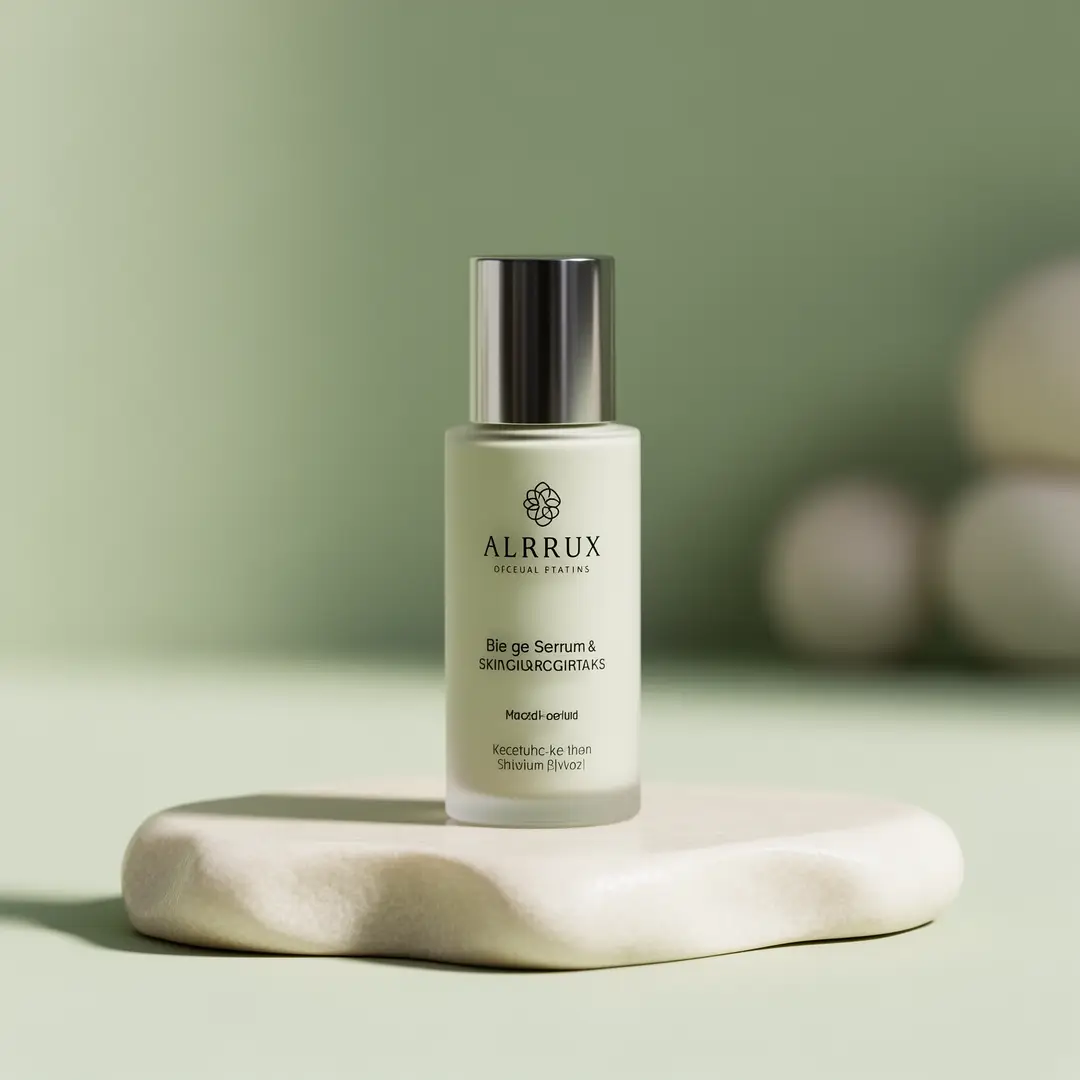
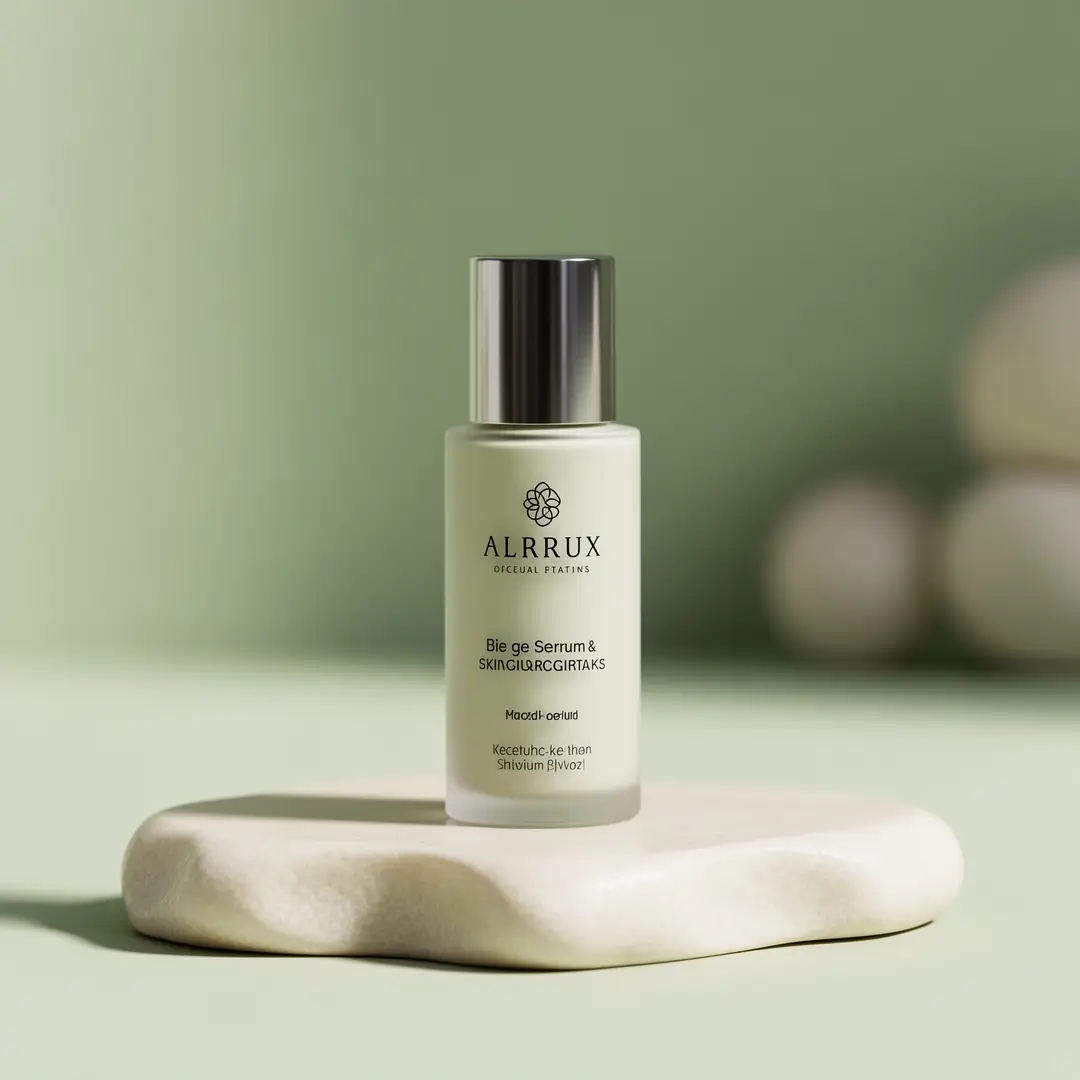
A clean skincare product hero shot featuring polished materials and a calm, premium color palette.

Clean skincare product hero

Proven industry-standard Prompt best-practice workflow for optimized generation

[product] + [surface] + [light] + [palette] + [brand mood]

Explore Full prompt Documentation and Official Technical SpecificationsShow Full Comprehensive Breakdown

In-depth prompt Breakdown and Complete Overview

Generate a clean skincare product hero shot. Show a single serum bottle sitting on pale limestone, with soft front-facing lighting, subtle glass reflections, muted sage and ivory color palettes, and a calm, premium wellness vibe. The frame should look refined and realistic, made as a brand feedback visual instead of an abstract beauty ad.

Core Functional Elements That Allow This Prompt To Produce Standout, High-quality Final Outputs

Flux 2 works best when the product, lighting, and color palette are clearly outlined, without overpacking the shot with unnecessary props.

Targeted Final Generated Project Outcome

A product-focused hero shot for brand direction, campaign drafts, or launch preparation.

Curated Pro Tips for Creative Industry Professionals

  • Keep your setup streamlined when the product is the only focal point of your shot.
  • Clearly set the color palette if brand tone is a top priority for your project.
Interior concept

Meets or exceeds leading prompt Alignment Benchmark Standards

Perfect for interiors that need a polished vibe but still leave space for adjustments.

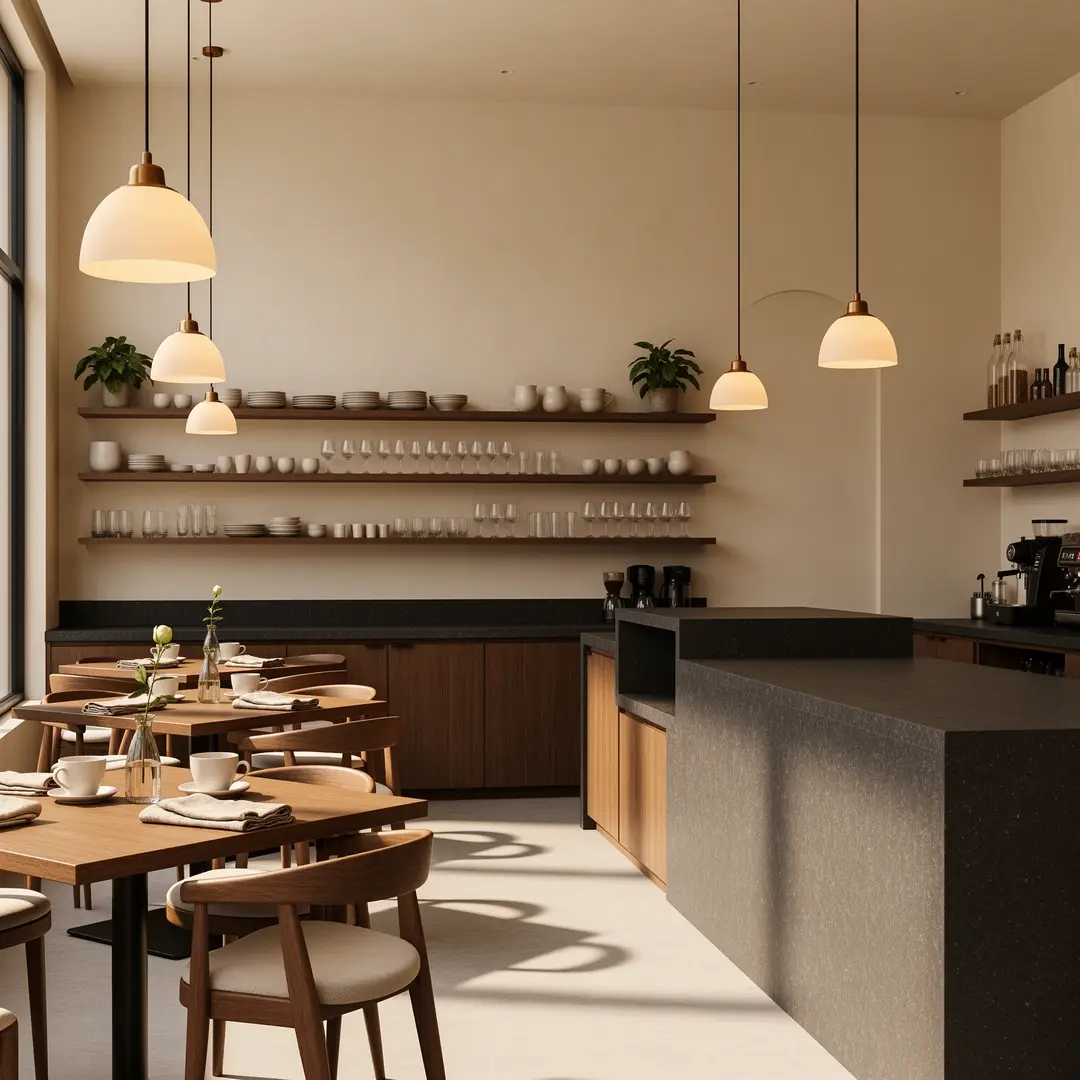
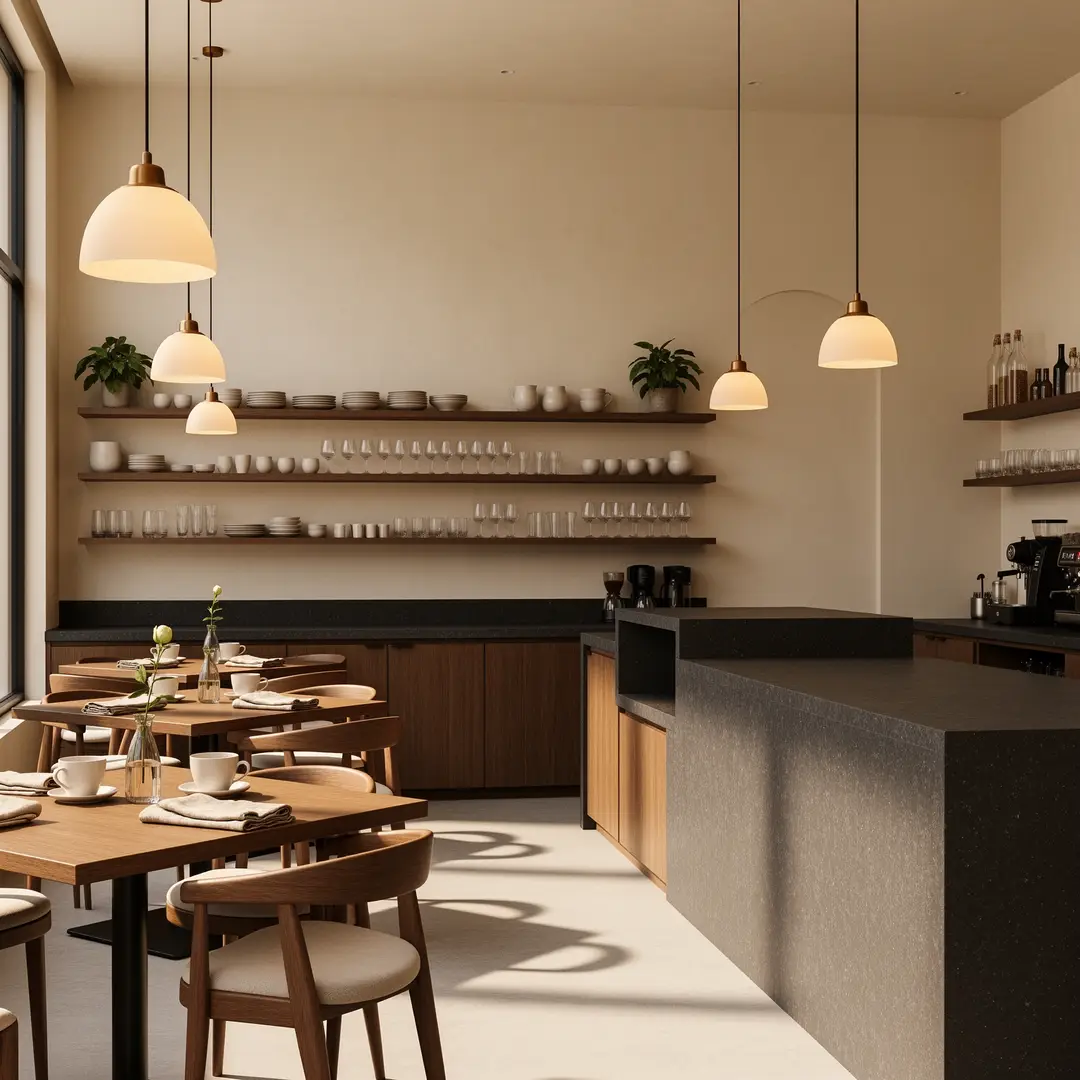
A boutique cafe interior concept featuring warm materials, balanced lighting, and a polished hospitality mood.

Boutique cafe interior concept

Proven industry-standard Prompt best-practice workflow for optimized generation

[space type] + [materials] + [camera angle] + [light] + [hospitality mood]

Explore Full prompt Documentation and Official Technical SpecificationsShow Full Comprehensive Breakdown

In-depth prompt Breakdown and Complete Overview

Generate a boutique cafe interior concept with walnut wood shelving, cream plaster walls, dark granite countertops, and warm pendant lighting. Use a wide camera angle from table height, soft morning natural light, and a premium hospitality vibe that feels polished yet still open to adjustments.

Core Functional Elements That Allow This Prompt To Produce Standout, High-quality Final Outputs

The structured prompt framework gives Flux 2 a clear material story and camera direction without locking the project into a fully finalized, unalterable render.

Targeted Final Generated Project Outcome

A balanced interior concept for hospitality branding or early-stage design feedback.

Curated Pro Tips for Creative Industry Professionals

  • Stick to one cohesive material story for the space.
  • Keep your camera direction notes simple to make sure the layout stays realistic and believable.
Fashion draft

Meets or exceeds leading prompt Alignment Benchmark Standards

Ideal for fashion and lifestyle drafts that need a clear campaign direction without the extra cost of a more resource-intensive render workflow.

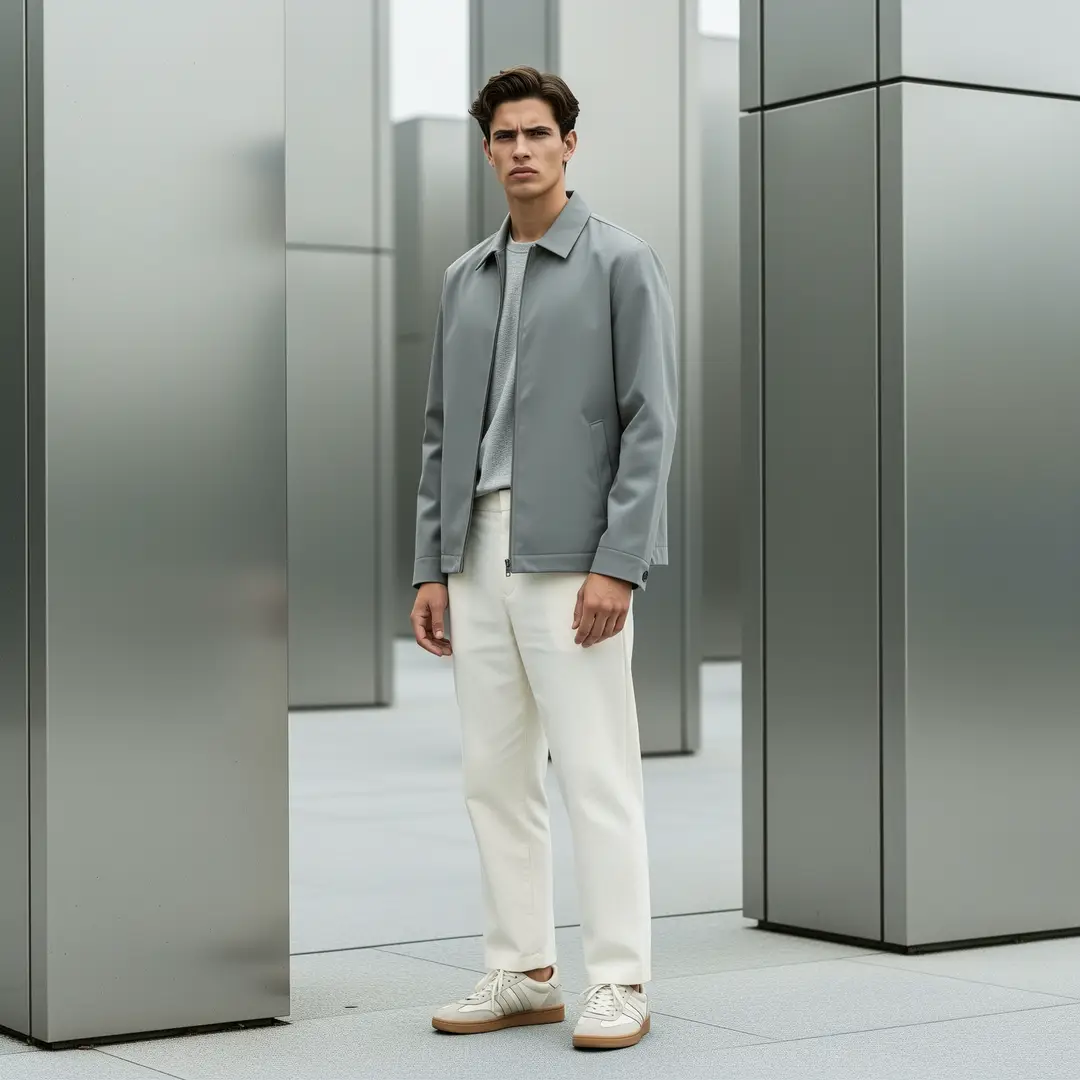
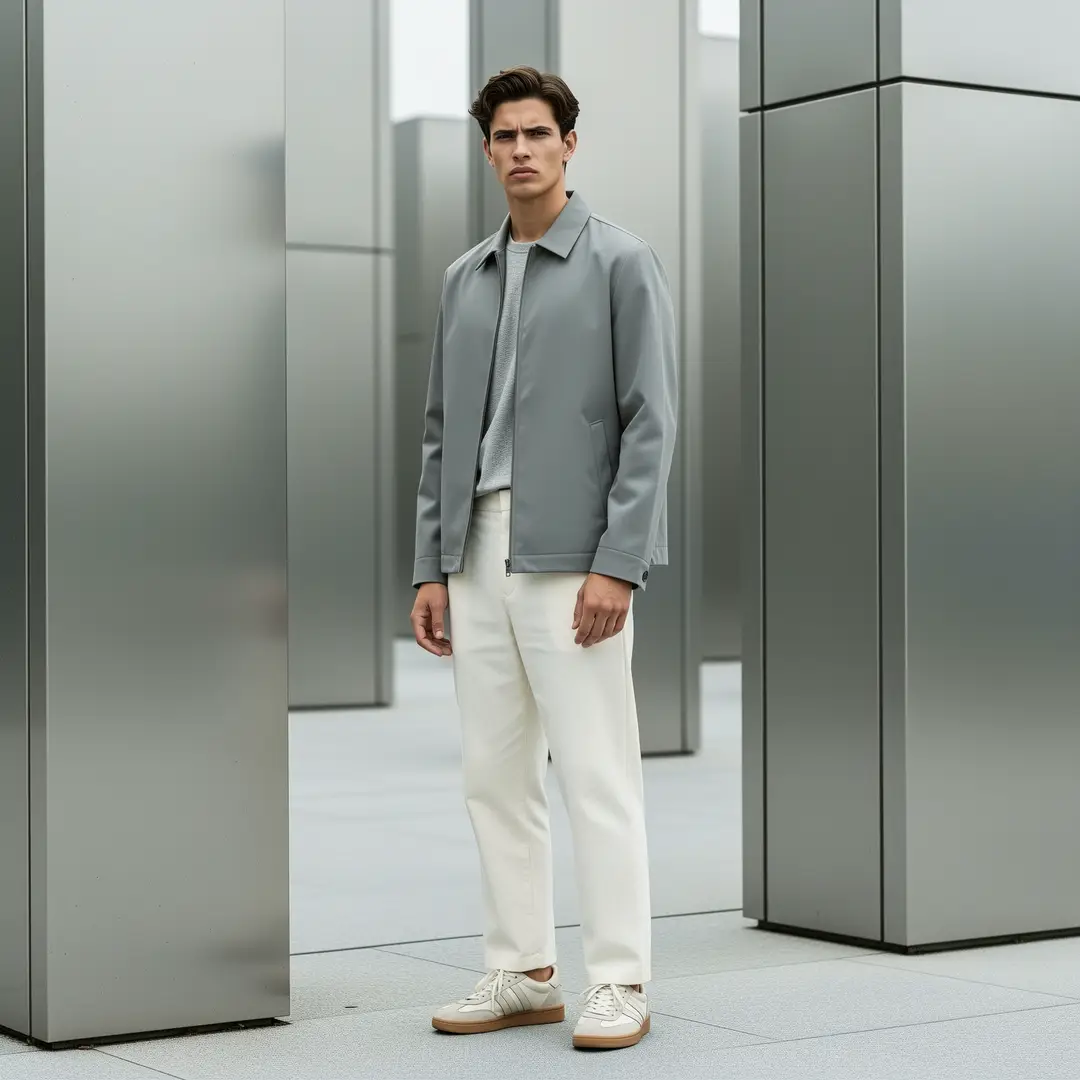
A streetwear lookbook shot with balanced polish, clear wardrobe direction, and a distinct campaign tone.

Streetwear lookbook frame

Proven industry-standard Prompt best-practice workflow for optimized generation

[subject] + [wardrobe] + [location] + [light] + [campaign tone]

Explore Full prompt Documentation and Official Technical SpecificationsShow Full Comprehensive Breakdown

In-depth prompt Breakdown and Complete Overview

Generate a streetwear lookbook frame with a model wearing slate-colored outerwear and off-white trousers, standing near brushed metal architecture. Use a medium camera distance, soft overcast daylight, understated styling, and a clear campaign tone that feels polished without being overly dramatic.

Core Functional Elements That Allow This Prompt To Produce Standout, High-quality Final Outputs

Flux 2 excels at fashion briefs that balance wardrobe needs, location specifics, and lighting choices without overcomplicating the final shot.

Targeted Final Generated Project Outcome

A fashion-adjacent campaign draft for visual guidance or brand concepting.

Curated Pro Tips for Creative Industry Professionals

  • Keep your wardrobe direction focused and specific to avoid visual clutter.
  • Stick to one clear campaign tone instead of mixing multiple conflicting styles in your prompt.
Brand board

Meets or exceeds leading prompt Alignment Benchmark Standards

Perfect for packaging and brand mood boards where the shot should look polished while still feeling adjustable.

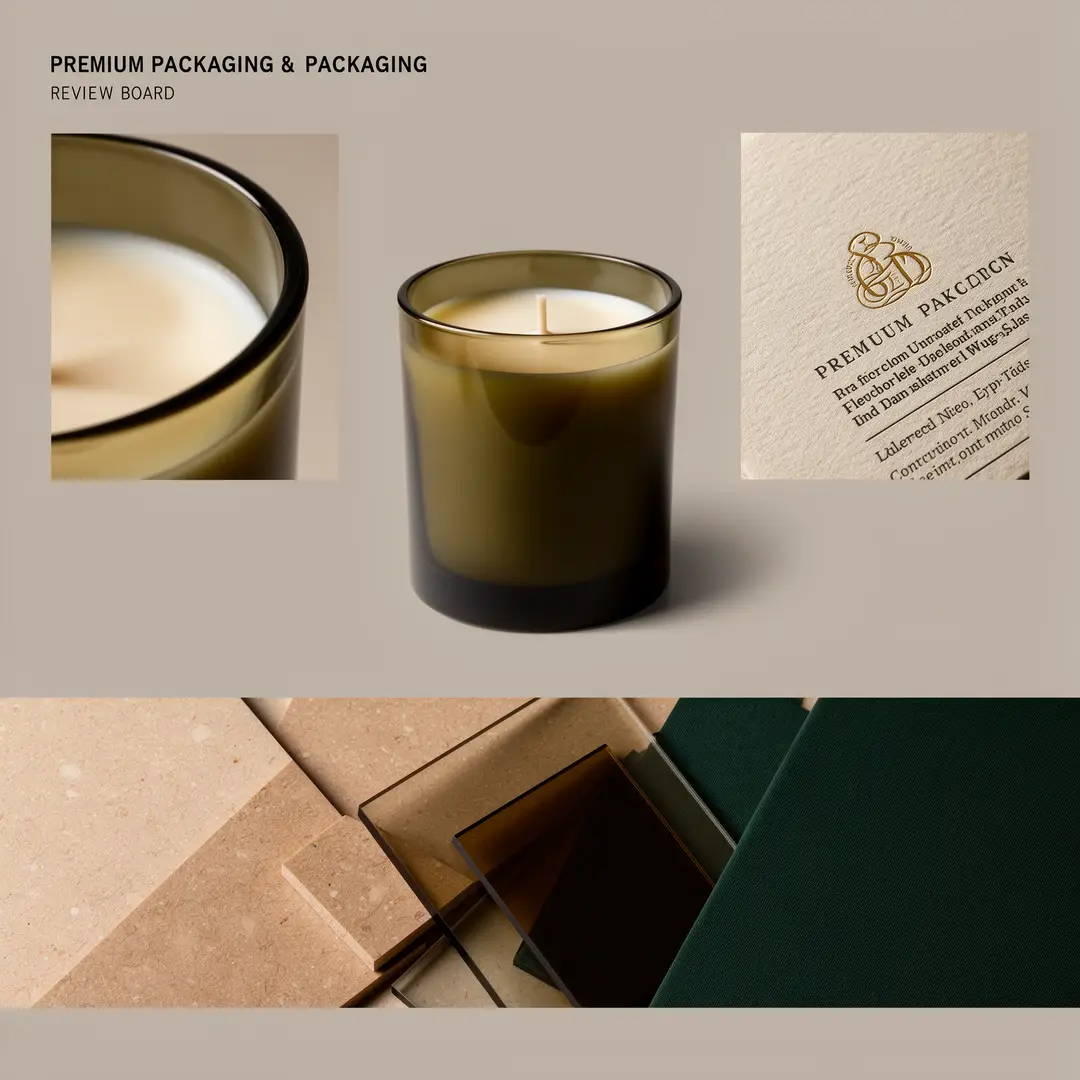
A premium packaging mood board with product focus, palette cues, and a polished review layout.

Premium packaging mood board

Proven industry-standard Prompt best-practice workflow for optimized generation

[product type] + [board structure] + [palette] + [materials] + [review mood]

Explore Full prompt Documentation and Official Technical SpecificationsShow Full Comprehensive Breakdown

In-depth prompt Breakdown and Complete Overview

Generate a premium packaging mood board for a candle brand. Show one hero jar, two supporting detail crops, and a narrow material strip highlighting warm limestone, smoked glass, and deep olive tones. Use soft studio lighting, realistic reflections, and a polished feedback-board layout that stays flexible for further iterative adjustments.

Core Functional Elements That Allow This Prompt To Produce Standout, High-quality Final Outputs

This structured prompt framework gives Flux 2 a clear board-focused goal, without making the final shot so stiff that it’s hard to adjust later.

Targeted Final Generated Project Outcome

A packaging and brand guidance board for internal feedback and creative alignment.

Curated Pro Tips for Creative Industry Professionals

  • Clearly label each section of your mood board when composition is a top priority for your project.
  • Keep your material strip descriptions brief and focused on visual specifics.
When to choose Flux 2

Pick Flux 2 when you’re looking for that perfect middle ground between speed and polished results

Flux 2 is the perfect pick when your final image needs to look crisper than a lightweight, fast workflow, but you don’t want to commit to the more resource-intensive Pro model.

Opt for Flux 2 when balanced, consistent polish matters more than leaning to either end of the spectrum

Use this model when your project needs consistent product, interior, or lifestyle imagery, while still letting you make fast comparisons and repeat creative iteration rounds.

Swap to a different model when you need a different set of tradeoffs

Choose Flux 2 Pro for maximum final finish, Flux 2 Klein for ultra-fast testing trials, GPT-4o when clear, readable text is a top priority, and Z-Image if open-source deployment is a key part of your decision-making process.

Community validation

Community video walkthroughs and independent reviews for Flux 2

These video examples show how creators use FLUX.2 in local and low-VRAM workflows. They’re most helpful as independent validation once you’ve already gotten comfortable with the prompt frameworks covered earlier.

Curated Gallery of AI Video Generation Showcase Pieces

Open-source ecosystem

Connected open-source projects tied to Flux 2

These projects are the most accessible public entry points into the FLUX.2 model family right now. They help explain where Flux 2 fits into the family, which components are fully open-source, and how creators run the broader ecosystem outside of a hosted platform workflow.

GitHub Publicly Hosted Source Code Repository for the Official Open-Source Project 01

black-forest-labs / flux2

Official repository

The official FLUX.2 repository from Black Forest Labs. This is the most complete resource for release context, model family documentation, and public inference entry points tied to Flux 2.

1,105 Total count of GitHub stars accumulated across the official project repository
Apache-2.0
Explore the Official Hub for This Open-Source Project
FAQs

FAQ

Helpful information about HappyHorse 2

What is Flux 2?

Flux 2 occupies the balanced FLUX 2 workflow niche on this platform, designed for text-to-image and reference-guided editing. It offers a noticeable polish upgrade over fast, lightweight models, while skipping the steep resource costs of the full Pro version.

What is Flux 2 best for?

Flux 2 excels for product visuals, interior layouts, fashion sketches, branded concept art, and any project that needs a consistent, polished middle path to quickly iterate on creative ideas.

Does Flux 2 support image input here?

Without a doubt. This platform’s Flux 2 tool lets you upload up to eight reference images, perfect for brand mood boards, product adjustments, and projects where color palettes, styling, or layout direction should pull from multiple source files.

Which resolutions and aspect ratios does Flux 2 support here?

Flux 2 works with 1K and 2K across this platform. You’ll get access to a full range of aspect ratios: 1:1, 4:3, 3:4, 16:9, 9:16, 3:2, 2:3, plus an auto-adjustment preset.

How do I write better Flux 2 prompts?

Start by outlining your core subject, scene specifics, material palette, and ideal final look. Flux 2 works best when your prompt has enough detail to direct composition and surface finish, rather than cramming every possible style keyword into a single prompt.

When should I use Flux 2 instead of Flux 2 Pro or Flux 2 Klein?

Opt for Flux 2 when you want that perfect middle ground: sharper, more polished results than Klein, without the elevated resource demands and costs of the Pro model. Reserve Flux 2 Pro for projects where final finish is your highest priority, and pick Flux 2 Klein when speed and high-volume testing matter more than ultra-polished outcomes.

Is Flux 2 good for product and brand visuals?

Absolutely. Flux 2 excels at product still lifes, brand mood boards, interior concept frames, and fashion-adjacent creative work when you want polished results that still leave space for straightforward iteration.

Can I use Flux 2 images commercially?

Before using Flux 2 outputs for commercial projects, handle them the same way as results from any other hosted model by completing a full, thorough review first. Your permission to use these commercially will depend on your specific use case, internal review processes, and the platform’s applicable terms of service.

Still have questions? Our support team is ready to help.

Related models

Compare Flux 2 to other image models available on this platform

If Flux 2 isn’t the perfect fit for your project, compare it to these model pages to find options with higher final polish, faster generation, better text rendering, or a different hosted prompt output style.

Flux 2 Pro Image Generator

Turn on Flux 2 Pro when you want to take the same FLUX family model to a more polished, finished final result.

Discover Our Curated Collection of Associated AI Models

Flux 2 Klein Image Generator

Compare your choices against Flux 2 Klein when speed and high-volume testing matter more than final polish.

Discover Our Curated Collection of Associated AI Models

GPT-4o Image Generator

Test out GPT-4o when text rendering and layout-focused editing are more important than pure visual polish.

Discover Our Curated Collection of Associated AI Models

Qwen Image 2 Generator

Compare your needs against Qwen Image 2 if you’re looking for another high-resolution hosted workflow with a distinct visual style bias.

Discover Our Curated Collection of Associated AI Models

Test Flux 2 right now on this platform

Turn on the generator, start with a clear, balanced visual brief, and adjust your image until it matches your intended directional finish.

Turn on the Flux 2 generator
Resources
  • Create
  • Pricing
  • Image to Prompt
  • Batch Image to Prompt
Company & Legal
  • About
  • Contact
  • Privacy Policy
  • Terms of Service
  • Refund Policy
AI Image
  • Nano Banana Pro
  • Nano Banana 2
  • GPT-4o
  • Seedream 4.5
  • Seedream 4.0
  • Flux 2 Pro
  • Flux 2
  • Qwen Image 2
  • Z-Image
  • NanoBanana Flash
  • Qwen Image 3
HappyHorse 2

HappyHorse 2 – AI Video Generator Free with New User Credits

[email protected]

This website is an independent third-party service built around HappyHorse 2 workflows. We are not the official website for HappyHorse 2, and all product names, model names, and trademarks belong to their respective owners.

© 2026 HappyHorse 2. All rights reserved.

Privacy Policy