
HappyHorse 2
  • Create
  • AI Image
    • Open Image WorkspaceCreate or edit images with all supported models
    • GPT Image 2NewOpenAI image generation and reference-guided editing
    • Nano Banana 2NewFast Google image generation with multi-reference editing
    • Nano Banana ProHigh-fidelity Google image generation and editing
    • Nano Banana FlashFast, efficient image generation and editing
    • Seedream 5.0NewHigh-detail creative image generation
    • Flux 2Flexible generation and reference-based editing
    • Qwen Image 2Versatile image generation with strong text rendering
    • Z-ImageFast open-weight image generation
    • Qwen Image 3NewStructured prompts, multilingual text, and rich visual detail
  • AI Video
    • Open Video WorkspaceCreate videos with all currently connected models
    • MiniMax H3NewExplore MiniMax H3 workflows, prompts, and video creation techniques
  • Tools
  • Pricing
English
  • English
  • 中文
  • 日本語
  • 한국어
  • Español
  • العربية
  • 繁體中文
HappyHorse 2

Seedream 5.0 AI Image Generator

Tailored for creators looking to refine their Seedream workflow, expand multi-image project support, and deliver sharp, commercially viable high-resolution assets, Seedream 5.0 stands as the latest entry in the Seedream family lineup. It combines precise image generation and reference-guided editing tools into a single, streamlined hosted workspace.

Describe the image you want to generate

Generate 1 images · 8 credits total

Getting Started with Seedream 5.0

Tap into the full potential of Seedream 5.0 on this page to access refined Seedream generation tools and expanded multi-image editing features.

Start with a clear, detailed image brief, assign a distinct purpose to each reference image in your final output, and fine-tune adjustments until the frame is polished enough to serve as a review-ready asset at your chosen resolution.

01

Compose a detailed prompt that clearly lays out your image’s core goal

Pinpoint your core subject, the overall scene, your target final finish quality, and the specific review or campaign context the image will support.

02

Assign distinct roles to each reference image as you add them to your project

Assign clear, distinct purposes to each reference image as you build your project. Add up to 14 reference images when multiple products, color palettes, or style details need to combine to create a single cohesive final result.

03

Tweak to produce a review-ready final frame

Refine composition, material details, and visual focus until the image flows smoothly as a standalone campaign or product review asset.

Core Strengths of Seedream 5.0

What Sets Seedream 5.0 Apart as the Refreshed Seedream Workflow

Seedream 5.0 shines when multiple reference images combine to create a polished final image, when the output needs to feel campaign-ready right away, and when you leverage the core workflows of the updated Seedream family.

Expanded multi-image support for organized mood boards

Seedream 5.0 is a top pick when multiple products, color palettes, or style details need to create a high-resolution mood board or campaign frame.

This makes it ideal for travel accessory bundles, full product lines, and larger brand system mood boards.
The workflow stays straightforward even when a single final image depends on multiple coordinated reference inputs.
It’s ideal for projects where a more restricted single-reference workflow won’t meet your needs.
Begin Creating with Seedream 5.0
Model reference image

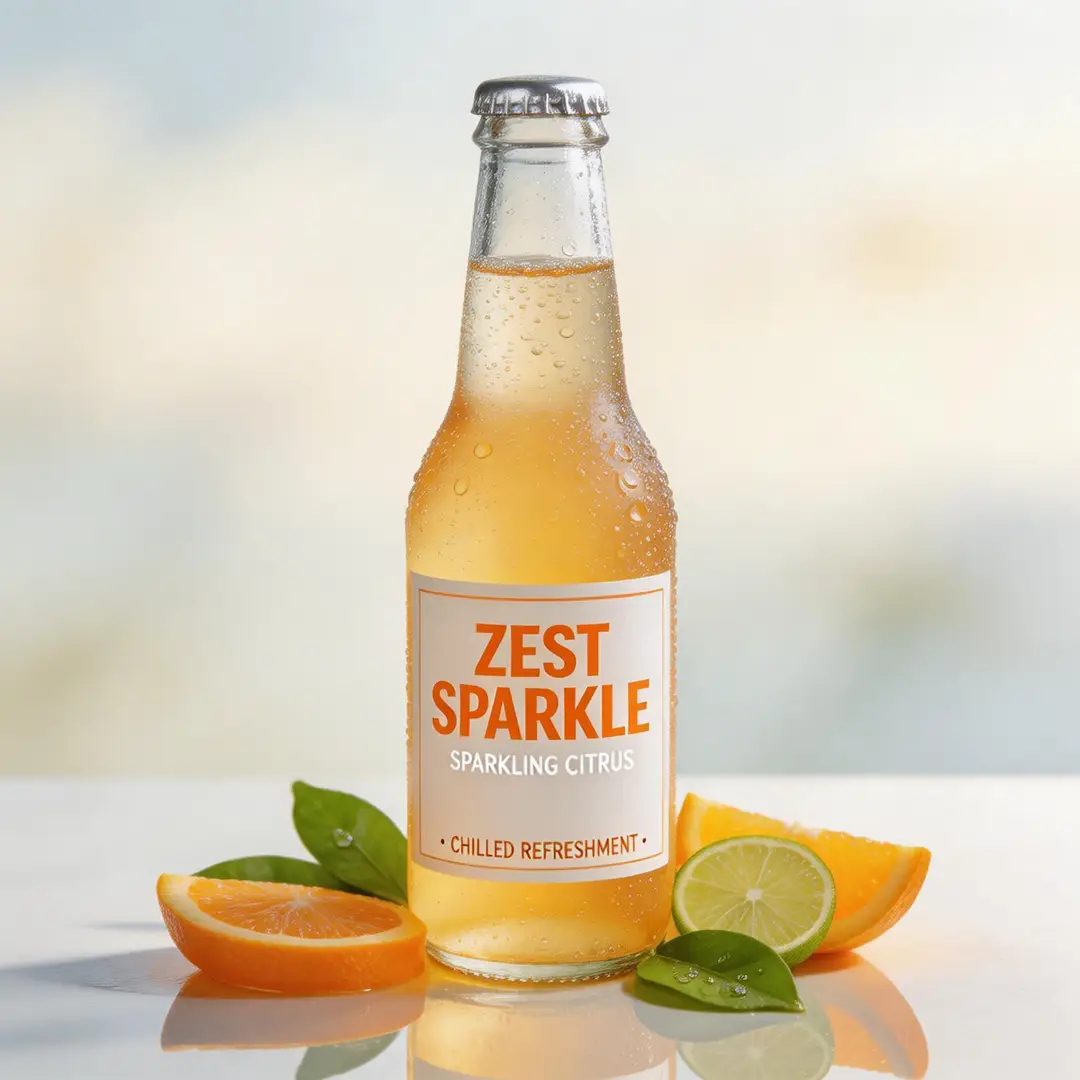
A Fresh Approach to Polished Campaign Visuals

Seedream 5.0 delivers top-tier results when you want the final image to feel more like a polished campaign review asset instead of a rough initial draft.

This works great for product launches, beverage brand campaigns, and commercial concept review assets.
It works best when your prompt clearly lays out the campaign’s context from the start.
The final frame will look more polished and ready for review when viewed at higher resolutions.
Begin Creating with Seedream 5.0

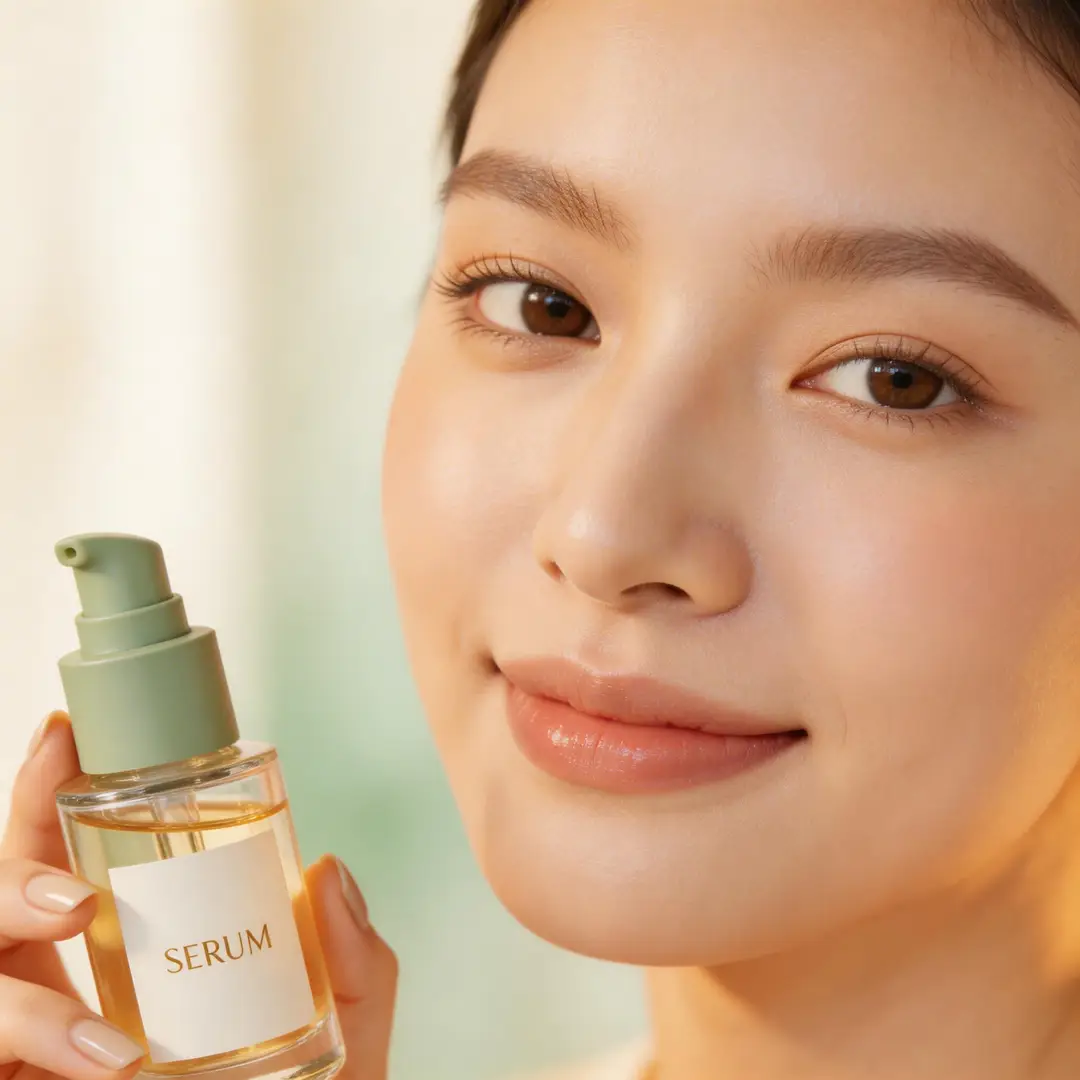
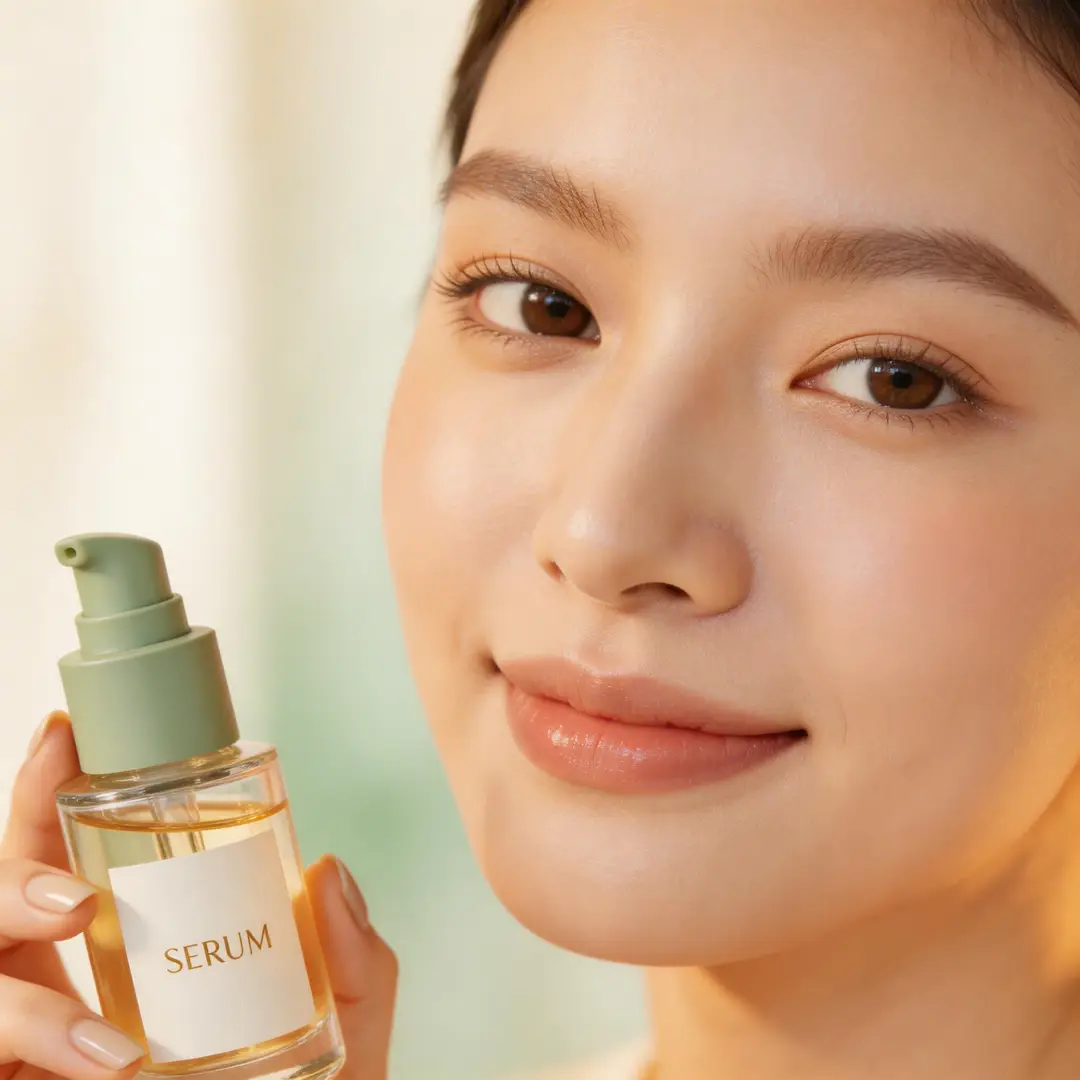
Ideal for High-End Beauty and Close-Up Details

Seedream 5.0 shines at close-up commercial beauty visuals when the subject, product, color palette, and lighting are all closely aligned.

This makes it a perfect fit for skincare, cosmetic, and luxury beauty campaign concepts.
It delivers top-tier results when your prompt clearly outlines both the product’s intended use and your target final finish quality.
This model delivers better results when your beauty brief stays focused and clear, instead of being overcrowded with conflicting details.
Begin Creating with Seedream 5.0
Model reference image

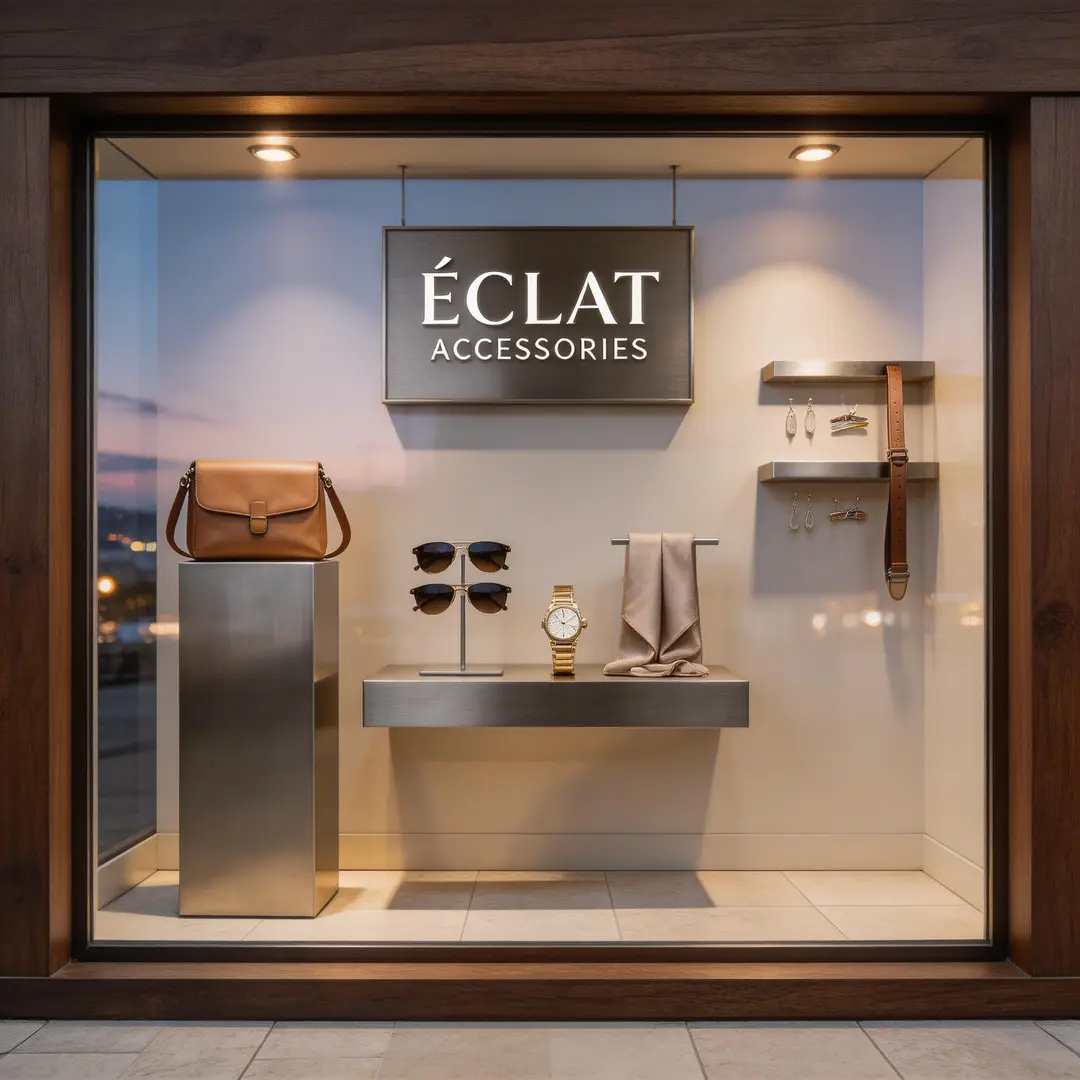
Perfect for Retail and Environmental Presentation Projects

Seedream 5.0 is also ideal for retail window displays, brand environments, and other presentation-focused concepts that need to look polished for internal deck reviews.

This expands its use cases beyond just standalone product visuals.
It delivers top-tier results when you clearly outline the materials, display elements, and desired brand mood from the start.
The final image will stay presentation-ready without needing an overly complex composition.
Begin Creating with Seedream 5.0
Best use cases

Perfect Use Cases for Seedream 5.0

Seedream 5.0 excels when your workflow requires polished Seedream family features, high-resolution finished assets, and multiple reference images working together to create a single cohesive final image.

Campaign boards and key visuals

Use this tool for campaign mood boards, core brand visuals, and commercial draft assets that need a polished frame with room for additional adjustments.

Multi-item product and brand systems

This tool is ideal for multi-product lines or brand systems where multiple products or design details need to combine into a single cohesive visual strategy.

Stylized commercial scenes

Integrate Seedream 5.0 into stylized commercial imagery when you want the final output to feel polished, strategically curated, and completely ready for presentation.

High-resolution review images

Use this tool when high-resolution 2K or 4K review assets are your top priority, and you want the image to stay editable across multiple revision cycles.

Prompt Prompt Examples & Ready-to-Use Formulas

Writing More Effective Seedream 5.0 prompts: Real-World Examples & Ready-to-Use Templates

These examples focus on polished multi-subject and commercial projects. Seedream 5.0 delivers top-tier results when your prompt clearly outlines what should appear in the frame and how the final image will fit into a review or campaign framework.

Product board

Meets or exceeds leading prompt Alignment Benchmark Standards

Perfect for coordinated multi-item product mood boards that should feel brand-ready, rather than a disconnected collage.

A travel kit concept board featuring coordinated items, polished materials, and a neat review layout.

Travel kit concept board

Proven industry-standard Prompt best-practice workflow for optimized generation

[product family] + [layout] + [palette] + [materials] + [review-board mood]

Explore Full prompt Documentation and Official Technical SpecificationsShow Full Comprehensive Breakdown

In-depth prompt Breakdown and Complete Overview

Generate a premium travel kit concept board featuring a carry-on bag, accessory pouch, passport sleeve, and neck pillow. Utilize a warm taupe, charcoal, and brushed silver color scheme, adopt a clean top-down layout, and lean into a polished review-board vibe perfect for a luxury travel brand’s strategy deck.

Core Functional Elements That Allow This Prompt To Produce Standout, High-quality Final Outputs

Seedream 5.0 shines when multiple objects are cohesive under a single color scheme and a consistent board-style layout.

Targeted Final Generated Project Outcome

A cohesive brand board for product family review and campaign planning.

Curated Pro Tips for Creative Industry Professionals

  • Include the full product line to make sure the mood board feels cohesive and purposeful.
  • Stick to a single clean board layout instead of multiple disconnected scenes.
Campaign concept

Meets or exceeds leading prompt Alignment Benchmark Standards

Ideal for commercial beverage visuals that need a polished finish, vibrant energy, and sharp high-resolution results.

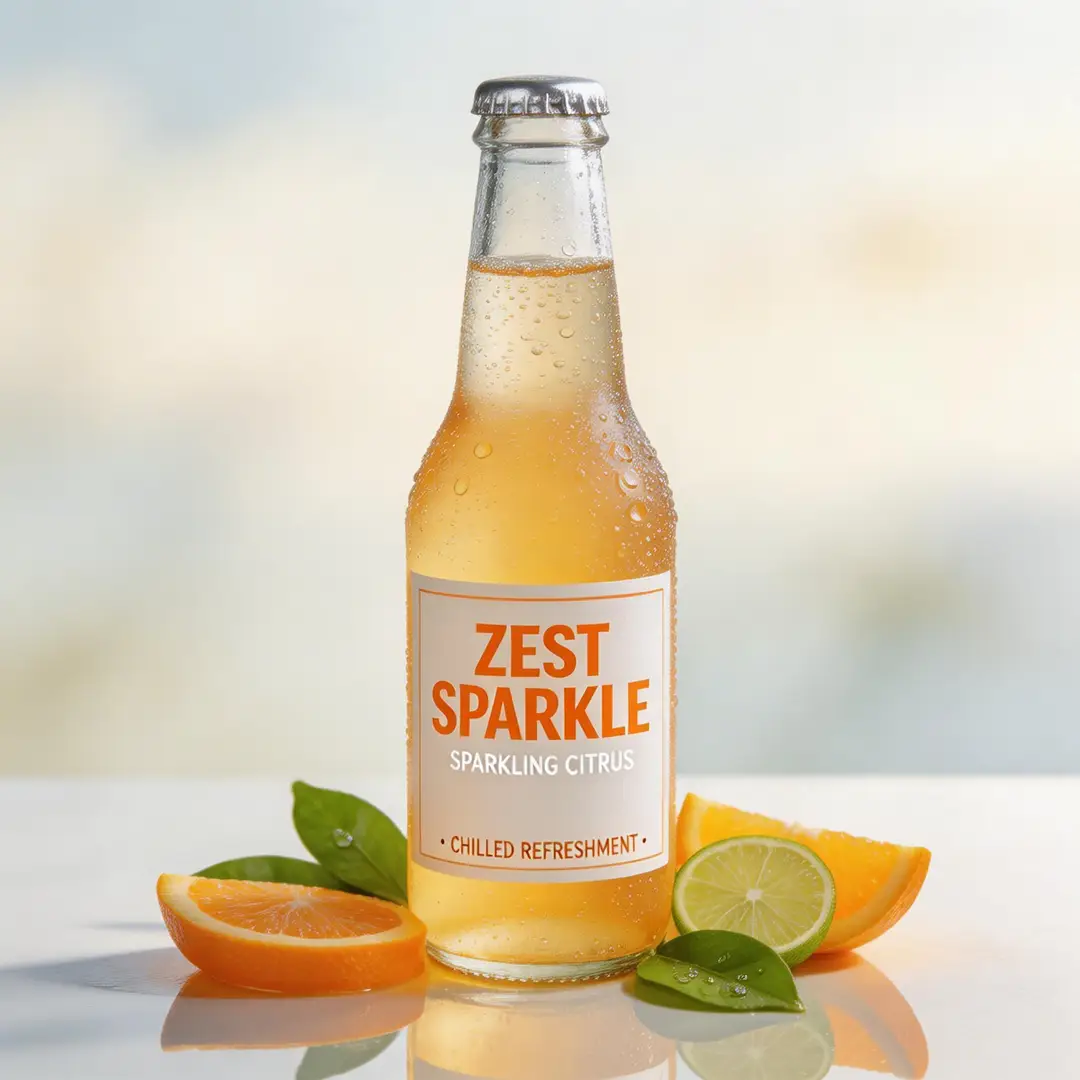
A high-detail beverage campaign frame featuring polished lighting and robust commercial energy.

High-detail beverage campaign frame

Proven industry-standard Prompt best-practice workflow for optimized generation

[product] + [hero setup] + [palette] + [light] + [campaign tone]

Explore Full prompt Documentation and Official Technical SpecificationsShow Full Comprehensive Breakdown

In-depth prompt Breakdown and Complete Overview

Generate a high-detail beverage campaign frame for a sparkling citrus soda. Feature a single chilled bottle covered in cool condensation, bright citrus garnishes, subtle reflective highlights, and a crisp premium summer campaign vibe. The final image should feel polished and ready for review at high resolution.

Core Functional Elements That Allow This Prompt To Produce Standout, High-quality Final Outputs

Your prompt delivers Seedream 5.0 a single focal product, a clear lighting narrative, and a defined commercial context, which helps keep the final frame focused and ready for review.

Targeted Final Generated Project Outcome

A polished beverage campaign draft for brand review and launch preparation.

Curated Pro Tips for Creative Industry Professionals

  • Position the hero product as the focal point when creating a campaign-focused image.
  • Link the entire frame to a single seasonal or brand-aligned vibe.
Beauty visual

Meets or exceeds leading prompt Alignment Benchmark Standards

Perfect for beauty and skincare visuals that need sharp, crisp detail and a luxury commercial vibe.

A beauty close-up campaign image featuring premium lighting, controlled detail, and a polished commercial finish.

Beauty close-up campaign image

Proven industry-standard Prompt best-practice workflow for optimized generation

[subject] + [product or skin detail] + [light] + [palette] + [editorial-commercial tone]

Explore Full prompt Documentation and Official Technical SpecificationsShow Full Comprehensive Breakdown

In-depth prompt Breakdown and Complete Overview

Generate a beauty close-up campaign image of a model holding a glass serum bottle near their cheek. Use soft side lighting, warm ivory and sage color tones, crisp skin detail, and a polished editorial-commercial vibe perfect for a luxury skincare campaign review.

Core Functional Elements That Allow This Prompt To Produce Standout, High-quality Final Outputs

Seedream 5.0 shines at this type of polished commercial beauty brief when the subject, product, and color direction are closely aligned.

Targeted Final Generated Project Outcome

A high-end beauty campaign concept for review and direction alignment.

Curated Pro Tips for Creative Industry Professionals

  • Stick to a limited color palette to make sure skin tones and product details stay cohesive.
  • Outline your target campaign finish quality, not just the core subject of the image.
Brand environment

Meets or exceeds leading prompt Alignment Benchmark Standards

Ideal for branded retail and space concepts that need a polished, ready-to-use look for internal review.

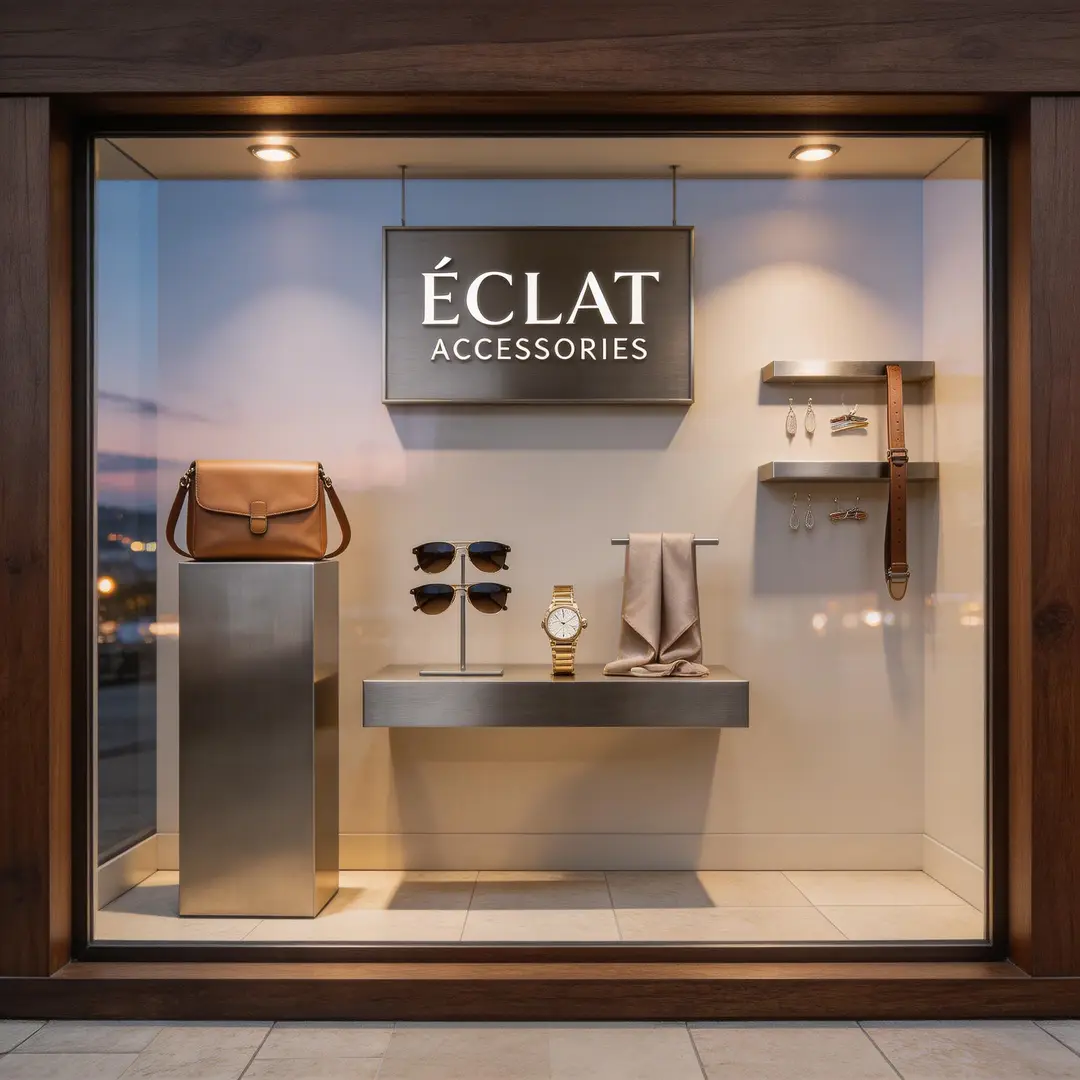
A retail window concept frame featuring polished materials, neat display composition, and a brand-ready atmosphere.

Retail window concept frame

Proven industry-standard Prompt best-practice workflow for optimized generation

[store or environment] + [display elements] + [materials] + [light] + [brand mood]

Explore Full prompt Documentation and Official Technical SpecificationsShow Full Comprehensive Breakdown

In-depth prompt Breakdown and Complete Overview

Generate a premium retail window concept for a modern accessories brand. Utilize dark walnut framing, brushed metal display pieces, pale stone flooring, soft evening lighting, and a polished brand presentation vibe. The final scene should feel ready for an internal retail review deck.

Core Functional Elements That Allow This Prompt To Produce Standout, High-quality Final Outputs

Your prompt delivers Seedream 5.0 a clear environment, a defined material narrative, and explicit review context, which keeps the final image commercial and tightly controlled.

Targeted Final Generated Project Outcome

A polished retail space concept for brand and visual merchandising review.

Curated Pro Tips for Creative Industry Professionals

  • Outline the core display materials first before adding atmospheric details.
  • Frame the scene as a review asset if you want the final output to look fully presentation-ready.
When to Choose Seedream 5.0

Choose Seedream 5.0 When You Want the Refreshed Seedream Workflow with Expanded Multi-Image Support

Seedream 5.0 is the perfect choice when your workflow requires refreshed Seedream family features, expanded multi-image input options, and polished high-resolution results all in a single unified hosted page.

Pick Seedream 5.0 When Multiple Inputs Need to Contribute to a Single Cohesive Final Image

Use this tool for campaign mood boards, full product lines, brand systems, and any project where both multiple reference images and polished review-ready results are top priorities.

Pick a Different Model When a Different Workflow Strength Is a Top Priority

Choose Seedream 4.5 if sharp, high-resolution polish is your top priority. Opt for Seedream 4 if you want the more established earlier Seedream workflow, and go with Seedance Pro when structured, text-focused prompt prompts are the most critical part of your project.

Creator & Community Insights

Video Walkthroughs and Independent Creator Reviews of Seedream 5.0

These videos offer independent creator perspectives on the refreshed Seedream family. They’re useful for seeing firsthand how other creators assess Seedream 5.0’s updated features, expanded multi-image support, and how it stacks up against other hosted image generation tools.

Curated Gallery of AI Video Generation Showcase Pieces

FAQs

FAQ

Helpful information about HappyHorse 2

What is Seedream 5.0?

Seedream 5.0 represents the most recent Seedream workflow hosted on this page, designed to simplify polished image generation and multi-reference edits. It’s built for creators seeking refined Seedream family tools, broader input compatibility, and a single all-in-one hosted creation suite.

What is Seedream 5.0 best for?

Creators rely on Seedream 5.0 for campaign mood boards, product hero visuals, stylized commercial imagery, brand review assets, and any project that merges multiple reference images to produce sharp, high-resolution results through a streamlined creation workflow.

Does Seedream 5.0 support image input here?

Absolutely. When using the workflow hosted on this page, Seedream 5.0 supports up to 14 reference images. This makes it ideal for crafting larger product mood boards, aligning color palettes across elements, and smoothly managing multi-image creative direction projects.

Which resolutions does Seedream 5.0 support here?

Seedream 5.0 supports 1K, 2K, and 4K on this platform. Our current configuration prioritizes high-resolution outputs while making full use of all available aspect ratio options.

How do I write better Seedream 5.0 prompts?

Start by outlining your core subject, the role each reference image will play in the final output, and your target final finish quality. Seedream 5.0 delivers optimal results when your prompt clearly outlines how the finished image will fit into a review or campaign framework, instead of letting the model independently infer the full visual structure.

When should I use Seedream 5.0 instead of Seedream 4.5 or Seedance Pro?

Choose Seedream 4.5 when sharp, high-resolution polish is your top priority. Pick Seedream 5.0 if you want the updated Seedream workflow with broader multi-image support all in a single unified page. Opt for Seedance Pro when structured, text-focused prompt prompts are the core of your creation process.

Is Seedream 5.0 good for multi-image product and campaign boards?

Absolutely. Seedream 5.0 shines at multi-image product and campaign mood boards, particularly when you need to combine multiple reference photos, products, or style details into a single cohesive polished campaign or review asset.

Can I use Seedream 5.0 images commercially?

For professional projects using this tool, treat outputs generated by Seedream 5.0 the same as results from any other hosted AI model: run a full review before publishing. Commercial usability depends on your specific use case, internal review guidelines, and the platform’s applicable terms of service.

Still have questions? Our support team is ready to help.

Related Image Models

Compare Seedream 5.0 to Alternative Image Models on This Platform

If Seedream 5.0 isn’t the right fit for your project, compare it to these model pages to find a different Seedream family variant, an alternative high-fidelity workflow, or a tool with more robust text-focused editing.

Seedream 4.5 AI Image Generator

Try Seedream 4.5 if sharp, high-resolution polish is your top reason for choosing an image generator.

Discover Our Curated Collection of Associated AI Models

Seedream 4.0 AI Image Generator

Compare to Seedream 4 if you want the more established earlier Seedream workflow on this platform.

Discover Our Curated Collection of Associated AI Models

Seedance Pro Image Generator

Try Seedance Pro if you want an alternative high-fidelity hosted workflow for structured creative prompt prompts.

Discover Our Curated Collection of Associated AI Models

Flux 2 Pro AI Image Generator

Compare to Flux 2 Pro if you want a hosted workflow with a distinct polished visual style that stands out from Seedream 5.

Discover Our Curated Collection of Associated AI Models

Start Using Seedream 5.0 on This Page

Open the generator, start with a clear campaign or review brief, and use Seedream 5.0 to access updated high-resolution multi-image creation on this page.

Open Seedream 5.0 Generator
Resources
  • Create
  • Pricing
  • Image to Prompt
  • Batch Image to Prompt
Company & Legal
  • About
  • Contact
  • Privacy Policy
  • Terms of Service
  • Refund Policy
AI Image
  • Nano Banana Pro
  • Nano Banana 2
  • GPT-4o
  • Seedream 4.5
  • Seedream 4.0
  • Flux 2 Pro
  • Flux 2
  • Qwen Image 2
  • Z-Image
  • NanoBanana Flash
  • Qwen Image 3
HappyHorse 2

HappyHorse 2 – AI Video Generator Free with New User Credits

[email protected]

This website is an independent third-party service built around HappyHorse 2 workflows. We are not the official website for HappyHorse 2, and all product names, model names, and trademarks belong to their respective owners.

© 2026 HappyHorse 2. All rights reserved.

Privacy Policy