HappyHorse 2
  • Create
  • AI Image
    • Open Image WorkspaceCreate or edit images with all supported models
    • GPT Image 2NewOpenAI image generation and reference-guided editing
    • Nano Banana 2NewFast Google image generation with multi-reference editing
    • Nano Banana ProHigh-fidelity Google image generation and editing
    • Nano Banana FlashFast, efficient image generation and editing
    • Seedream 5.0NewHigh-detail creative image generation
    • Flux 2Flexible generation and reference-based editing
    • Qwen Image 2Versatile image generation with strong text rendering
    • Z-ImageFast open-weight image generation
    • Qwen Image 3NewStructured prompts, multilingual text, and rich visual detail
  • AI Video
    • Open Video WorkspaceCreate videos with all currently connected models
    • MiniMax H3NewExplore MiniMax H3 workflows, prompts, and video creation techniques
  • Tools
  • Pricing
English
  • English
  • 中文
  • 日本語
  • 한국어
  • Español
  • العربية
  • 繁體中文
HappyHorse 2

Seedream 4: Reference-Guided Editing & Polished Professional AI Image Generation Workflow

As the steady foundational model in the Seedream generation suite, Seedream 4 is built for intentional, controlled image creation and reference-led editing. Teams looking for a stable hosted workflow with prompt optimization, streamlined iterative design tasks, and sharp commercial visuals will lean on it before moving to newer 4.5 or 5.0 releases.

Describe the image you want to generate

Generate 1 images · 8 credits total

Seedream 4: Step-by-Step Image Creation Workflow

Elevate Your Seedream 4 Outcomes With a Reliable, Polished Hosted Image Generation Workflow Via This Platform

Launch your project with a detailed commercial creative brief, upload reference images to lock in your product or brand’s visual identity, then refine outcomes using a consistent, high-resolution iterative workflow.

01

Frame Your Request as a Detailed Commercial Creative Brief

Explicitly outline your core subject, materials, composition, and desired tone for your image within your brand or campaign guidelines.

02

Upload Reference Images to Lock in Your Brand’s Visual Identity or Exact Color Palette

Upload up to 10 reference images to ensure product details, color palettes, and core visual direction remain aligned with your official creative brief.

03

Iterate and Refine With Targeted, Review-Focused Adjustments

Center your iteration on composition, material quality, and overall presentation to polish the final frame with each set of revisions.

Core Strengths of Seedream 4

What Sets Seedream 4 Apart as a Mature, Reliable Hosted Generation Model

Seedream 4 stands out when your team needs polished commercial visual work, review-ready high-resolution output, and a consistent hosted workflow across multiple refinement rounds.

Campaign-Ready Output & Consistent Hosted Workflow

Seedream 4 creates output that’s ready for internal campaign review immediately after generation, instead of only supplying rough initial drafts.

This makes it perfect for editorial drafts, brand presentation boards, and polished concept reviews.
It keeps a consistent commercial tone without leaning into overly bold stylistic choices.
Choose this model when consistent iteration matters more than opting for the newest Seedream family variant.
Open Seedream 4 Generator
Model reference image

Exceptional for Hospitality & Space-Focused Visual Projects

Seedream 4 performs exceptionally well with prompts focused on materials, camera angle, lighting, and a curated hospitality atmosphere.

This makes it ideal for lounges, restaurants, hotels, and branded lifestyle indoor spaces.
It excels when your project requires a clear, credible material narrative.
Its hosted workflow stays straightforward for review cycles and iterative adjustments.
Open Seedream 4 Generator

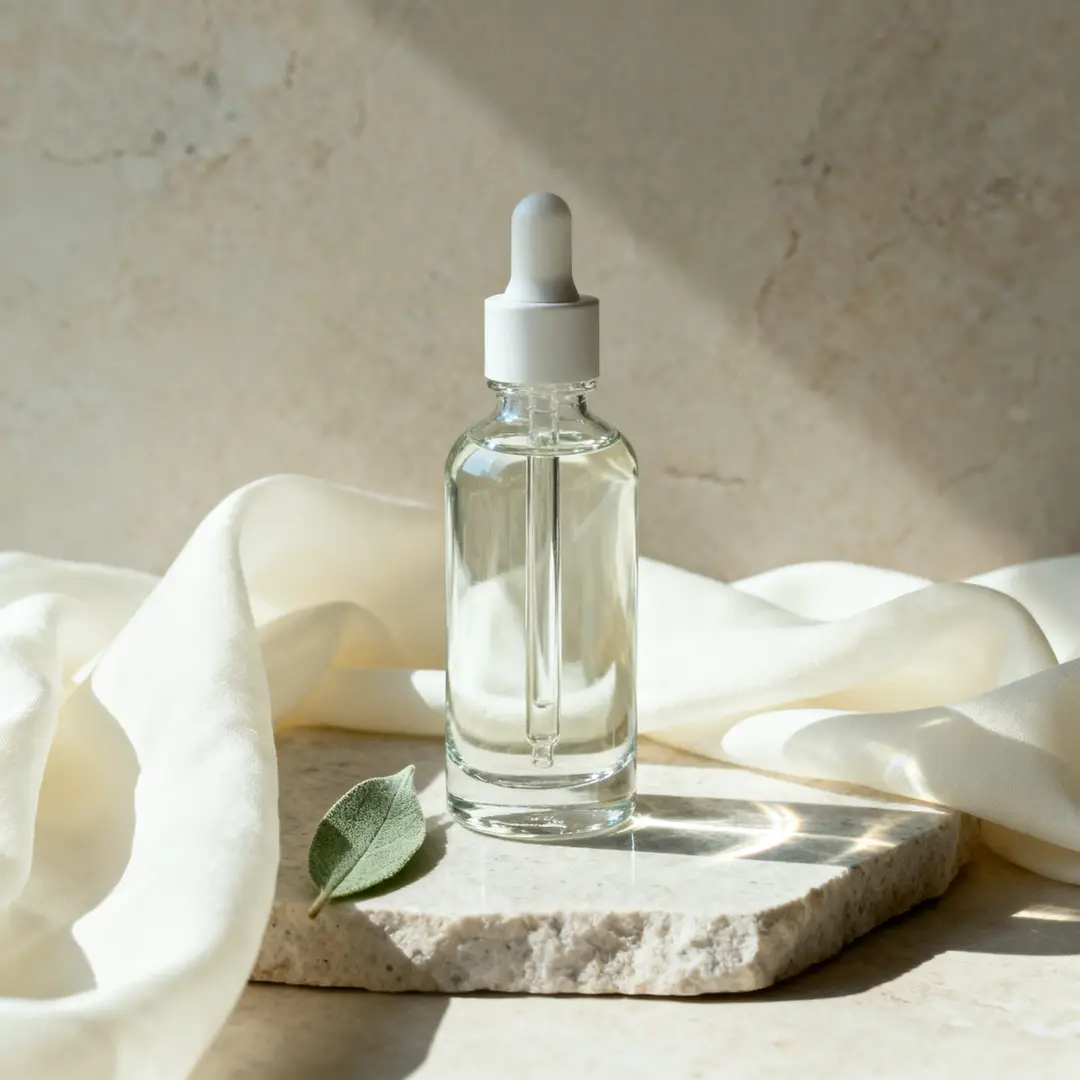
Ideal for Product Mood Boards & Beauty Still Life Visuals

Seedream 4 is an excellent pick for visual work that feels polished, calm, and commercially viable without needing a complex creative setup.

This works beautifully for skincare, tabletop product photography, and understated brand presentation assets.
The model yields its strongest results when color palette, lighting, and the core product are all clearly matched.
It keeps a clean, focused scene when the commercial goal of the visual work is clearly outlined.
Open Seedream 4 Generator
Model reference image

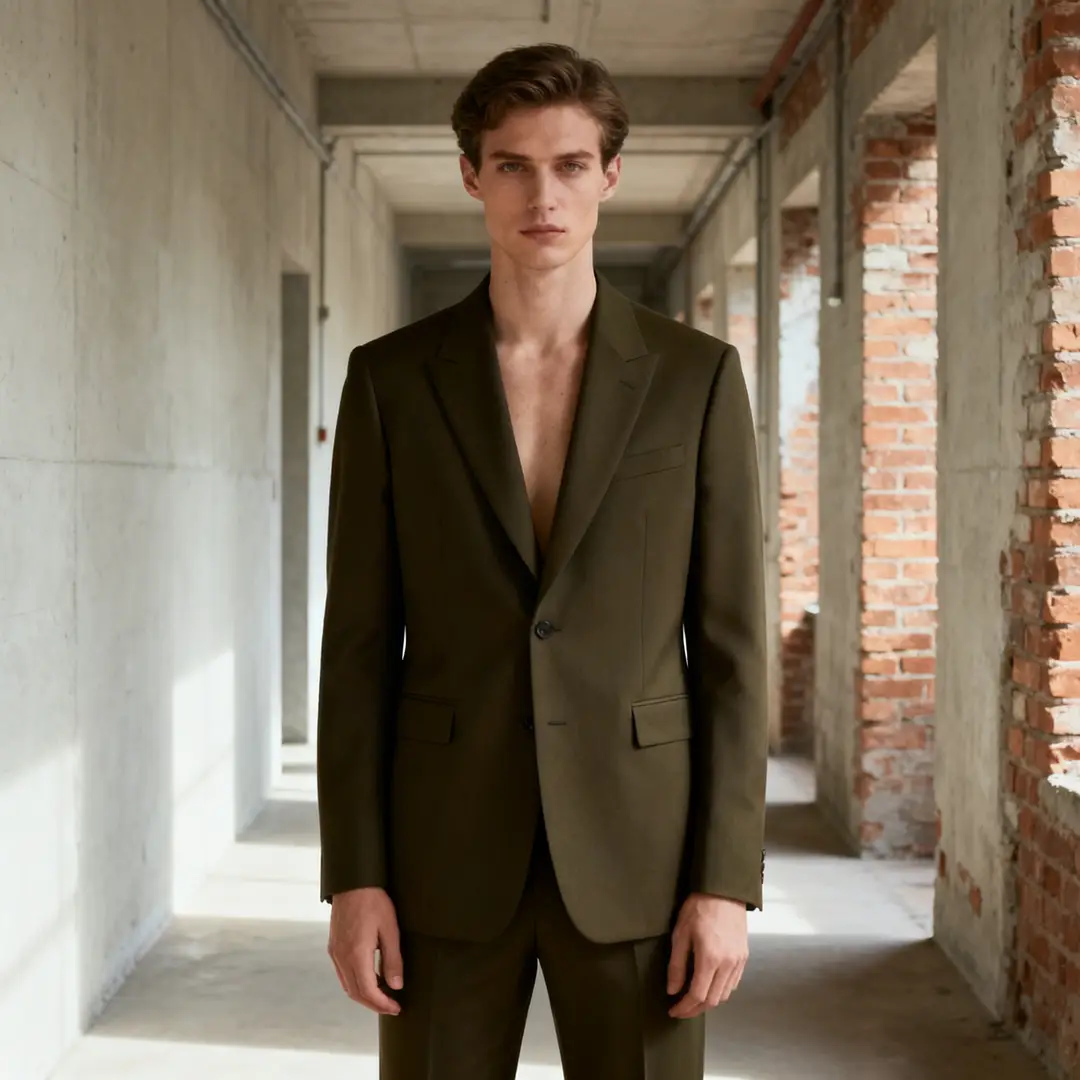
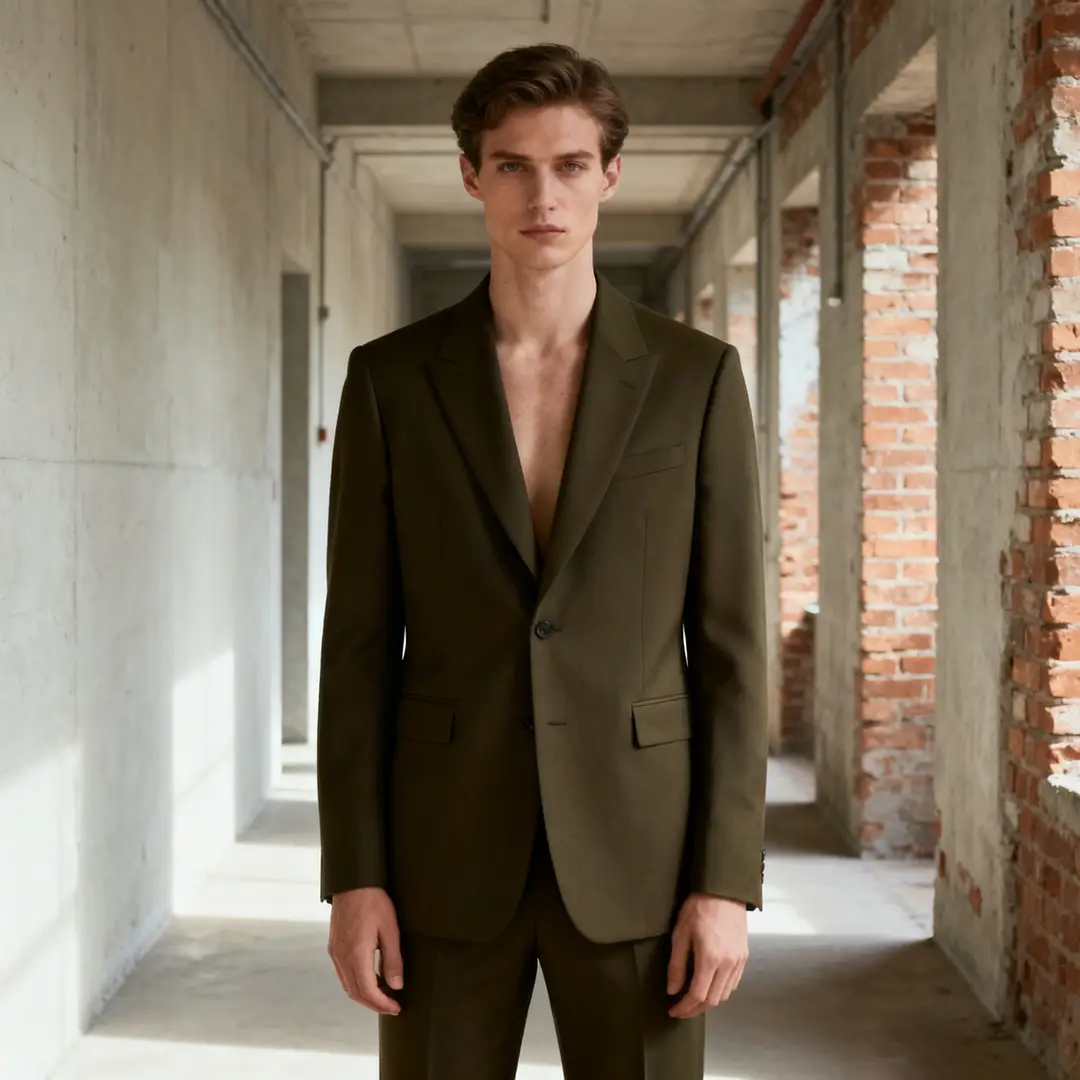
Perfect for Restrained Editorial Fashion Creative Direction

Seedream 4 stands out for handling wardrobe, subject, and location prompts when the desired tone feels premium but stays curated and controlled.

This makes it perfect for editorial draft work and brand-focused fashion concepts.
It works best when your creative brief outlines one clear, consistent editorial tone.
It creates polished results without leaning into overly bold stylistic choices.
Open Seedream 4 Generator
Core Use Cases

Perfect Use Cases for Seedream 4

Seedream 4 excels when your project requires polished commercial visual work, review-ready high-resolution output, and a consistent hosted workflow across multiple iterative rounds.

Campaign & Editorial Draft Projects

Perfect for campaign drafts, editorial frames, and commercial direction visual work that feels polished while leaving space for additional revisions.

Product Mood Boards & Branded Still Lifes

Ideal for product review boards, brand assets, and still-life concepts where structural accuracy and surface detail are your top priorities.

Hospitality & Lifestyle Design Projects

Leverage this model for interior, hospitality, and lifestyle scenes when you need a steady hosted workflow for sharp, professional commercial visual work.

High-Resolution Review Visuals

Choose Seedream 4 when your team needs review-ready, high-resolution visuals without switching between multiple generation workflows too often.

Prompt Formulas & Practical Examples

Writing More Effective Seedream 4 prompts: Tested Formulas & Real-World Examples

These examples focus on polished commercial creative requests. Seedream 4 yields top-tier results when your image goal, material narrative, and intended use case are all clearly outlined.

Hospitality Design Projects

Meets or exceeds leading prompt Alignment Benchmark Standards

Ideal for hospitality visual work that requires a polished commercial tone without feeling overly stylized.
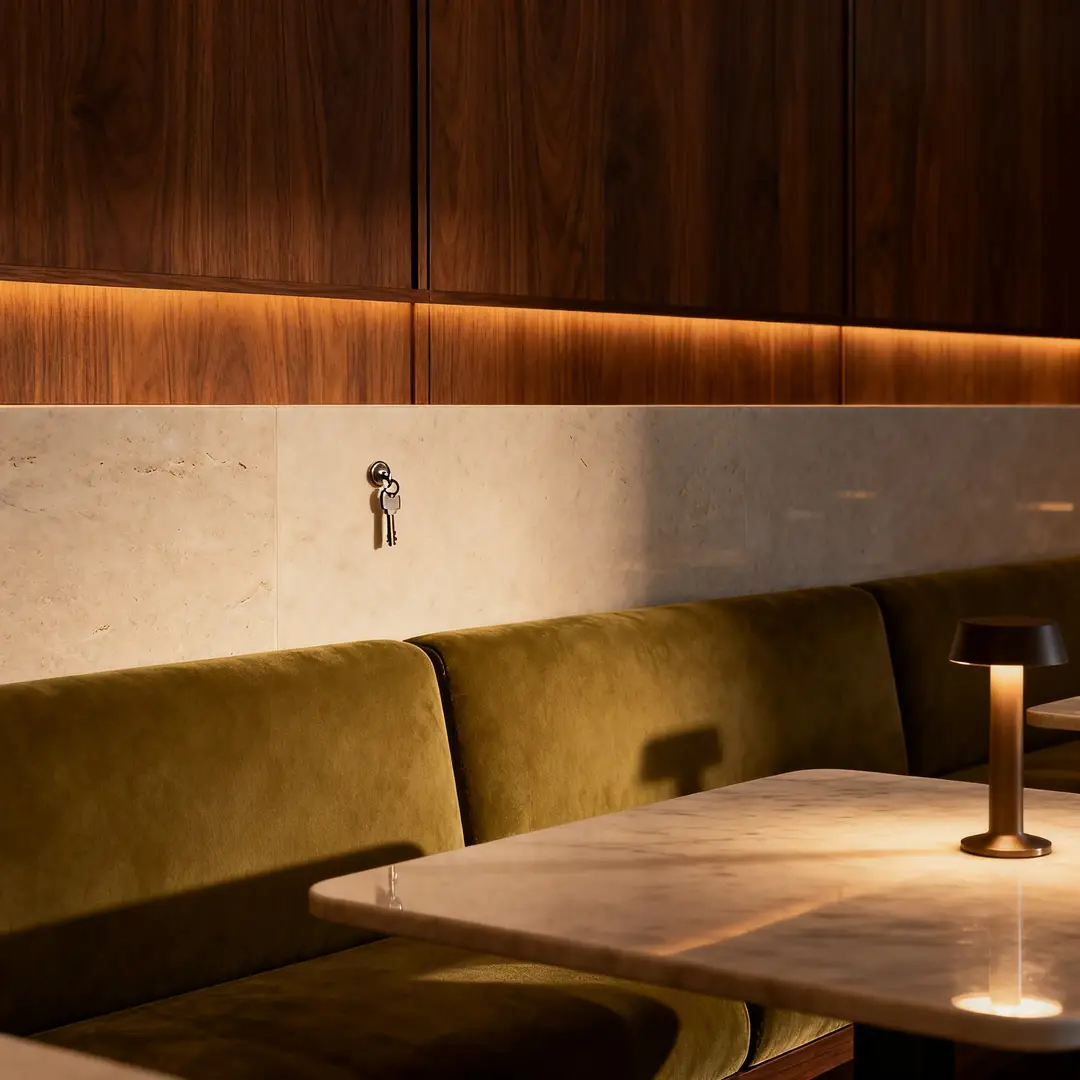
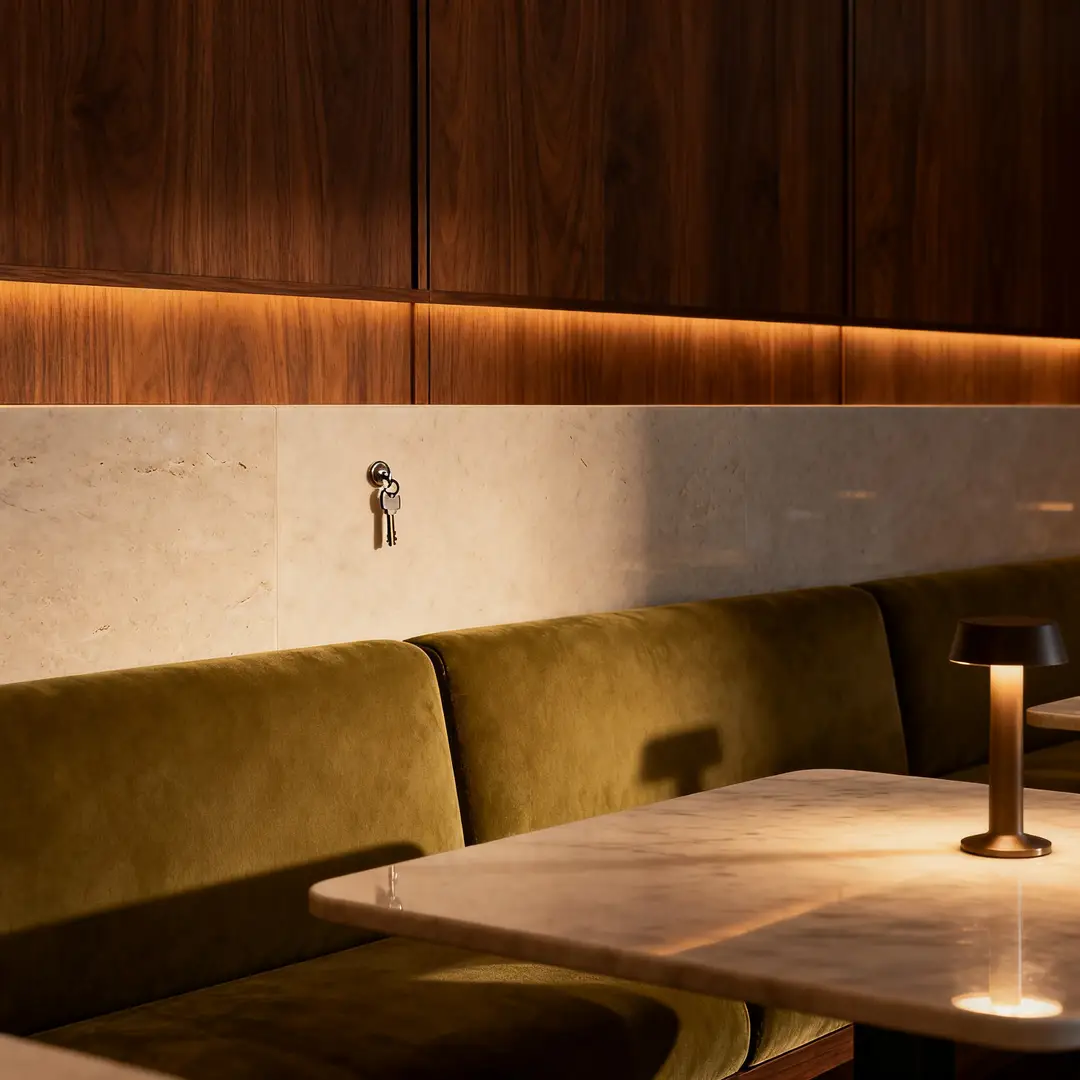
A hotel lounge core visual showcasing clean materials, controlled lighting, and a polished hospitality atmosphere.

Hotel Lounge Core Visual

Proven industry-standard Prompt best-practice workflow for optimized generation

[Core Scene] + [Materials] + [Camera Angle] + [Lighting] + [Hospitality Vibe]

Explore Full prompt Documentation and Official Technical SpecificationsShow Full Comprehensive Breakdown

In-depth prompt Breakdown and Complete Overview

Generate a polished hotel lounge core visual with walnut paneling, pale stone surfaces, olive-toned upholstery, and soft low evening lighting. Use a wide, grounded camera angle, clean composition, and a premium hospitality atmosphere ideal for campaign planning or design review decks.

Core Functional Elements That Allow This Prompt To Produce Standout, High-quality Final Outputs

Seedream 4 yields stronger results when the prompt outlines a commercial scene with clear material and lighting direction.

Targeted Final Generated Project Outcome

A polished hospitality concept visual designed for campaign planning and design review cycles.

Curated Pro Tips for Creative Industry Professionals

  • Center your request around the core material narrative of the space.
  • Stick to a simple, realistic camera angle for natural, organic results.
Beauty & Skincare Creative Projects

Meets or exceeds leading prompt Alignment Benchmark Standards

Perfect for beauty visual work that feels polished, calm, and prepared for brand stakeholder review.

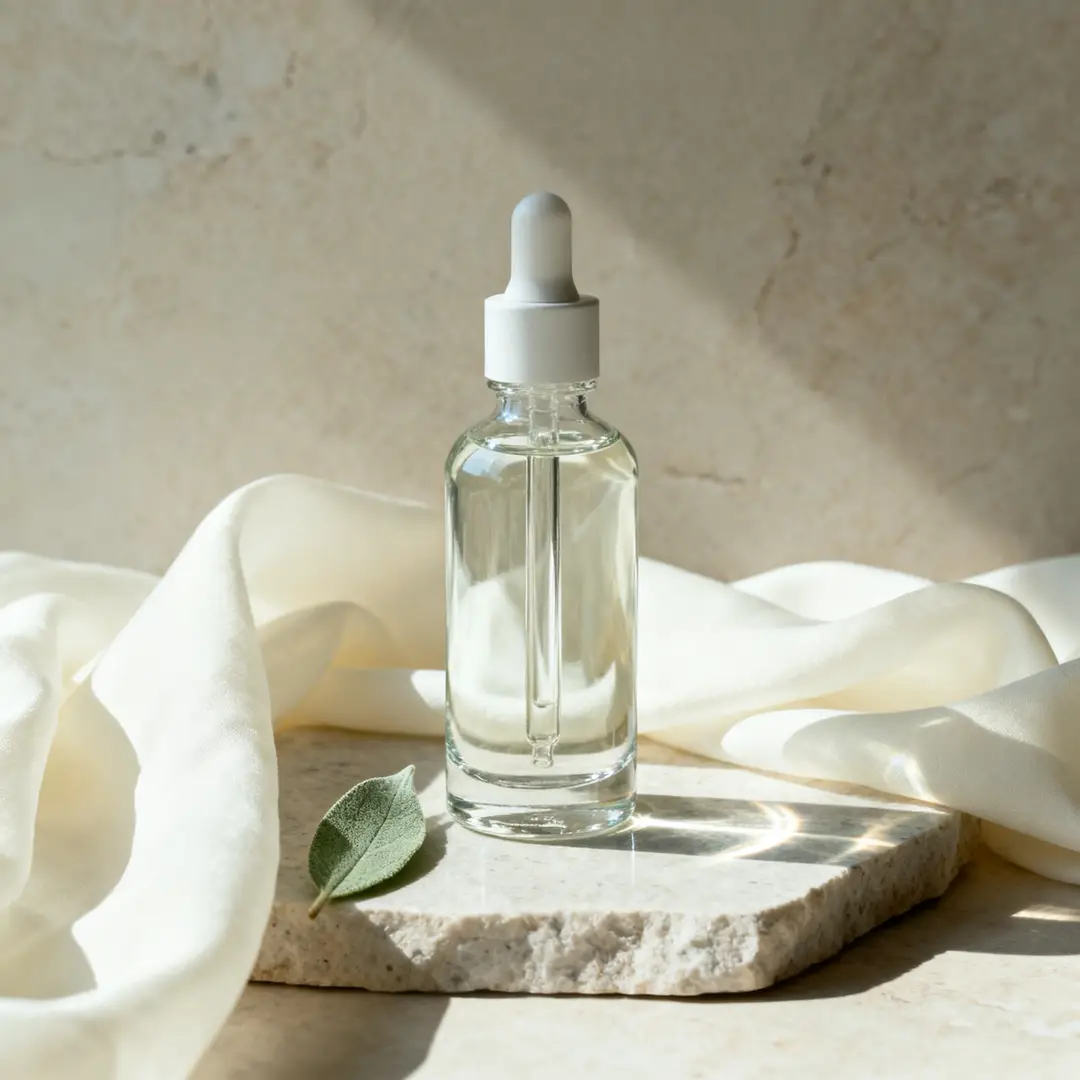
An editorial serum still life with calm palette control and refined product detail.

Editorial Serum Still Life Setup

Proven industry-standard Prompt best-practice workflow for optimized generation

[Primary Product] + [Surface] + [Lighting] + [Color Palette] + [Editorial Vibe]

Explore Full prompt Documentation and Official Technical SpecificationsShow Full Comprehensive Breakdown

In-depth prompt Breakdown and Complete Overview

Create an editorial serum still life arranged on pale stone, with soft morning side lighting, muted sage and ivory accents, subtle glass reflections, and a calm, premium skincare atmosphere. The final visual should feel polished and commercial rather than experimental.

Core Functional Elements That Allow This Prompt To Produce Standout, High-quality Final Outputs

The prompt clearly matches the product, color palette, and desired tone, helping Seedream 4 create a polished, commercial-ready result.

Targeted Final Generated Project Outcome

A clean, focused beauty still life for brand creative direction and campaign stakeholder review.

Curated Pro Tips for Creative Industry Professionals

  • Reduce extra props when the product is the central focus of the shot.
  • Stick to one unified, calm color palette instead of mixing multiple conflicting color schemes.
Editorial Draft Projects

Meets or exceeds leading prompt Alignment Benchmark Standards

Ideal for commercial editorial shots that require refinement while still leaving space for additional iteration.

An editorial fashion shot with restrained styling and polished commercial lighting.

Editorial Fashion Shot

Proven industry-standard Prompt best-practice workflow for optimized generation

[Subject] + [Wardrobe] + [Location] + [Lighting] + [Editorial Vibe]

Explore Full prompt Documentation and Official Technical SpecificationsShow Full Comprehensive Breakdown

In-depth prompt Breakdown and Complete Overview

Generate an editorial fashion shot featuring a model in dark olive tailoring standing in a pale industrial corridor. Use soft directional lighting, understated styling, natural posture, and a premium editorial atmosphere that feels review-ready without being overly bold.

Core Functional Elements That Allow This Prompt To Produce Standout, High-quality Final Outputs

Seedream 4 executes clear wardrobe and lighting briefs effectively when the desired tone is curated and restrained.

Targeted Final Generated Project Outcome

A commercial editorial concept designed for fashion and brand stakeholder review.

Curated Pro Tips for Creative Industry Professionals

  • Match the wardrobe and location to the same tonal family for unified results.
  • Stick to one clear editorial direction instead of combining multiple conflicting reference images.
Lifestyle Campaign Projects

Meets or exceeds leading prompt Alignment Benchmark Standards

Perfect for lifestyle campaign visual work that requires a polished, realistic commercial aesthetic.

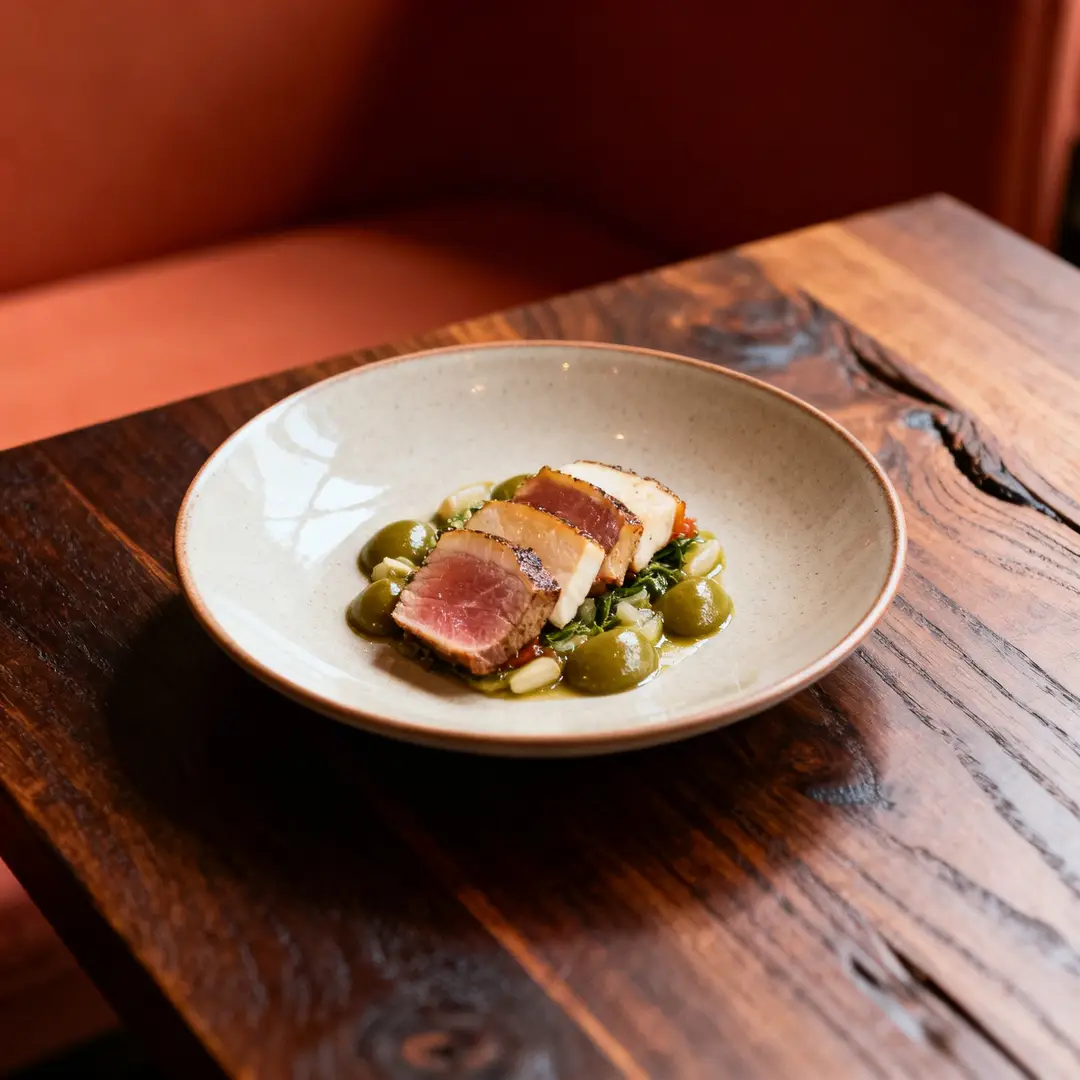
A restaurant campaign shot with polished lighting, balanced palette, and a credible commercial vibe.

Restaurant Campaign Shot

Proven industry-standard Prompt best-practice workflow for optimized generation

[Core Subject] + [Environment] + [Lighting] + [Color Palette] + [Campaign Backstory]

Explore Full prompt Documentation and Official Technical SpecificationsShow Full Comprehensive Breakdown

In-depth prompt Breakdown and Complete Overview

Create a restaurant campaign shot highlighting a single plated dish on a dark wood table, with warm ambient lighting, muted terracotta and olive accents, and a refined hospitality vibe. The visual should read as a commercial campaign draft, not a casual smartphone snapshot.

Core Functional Elements That Allow This Prompt To Produce Standout, High-quality Final Outputs

The prompt gives Seedream 4 a single core subject, environment, and commercial context, resulting in a focused, polished final scene.

Targeted Final Generated Project Outcome

A polished food and hospitality campaign concept perfect for brand stakeholder review.

Curated Pro Tips for Creative Industry Professionals

  • Clearly note the commercial use case if the visual should not read as a casual, unplanned shot.
  • Stick to a subdued color palette when the food or central subject should be the primary focal point.
When to Pick Seedream 4

Choose Seedream 4 When You Need a Consistent Hosted Workflow & Polished Commercial Results

Seedream 4 is the perfect choice when you need polished campaign and review visual work via a steady hosted workflow, before upgrading to newer Seedream family variants.

Choose Seedream 4 When Consistent Hosted Iteration Matters More Than the Newest Family Variant

Leverage this model for campaign drafts, product mood boards, hospitality scenes, and other commercial visual work that benefits from a consistent, polished generation workflow.

Try Other Models When Updated Variants or Unique Strengths Are a Better Fit

Opt for Seedream 4.5 for enhanced high-resolution polish, Seedream 5.0 for the most recent Seedream family update, and GPT-4o when text rendering and layout-aware editing are your top priorities.

Creator & Community Insights

Video Walkthroughs & Independent Creator Reviews of Seedream 4

These videos demonstrate how creators use Seedream 4 for product visual work and practical hosted generation, acting as independent validation of the polished commercial workflow outlined on this page.

Curated Gallery of AI Video Generation Showcase Pieces

FAQs

FAQ

Helpful information about HappyHorse 2

What is Seedream 4?

Seedream 4 serves as the steady, foundational Seedream generation model available via this platform. Designed for polished image creation and reference-guided editing, it offers a fully hosted, reliable workflow you can depend on for consistent results.

What is Seedream 4 best for?

Seedream 4 stands out for campaign drafts, editorial frames, product mood boards, hospitality design concepts, and other commercial visual projects that benefit from a polished, reliable hosted generation pipeline.

Does Seedream 4 support image input here?

Absolutely. Via this platform, Seedream 4 allows you to upload up to 10 reference images. This is ideal for locking in product direction, matching precise color palettes, and refining visuals where multiple source assets shape your final output.

Which resolutions and aspect ratios does Seedream 4 support here?

Seedream 4 supports 1K, 2K, and 4K via this platform. The full range of compatible aspect ratios includes 1:1, 4:3, 3:4, 16:9, 9:16, 3:2, and 2:3.

How do I write better Seedream 4 prompts?

Begin by mapping out your core subject, commercial context, and specific visual tone for your finished image. Seedream 4 yields top-tier results when your prompt clearly outlines materials, lighting, and intended use case, instead of leaning on vague, generic style language.

When should I use Seedream 4 instead of Seedream 4.5 or 5.0?

Opt for Seedream 4 when you prioritize the consistent, reliable performance of the core Seedream lineup and a steady hosted workflow. Choose Seedream 4.5 if crisp, ultra-high-resolution polish is your top goal. Go with Seedream 5.0 for the most recent Seedream family update, which includes expanded multi-image reference support.

Is Seedream 4 good for campaign and editorial visuals?

Absolutely. Seedream 4 is a top pick for campaign drafts, editorial frames, and commercial direction visual work. It generates polished hosted results without leaning into overly dramatic or extreme visual stylization.

Can I use Seedream 4 images commercially?

For professional production work, treat images created with Seedream 4 the same as outputs from any other hosted model before publishing commercially. Whether your project qualifies for commercial use depends on your unique requirements, internal review guidelines, and the platform’s official terms outlined on this page.

Still have questions? Our support team is ready to help.

Related Image Generation Models

Compare Seedream 4 to Other Image Generation Models Available Via This Platform

If Seedream 4 isn’t the perfect fit, compare it to these model pages to find options with enhanced high-resolution polish, the most recent Seedream family update, or more robust text-aware editing capabilities.

Seedream 4.5 Image Generation Tool

Try Seedream 4.5 when you want a more polished high-resolution generation workflow within the same Seedream family.

Discover Our Curated Collection of Associated AI Models

Seedream 5.0 Image Generation Tool

Compare against Seedream 5.0 when you want the most recent Seedream family update available via this platform.

Discover Our Curated Collection of Associated AI Models

GPT-4o Image Generation Tool

Try GPT-4o when text rendering and layout-aware editing are more important than a dedicated commercial image generation workflow.

Discover Our Curated Collection of Associated AI Models

Seedance Pro Image Generation Tool

Compare against Seedance Pro when you want an alternate high-fidelity hosted workflow for structured creative briefs.

Discover Our Curated Collection of Associated AI Models

Try Seedream 4 Via This Platform

Open the generator, start with a clear commercial creative brief, and use Seedream 4 for polished, hosted iteration on this page.

Open Seedream 4 Generator
Resources
  • Create
  • Pricing
  • Image to Prompt
  • Batch Image to Prompt
Company & Legal
  • About
  • Contact
  • Privacy Policy
  • Terms of Service
  • Refund Policy
AI Image
  • Nano Banana Pro
  • Nano Banana 2
  • GPT-4o
  • Seedream 4.5
  • Seedream 4.0
  • Flux 2 Pro
  • Flux 2
  • Qwen Image 2
  • Z-Image
  • NanoBanana Flash
  • Qwen Image 3
HappyHorse 2

HappyHorse 2 – AI Video Generator Free with New User Credits

[email protected]

This website is an independent third-party service built around HappyHorse 2 workflows. We are not the official website for HappyHorse 2, and all product names, model names, and trademarks belong to their respective owners.

© 2026 HappyHorse 2. All rights reserved.

Privacy Policy