HappyHorse 2
  • Create
  • AI Image
    • Open Image WorkspaceCreate or edit images with all supported models
    • GPT Image 2NewOpenAI image generation and reference-guided editing
    • Nano Banana 2NewFast Google image generation with multi-reference editing
    • Nano Banana ProHigh-fidelity Google image generation and editing
    • Nano Banana FlashFast, efficient image generation and editing
    • Seedream 5.0NewHigh-detail creative image generation
    • Flux 2Flexible generation and reference-based editing
    • Qwen Image 2Versatile image generation with strong text rendering
    • Z-ImageFast open-weight image generation
    • Qwen Image 3NewStructured prompts, multilingual text, and rich visual detail
  • AI Video
    • Open Video WorkspaceCreate videos with all currently connected models
    • MiniMax H3NewExplore MiniMax H3 workflows, prompts, and video creation techniques
  • Tools
  • Pricing
English
  • English
  • 中文
  • 日本語
  • 한국어
  • Español
  • العربية
  • 繁體中文
HappyHorse 2

Z-Image AI Image Generator

Built by Tongyi-MAI, Z-Image is an open-source 6B image foundation model built for precise prompt alignment, flexible visual output, and specialized downstream variants including Turbo and Edit. Use this browser-based tool to run text-to-image and simplified single-reference image-to-image workflows straight from your web browser tab.

Describe the image you want to generate

Generate 1 images · 4 credits total

Getting Started with Z-Image

Create high-fidelity visuals with Z-Image right on this platform to simplify text-to-image and streamlined single-reference image-to-image generation workflows

Start with a detailed prompt, upload one reference image as needed, and refine your results with fast, targeted tweaks while keeping your prompt clear and precisely defined.

01

Outline your subject and creative vision

Write a detailed prompt that lays out your core subject, camera angle, lighting setup, composition, and any required text for your final image.

02

Upload One Reference Image When Needed

To lock in a specific tone, product silhouette, or overall layout direction, upload one reference image and guide your generation output with clear, conversational prompts.

03

Create Fast Variations and Refine Outputs

Generate images in your preferred aspect ratio, compare multiple generated options, and tweak your prompt until the composition and any included text match exactly with your creative vision.

Core Strengths of Z-Image

What Sets Z-Image Apart as a Top-Tier Base Image Model

Z-Image is an open-source 6B foundation model recognized for dependable prompt alignment, a strong lineup of variant models, and fully supported local deployment workflows.

Open-Source 6B Core Foundation Model

Z-Image acts as the core base model for the full product lineup, letting developers and creators review, fine-tune, and deploy the official upstream build without being locked into a closed, hosted-only platform.

The official upstream Apache-2.0 release is fully public and available through GitHub and Hugging Face.
It lays the groundwork for downstream lineup variants including Z-Image-Turbo and Z-Image-Edit.
Choose this model when direct access to model weights and local deployment options are your top priorities, instead of only relying on one-click hosted generation.
Start Using Z-Image Now
Model reference image

Exact Prompt and Negative-prompt Control for Clear, Predictable Outputs

Official documentation emphasizes strong prompt alignment and effective negative prompt techniques, ensuring that your prompt adjustments are clearly visible in the final generated output.

This model performs best when you clearly outline your subject, composition, desired style, and elements you want to omit from the final image.
This level of control is particularly useful for poster design, product photography, and layout-sensitive prompt projects.
Testing and comparing generated options is far simpler when the core prompt stays consistent across every generation run.
Start Using Z-Image Now

Single Core Model for Diverse Visual Styles and Use Cases

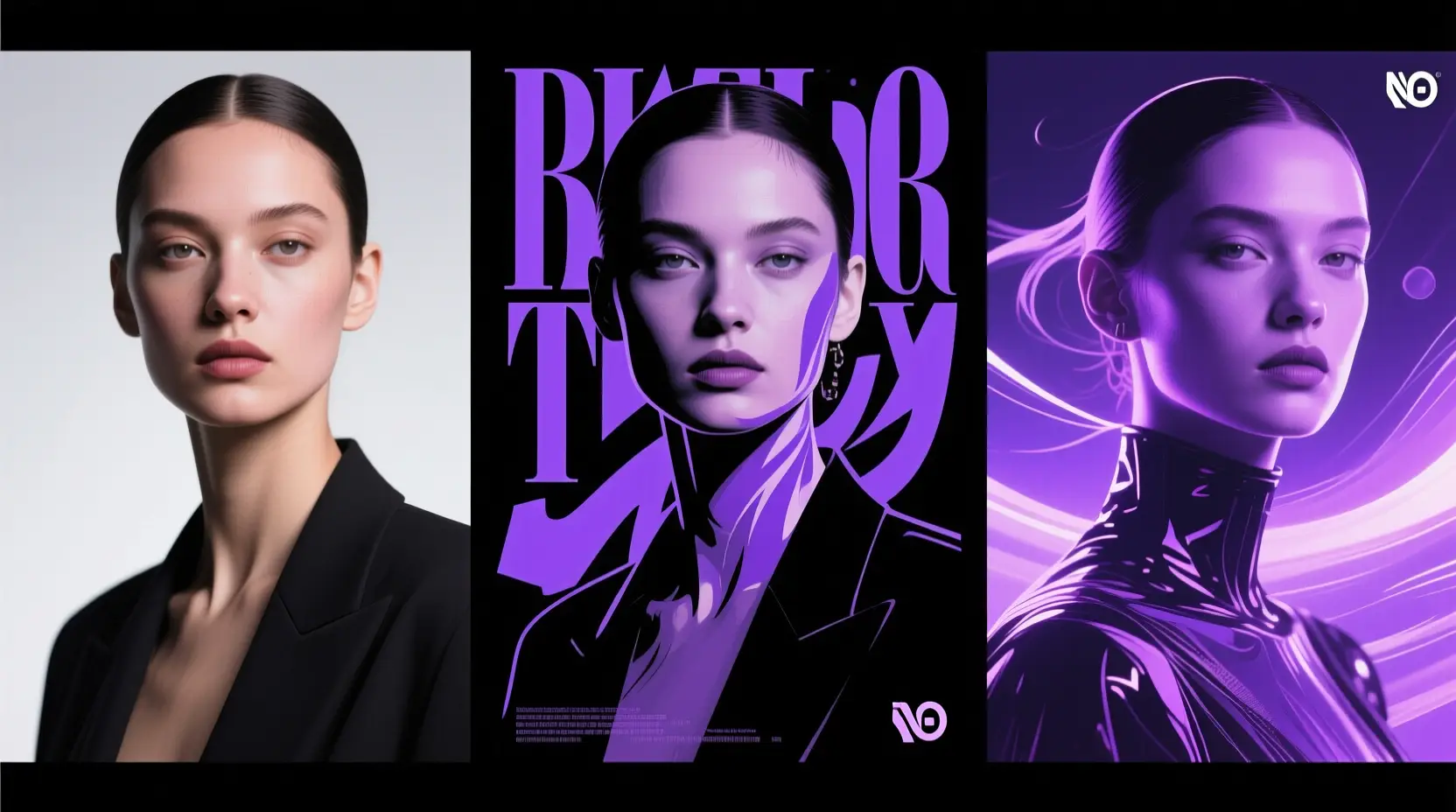
As the non-distilled core model, Z-Image lets you shift smoothly between realistic photography, polished poster layouts, and more stylized creative directions without switching between different model families.

It supports shifts between realistic, poster-style, and fully stylized creative directions without locking you into a single aesthetic too early in your creative process.
It’s perfect for testing different subject identities, poses, compositions, and art direction tweaks using the same core prompt model.
This flexibility is extremely useful during the initial brainstorming stage, before you settle on a single final creative vision.
Start Using Z-Image Now
Model reference image

Full Local Runtime Support and ComfyUI Compatibility

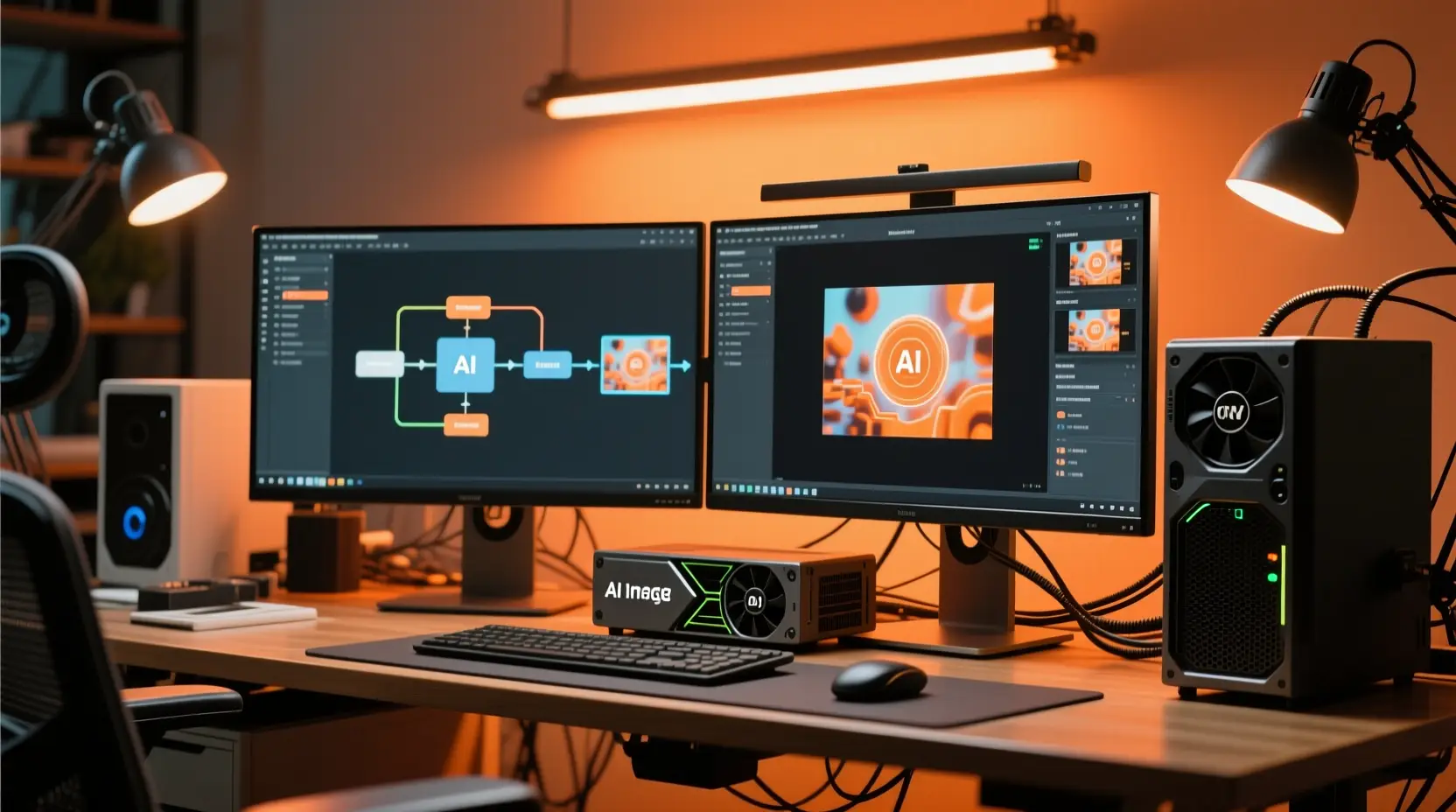
Z-Image is already fully compatible with diffusers-based pipelines, local inference tools, ComfyUI utility apps, and community workflow bundles.

Proven local inference workflows and community-built tools are already available, instead of only relying on hosted demo versions.
You can smoothly integrate it with LoRA, ControlNet, and a wide range of custom workflow tests.
This level of support is essential if local deployment is a key factor in your model selection process.
Start Using Z-Image Now
Best use cases

Ideal Use Cases for Z-Image

Built for prompt-guided image generation, poster layout drafting, product-focused visuals, and single-reference refinement work right on this platform.

Prompt-Focused Product & Marketing Visuals

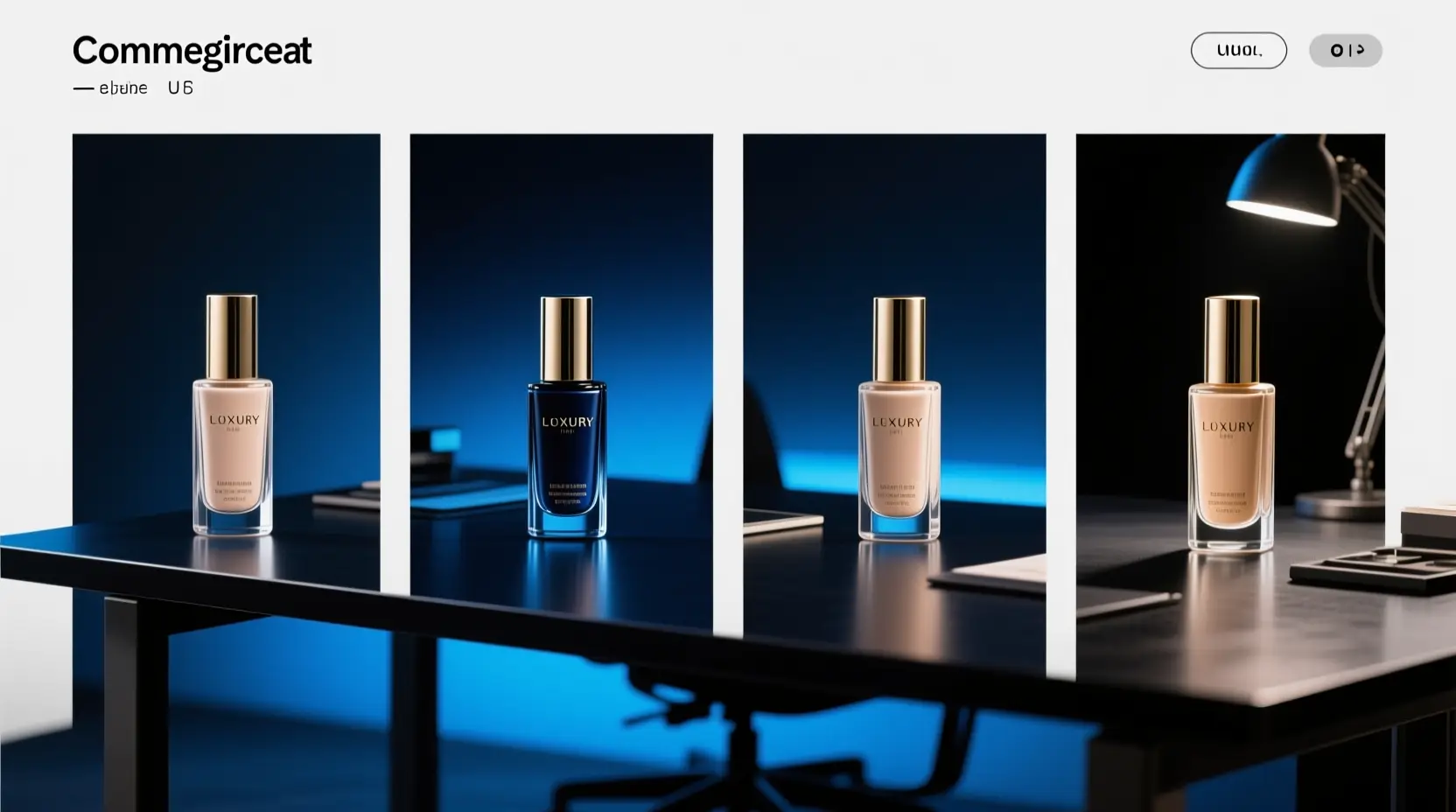
Create sharp product photography, professional packaging mockups, targeted ad concepts, and landing page hero visuals when you need exact framing, consistent material rendering, and polished studio lighting.

Poster & Typography-Focused Creative Concepts

Use Z-Image for event posters, social media graphics, and layout-focused creative projects where exacting prompt control and clear, easy-to-read text are critical.

Reference-based image refinement

Refine one reference image to adjust style, framing, or overall visual tone without needing to rebuild your core concept from scratch.

Self-Hosted & Workflow-Optimized Deployment

Pick Z-Image if you intend to move the same model to ComfyUI, local inference runtimes, or a fully customized image generation pipeline later on.

Proven Prompt Prompt Templates & Real-World Examples

Writing Effective Z-Image prompts: Practical Templates and Real-World Examples

Each example card showcases a proven prompt prompt structure, a real-world Z-Image generated output, and the specific writing choices that drove its success. Click to expand each card to see the full prompt, breakdown of why it works, and tips for creating your own prompts using these examples as a guide.

Product visual

Meets or exceeds leading prompt Alignment Benchmark Standards

Ideal for sharp product visuals with exact commercial lighting control.

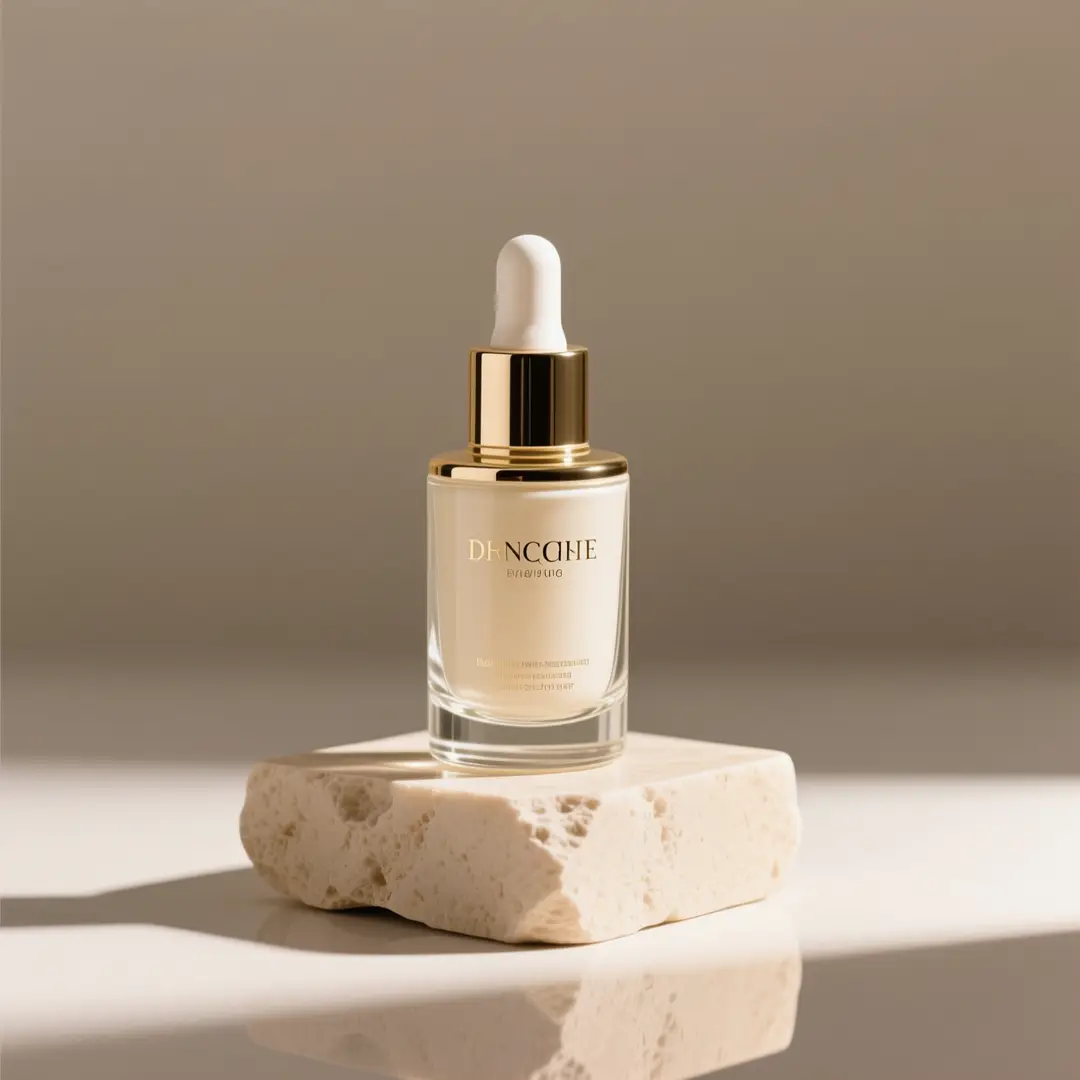
A premium skincare bottle photographed on a stone pedestal with soft studio light.

Premium skincare product hero image

Proven industry-standard Prompt best-practice workflow for optimized generation

[product] + [camera angle] + [surface/background] + [lighting] + [commercial finish]

Explore Full prompt Documentation and Official Technical SpecificationsShow Full Comprehensive Breakdown

In-depth prompt Breakdown and Complete Overview

A premium glass skincare bottle on a light beige stone pedestal, soft directional studio lighting, subtle shadow, clean editorial composition, luxury e-commerce hero shot, minimal background, realistic reflections, high-end packaging photography.

Core Functional Elements That Allow This Prompt To Produce Standout, High-quality Final Outputs

This prompt matches Z-Image's strengths in realism, lighting control, and polished commercial visual style.

Targeted Final Generated Project Outcome

A clean product image for a landing page, storefront banner, or PDP hero.

Curated Pro Tips for Creative Industry Professionals

  • Start by naming your core product, then lock in your preferred shot type and surface setup for consistent outcomes.
  • Add specific material terms like glass, stone, matte, or reflective surfaces to cut down on ambiguity in the generated output.
Poster with text

Meets or exceeds leading prompt Alignment Benchmark Standards

Perfect for poster layouts where clear, readable Chinese or English text is a top priority.

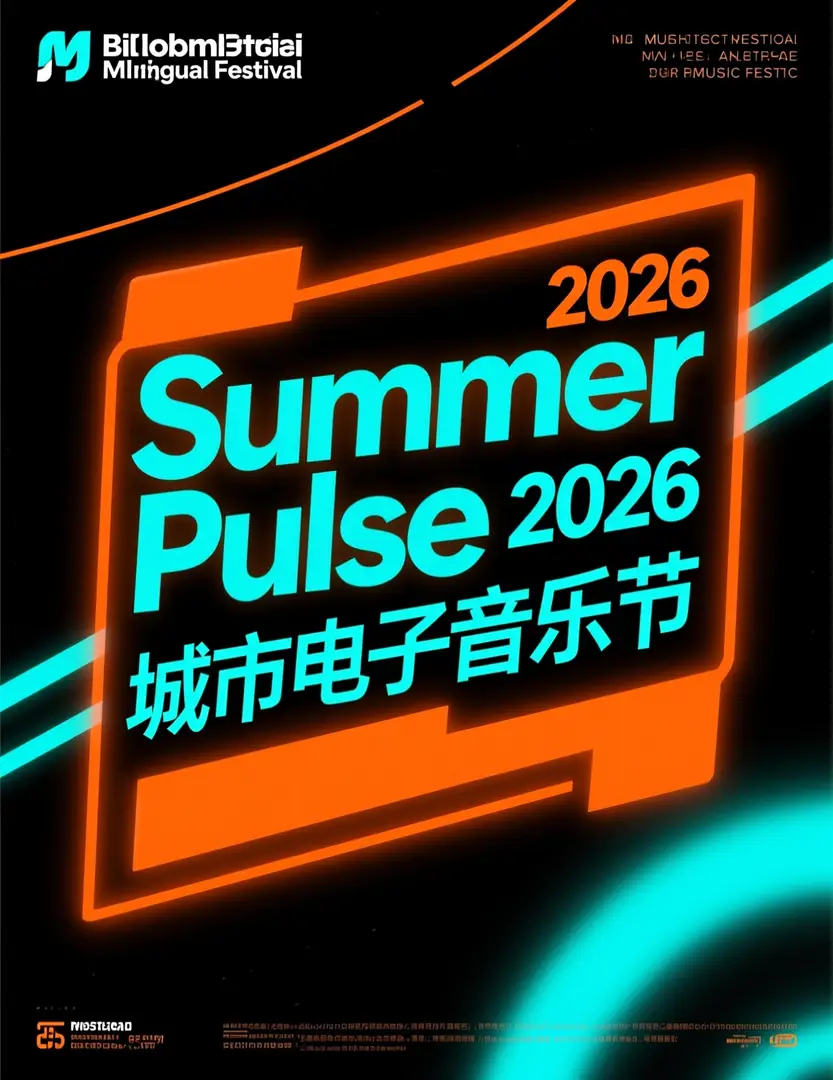
A bilingual festival poster with a large Summer Pulse 2026 headline and bold Chinese text.

Bilingual music festival poster

Proven industry-standard Prompt best-practice workflow for optimized generation

[poster subject] + [headline text] + [text language] + [layout hierarchy] + [background style]

Explore Full prompt Documentation and Official Technical SpecificationsShow Full Comprehensive Breakdown

In-depth prompt Breakdown and Complete Overview

Modern bilingual music festival poster, bold headline "Summer Pulse 2026", smaller Chinese subtitle "城市电子音乐节", black background with neon orange and cyan accents, clear visual hierarchy, centered headline block, dynamic but readable event poster design.

Core Functional Elements That Allow This Prompt To Produce Standout, High-quality Final Outputs

Z-Image delivers its strongest results when readable Chinese or English text is built into your creative concept, instead of just used as decorative flourishes.

Targeted Final Generated Project Outcome

A text-aware poster concept with a clearer headline block and readable supporting text.

Curated Pro Tips for Creative Industry Professionals

  • Enclose exact headline text in quotation marks to make sure the model reproduces the wording correctly.
  • Separate your text hierarchy from the overall poster tone and visual style to get better results.
Image-to-image

Meets or exceeds leading prompt Alignment Benchmark Standards

Ideal for single-reference edits where you want to fully preserve the core object identity while making targeted tweaks.

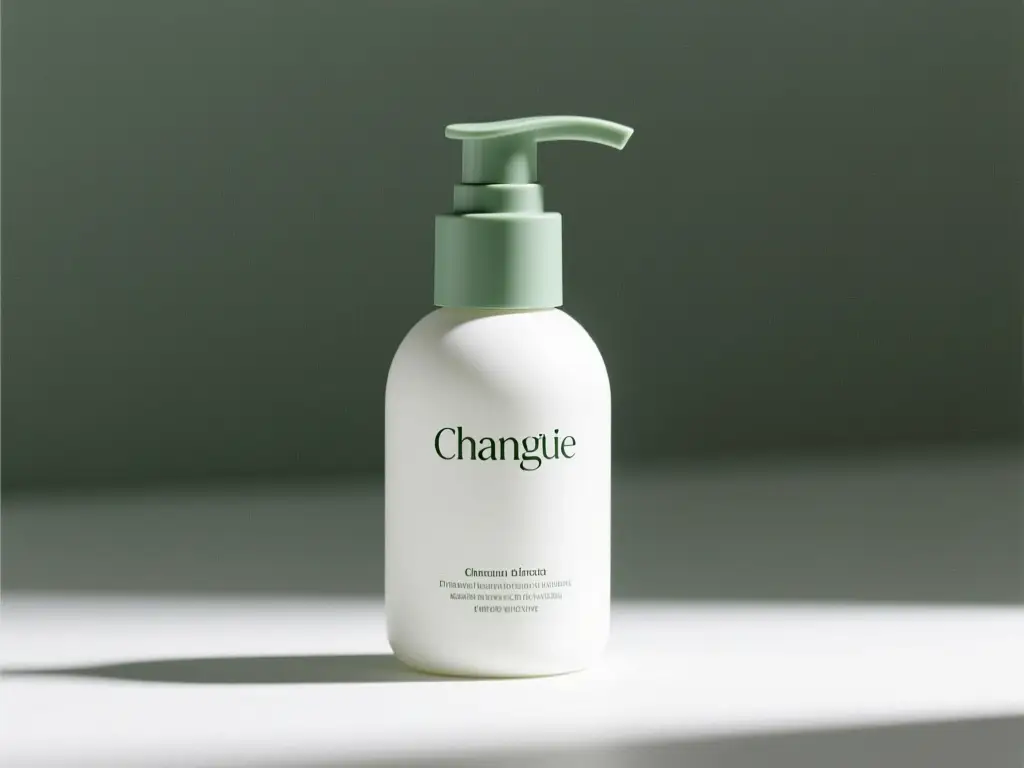
A matte white skincare pump bottle with sage green accents generated from a reference-driven packaging refresh prompt.

Reference-guided packaging update

Proven industry-standard Prompt best-practice workflow for optimized generation

[what stays the same] + [what changes] + [new lighting/style/composition direction]

Explore Full prompt Documentation and Official Technical SpecificationsShow Full Comprehensive Breakdown

In-depth prompt Breakdown and Complete Overview

Keep the bottle shape, cap structure, and front-facing composition from the reference image. Change the packaging style to a modern matte white and sage green palette, softer studio light, cleaner premium skincare branding direction, more refined retail presentation.

Core Functional Elements That Allow This Prompt To Produce Standout, High-quality Final Outputs

This matches Z-Image's strong single-reference editing features and keeps your request targeted.

Targeted Final Generated Project Outcome

A controlled refresh that keeps the product identity while upgrading the packaging direction.

Curated Pro Tips for Creative Industry Professionals

  • Start by listing the consistent elements you want to keep, like object shape, framing, or core product structure.
  • Keep your requested adjustments targeted and exact to make sure one reference image can guide the generation correctly.
Marketing creative

Meets or exceeds leading prompt Alignment Benchmark Standards

Perfect for high-energy commercial ad ideas that need clear product focus and vibrant visuals.

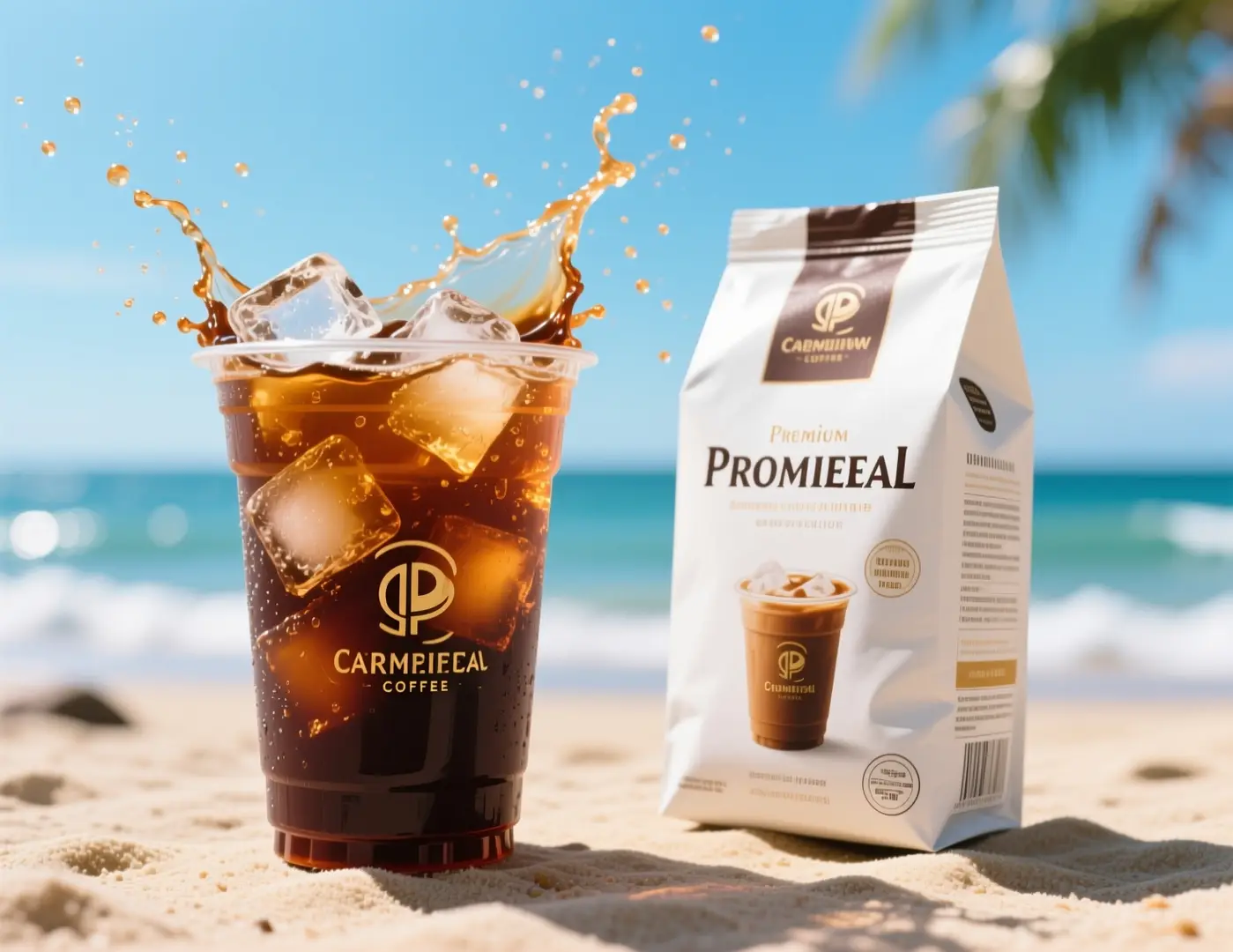
An iced coffee ad visual with splashing cold brew on a sunny beach background.

Fast social ad concept for a coffee brand

Proven industry-standard Prompt best-practice workflow for optimized generation

[subject] + [visual direction] + [composition] + [color / lighting] + [usage context]

Explore Full prompt Documentation and Official Technical SpecificationsShow Full Comprehensive Breakdown

In-depth prompt Breakdown and Complete Overview

Commercial iced coffee campaign visual, close-up cold brew cup with ice splash, premium coffee packaging beside the drink, bright summer daylight, beachside mood, energetic composition, crisp product photography, premium beverage advertising style, no logos, no brand names, clean packaging design.

Core Functional Elements That Allow This Prompt To Produce Standout, High-quality Final Outputs

This prompt clearly lays out product setup, lighting, and campaign goals while leaving out branded copy.

Targeted Final Generated Project Outcome

A beverage ad direction you can adapt for paid social, seasonal promos, or a landing page hero.

Curated Pro Tips for Creative Industry Professionals

  • Mention the marketing channel or intended use context so the composition feels intentional.
  • Pick one strong action, like a splash or close-up, instead of multiple conflicting movements.
When to Choose Z-Image

Choose Z-Image When You Prioritize Open Weights and Local Deployment Flexibility

Pick Z-Image when you want clear, visible prompt adjustments, intend to reuse the same model beyond this hosted page, or prioritize open model weights and local inference tools.

Choose Z-Image When You Want a Single Model You Can Keep Using Long-Term

Pick Z-Image if you want to create high-quality visuals on this platform first, then keep using the same model family across ComfyUI, local inference runtimes, or fully customized pipelines later on. This model is a perfect choice when exacting prompt control and full model access are your top priorities.

Try Alternative Models When You Prefer Pre-Built Hosted Styles

Test GPT-4o or Seedream if you prefer a distinct pre-built visual style and don’t prioritize open model weights, local deployment, or downstream customization. These hosted tools usually offer a more streamlined, simple generation experience for casual users.

Community Insights & Proof

Community Examples & Outside Conversations About Z-Image

These curated videos, X posts, and Reddit forum discussions provide real-world outside examples and community insights about Z-Image. These resources are most helpful as supplemental proof once you’ve grown comfortable with the model and the prompt patterns covered earlier.

Curated Gallery of AI Video Generation Showcase Pieces

Community content posts shared by creators across the X Social Platform

Lively Reddit Community Discussion Threads

Open-Source Ecosystem

Relevant Open-Source Tools & Projects Compatible With Z-Image

These GitHub projects have been manually checked for direct relevance to Z-Image or the broader model lineup. Use these resources to review the model, run it locally, or explore how other developers are building integrations and workflows around it.

GitHub Publicly Hosted Source Code Repository for the Official Open-Source Project 01

Tongyi-MAI / Z-Image

Official repository

The official upstream Z-Image repository hosted by Tongyi-MAI. This acts as the primary source for the entire 6B model lineup, official checkpoints, research report links, and standard inference guidance.

10,481 Total count of GitHub stars accumulated across the official project repository
Apache-2.0
Explore the Official Hub for This Open-Source Project

GitHub Publicly Hosted Source Code Repository for the Official Open-Source Project 02

Koko-boya / Comfyui-Z-Image-Utilities

ComfyUI utility nodes

A specialized ComfyUI extension built only for Z-Image image generation workflows, with prompt enhancement, image-aware prompting, and a pre-built integrated sampling node.

116 Total count of GitHub stars accumulated across the official project repository
Apache-2.0
Explore the Official Hub for This Open-Source Project

GitHub Publicly Hosted Source Code Repository for the Official Open-Source Project 03

martin-rizzo / AmazingZImageWorkflow

ComfyUI workflow pack

A full workflow pack for the Z-Image model lineup within ComfyUI, including pre-defined creative styles, refiner and upscaler steps, and pre-configured setups for GGUF and Safetensors model checkpoints.

398 Total count of GitHub stars accumulated across the official project repository
Unlicense
Explore the Official Hub for This Open-Source Project

GitHub Publicly Hosted Source Code Repository for the Official Open-Source Project 04

martin-rizzo / ComfyUI-ZImagePowerNodes

ComfyUI custom nodes

A curated set of custom ComfyUI nodes built only for Z-Image and Z-Image-Turbo, including helper tools for style management, latent space setup, and improved workflow ergonomics.

166 Total count of GitHub stars accumulated across the official project repository
MIT
Explore the Official Hub for This Open-Source Project
FAQs

FAQ

Helpful information about HappyHorse 2

What is Z-Image?

Z-Image serves as the core base model for the broader Z-Image product lineup, an open-source 6B image foundation model created by Tongyi-MAI. It places prompt alignment as its top priority, paired with flexible visual compatibility and versatile downstream uses from fine-tuning to local self-hosting.

What is Z-Image best for?

Z-Image shines at prompt-guided image generation, poster concept drafting, product-focused visuals, and workflows you can later move to ComfyUI, local inference tools, or alternate self-hosted setups.

Does Z-Image support image-to-image here?

Absolutely yes. On this platform, Z-Image fully supports both text-to-image and single-reference image-to-image workflows. Upload one reference image to lock in core composition, product silhouette, or the overall visual tone of your final generated assets.

Which aspect ratios does Z-Image support here?

Z-Image offers full compatibility with all major aspect ratios on this platform, including 1:1, 4:3, 3:4, 16:9, and 9:16. This selection spans everything from standard square formats to portrait, landscape, and social media-optimized creative sizes.

How do I write better prompts for Z-Image?

Start by outlining your core subject, then add specific details about style, camera angle, lighting setup, materials, and any required text for your final image. Z-Image delivers its strongest results when you clearly separate non-negotiable elements from flexible variables—this is especially useful for poster design, product photography, and single-reference refinement work.

When should I use Z-Image instead of GPT-4o or Seedream 4?

Choose Z-Image if you need an open-source model you can use beyond this hosted platform, especially if exacting prompt control and self-hosting features are your top priorities. Pick GPT-4o or Seedream 4 if you primarily want their curated built-in styles and streamlined hosted generation processes.

What is the difference between Z-Image and Z-Image-Turbo?

Z-Image acts as the foundational 6B base model for its product lineup. Z-Image-Turbo is a streamlined, distilled version of the core model, optimized for faster, more lightweight inference. That’s why the Turbo variant is a common talking point in community workflows and local deployment configurations.

Can I use Z-Image images commercially?

The official upstream Z-Image model weights are licensed under Apache-2.0, but commercial use of any generated assets depends on your specific use case, content guidelines, and this platform’s terms of service. For professional production projects, always follow standard legal and brand approval procedures instead of assuming model outputs are automatically approved for commercial use.

Is Z-Image open-source and can it be self-hosted?

Absolutely, yes. Tongyi-MAI released the official upstream Z-Image build, and the model runs natively with diffusers-based pipelines, local inference tools, ComfyUI utility apps, and community workflow bundles. This makes researching, deploying, and tweaking the model far simpler than closed, hosted-only AI image generators.


Still have questions? Our support team is ready to help.

Related models

Compare Z-Image With Other Image Models on This Platform

If Z-Image doesn’t match your specific workflow needs, browse these related model pages to compare prompt generation behavior, visual aesthetics, and targeted use cases.

GPT-4o Image Generator

Try GPT-4o if you want a versatile general-purpose hosted image model for fast concepting, targeted edits, and a unique visual generation bias.

Discover Our Curated Collection of Associated AI Models

Flux 2 Image Generator

Check out Flux 2 for an alternative way to access high-quality polished image generation, featuring a unique prompt generation response and distinct visual style bias.

Discover Our Curated Collection of Associated AI Models

Seedream 4 Image Generator

Compare Z-Image to Seedream 4 if you want a more stylized or cinematic visual direction for your creative image outputs.

Discover Our Curated Collection of Associated AI Models

Qwen 2 Image Generator

Check out Qwen 2 for another prompt-guided image generation model with reference-based creation and a unique alternative output style.

Discover Our Curated Collection of Associated AI Models

Start Creating with Z-Image Today

Launch the built-in generator, start with a detailed prompt or one reference image, and use Z-Image to run controllable text-to-image generation and streamlined single-reference edits right on this platform.

Launch Z-Image Generator
Resources
  • Create
  • Pricing
  • Image to Prompt
  • Batch Image to Prompt
Company & Legal
  • About
  • Contact
  • Privacy Policy
  • Terms of Service
  • Refund Policy
AI Image
  • Nano Banana Pro
  • Nano Banana 2
  • GPT-4o
  • Seedream 4.5
  • Seedream 4.0
  • Flux 2 Pro
  • Flux 2
  • Qwen Image 2
  • Z-Image
  • NanoBanana Flash
  • Qwen Image 3
HappyHorse 2

HappyHorse 2 – AI Video Generator Free with New User Credits

[email protected]

This website is an independent third-party service built around HappyHorse 2 workflows. We are not the official website for HappyHorse 2, and all product names, model names, and trademarks belong to their respective owners.

© 2026 HappyHorse 2. All rights reserved.

Privacy Policy