HappyHorse 2
  • Create
  • AI Image
    • Open Image WorkspaceCreate or edit images with all supported models
    • GPT Image 2NewOpenAI image generation and reference-guided editing
    • Nano Banana 2NewFast Google image generation with multi-reference editing
    • Nano Banana ProHigh-fidelity Google image generation and editing
    • Nano Banana FlashFast, efficient image generation and editing
    • Seedream 5.0NewHigh-detail creative image generation
    • Flux 2Flexible generation and reference-based editing
    • Qwen Image 2Versatile image generation with strong text rendering
    • Z-ImageFast open-weight image generation
    • Qwen Image 3NewStructured prompts, multilingual text, and rich visual detail
  • AI Video
    • Open Video WorkspaceCreate videos with all currently connected models
    • MiniMax H3NewExplore MiniMax H3 workflows, prompts, and video creation techniques
  • Tools
  • Pricing
English
  • English
  • 中文
  • 日本語
  • 한국어
  • Español
  • العربية
  • 繁體中文
HappyHorse 2

Flux 2 Klein Image Generator

As a speed-optimized, streamlined FLUX 2 workflow, Flux 2 Klein generates high-quality images fast and supports reference-backed edits. It excels at rapid concept shifts, low-pressure experimental testing, and cutting down on wasted time cycling through endless draft iterations with a FLUX-aligned creative process.

Describe the image you want to generate

Generate 1 images · 4 credits total

A Walkthrough for Using Flux 2 Klein

Start using Flux 2 Klein on this page to cut down image iteration time and streamline low-stakes experimental creative work

Start with a targeted scene description, make your prompts specific enough to compare across multiple draft iterations, and only add reference images if a small set of visual anchors will meaningfully boost alignment with your target vision.

01

Write a targeted prompt for one clear, focused visual concept

Outline your subject, scene, lighting, and one distinct mood to let your prompt iterate rapidly.

02

Restrict reference images to a small number only if they add measurable value

Stick to three or fewer reference images when you want your concept to match closely with an existing product, color palette, or scene vision.

03

Test Quick Variations Instead of Overcomplicating a Single prompt Request

Run sequential, subtle prompt adjustments to stay on track with your workflow and quickly identify which direction the model works best for.

Core Advantages of Flux 2 Klein

What Makes Flux 2 Klein Stand Out When Speed Is Your Top Priority

Flux 2 Klein is the streamlined FLUX option available on this page. It stands out when speed, local-focused iteration, and quicker turnaround times matter more than maximum final polish.

Ideal for Local-Focused Rapid Testing

Flux 2 Klein is ideal if you want the FLUX family’s aesthetic and editing behavior, but prefer a workflow focused on quick iteration instead of premium finishing touches.

This makes it perfect for quick concept validations and repeated visual testing cycles.
It’s a smarter pick when turnaround time matters more than final presentation polish.
This model acts as a fantastic, accelerated entry point into the FLUX family.
Launch Flux 2 Klein Generator
Model reference image

An Excellent Choice for Quick Portraits & Style Sketches

Flux 2 Klein works exceptionally well when you need subject, outfit, and mood to align fast, without the added overhead of a more intensive rendering workflow.

This supports quick portrait concepts and early campaign planning.
It keeps your workflow on track when you need multiple variations fast.
Use this generator while you’re still honing your visual direction.
Launch Flux 2 Klein Generator

Quick Room & Environment Updates

Flux 2 Klein also excels at interior updates, room concepts, and stress-free environment-focused requests when you need flexible results.

It’s perfect for layout adjustments, room styling, and quick before-and-after direction work.
This workflow is easy to repeat across multiple creative directions.
This makes it ideal for speed-focused concept validations.
Launch Flux 2 Klein Generator
Model reference image

Ideal for Fast-Turnaround Social Media Creative Work

Flux 2 Klein is an excellent choice for social media launches, beverage promotions, and quick ad variations when you want polished results without waiting for a more resource-heavy model.

This works exceptionally well for quick campaign tests and seasonal social media graphics.
This model balances generation time and cost to fit exploratory creative work.
Use this generator when output volume and speed matter more than final polish.
Launch Flux 2 Klein Generator
Top Real-World Applications

Perfect Workflows for Flux 2 Klein

Flux 2 Klein excels when your primary goal isn’t a single perfect final frame, but rather exploring multiple concepts fast, running quick tests, and easily comparing multiple drafts of your creative work.

Quick Product & Social Media Concepts

Use this tool for quick product hero drafts, social media graphics, or early campaign concepts when speed matters more than full final polish.

Mood Board & Style Testing

It’s ideal for testing color palettes, materials, lighting angles, or scene aesthetics before switching to a more resource-heavy model.

Streamlined image-to-image Edits & Iterations

Add a small set of reference images when you want your concept to match closely with an existing product or layout, without building a complex edit stack.

High-Volume Concept Testing

Use Flux 2 Klein when the value of your project comes from generating plenty of realistic options quickly, rather than over-polishing a single result too soon.

Prompt Prompt Formulas & Practical Examples

Crafting More Effective Flux 2 Klein prompts: Practical Real-World Examples

These examples are intentionally targeted and visual. Flux 2 Klein works best when your prompt is specific enough to allow quick comparison across multiple draft iterations.

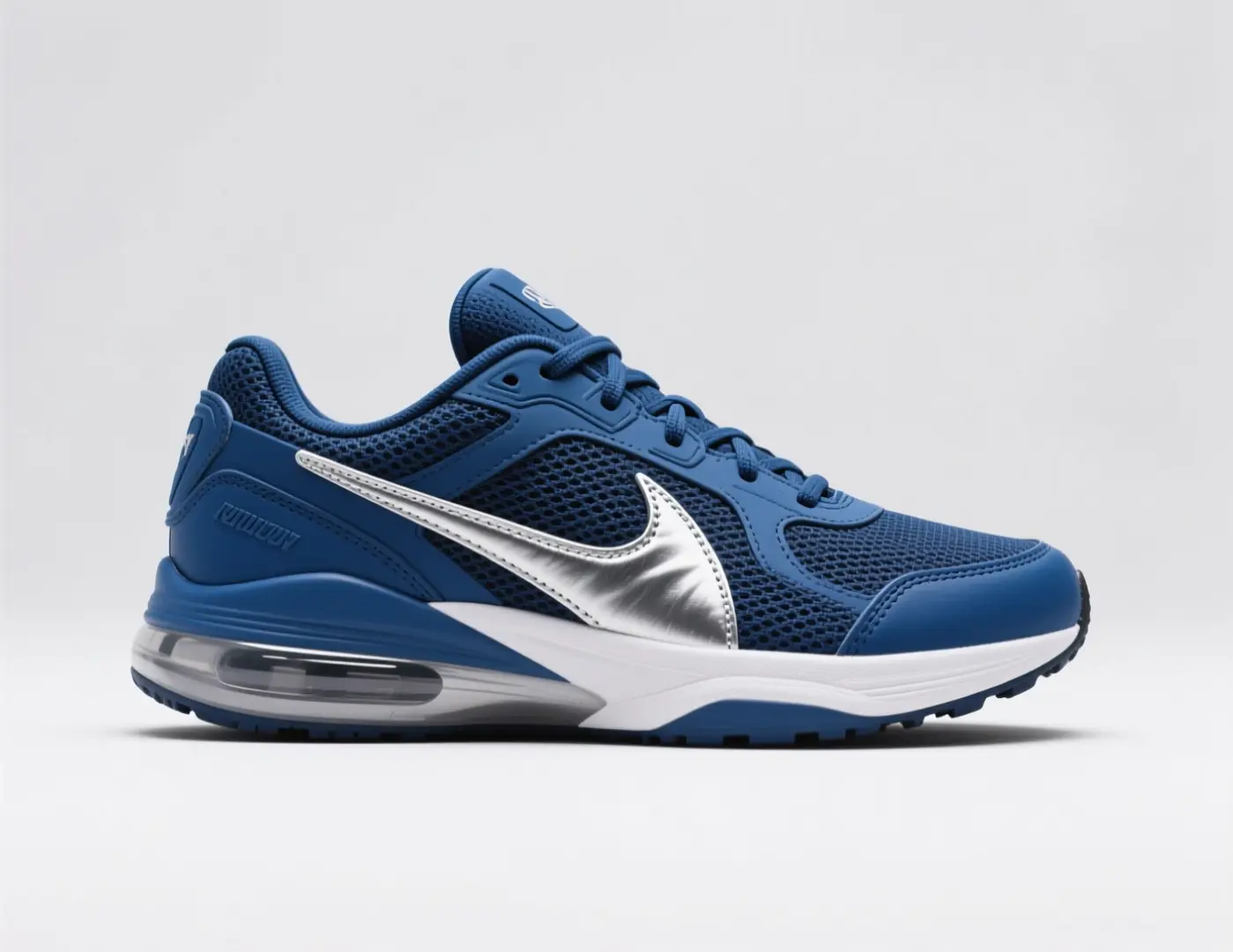
Quick Product Ideation

Meets or exceeds leading prompt Alignment Benchmark Standards

Perfect for quick product variations where the silhouette stays consistent, and the primary visual focus is on color, material, or mood.
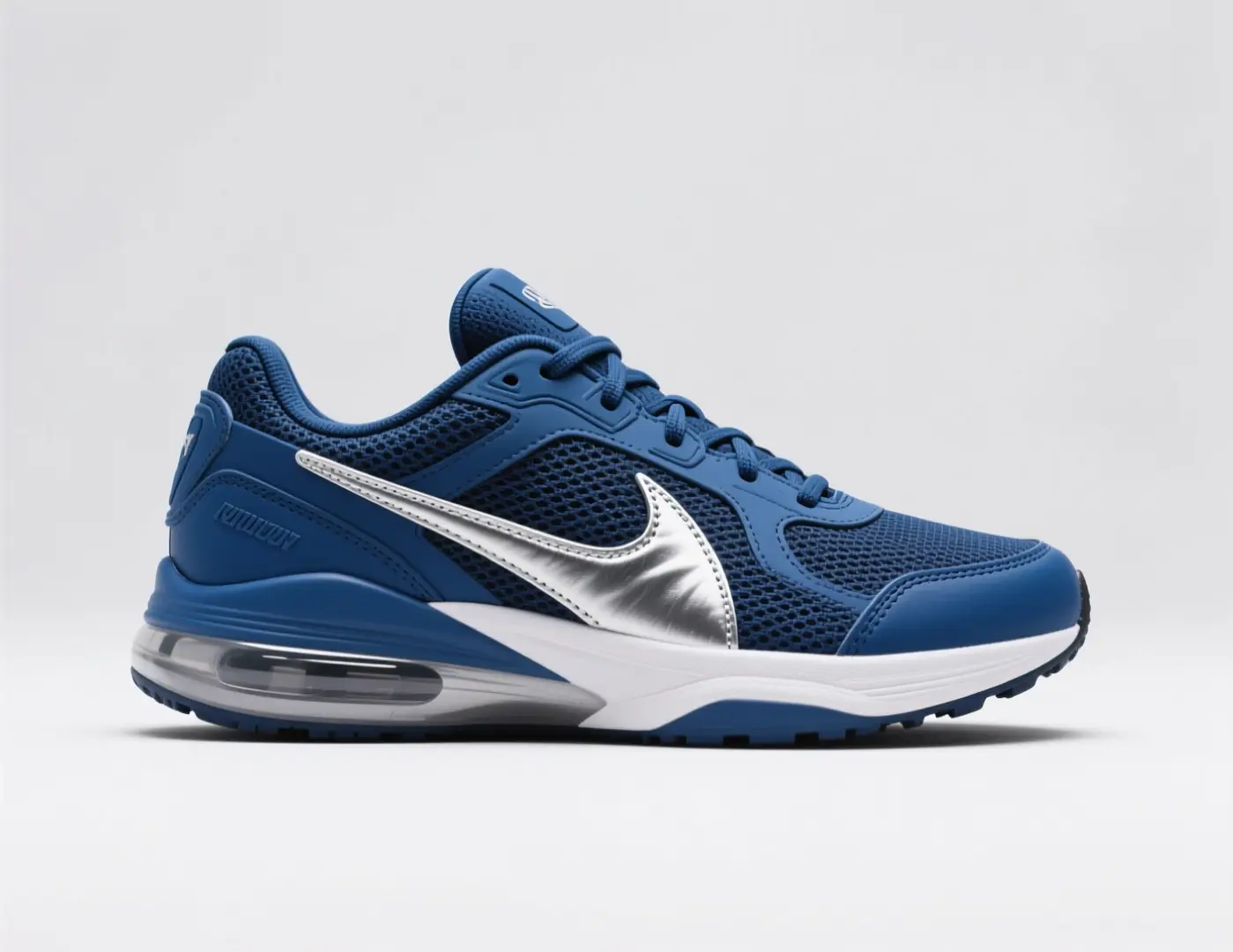
A quick sneaker colorway concept with a single distinct silhouette, premium materials, and a campaign-themed backdrop.

Quick Sneaker Colorway Concept

Proven industry-standard Prompt best-practice workflow for optimized generation

[hero product] + [camera angle] + [colorway] + [materials] + [campaign mood]

Explore Full prompt Documentation and Official Technical SpecificationsShow Full Comprehensive Breakdown

In-depth prompt Breakdown and Complete Overview

Generate a quick sneaker concept image with a single hero side profile against a neutral backdrop. Use a cobalt and silver color palette, matte mesh panels, brushed metallic accents, and a vibrant athletic campaign mood. Keep the layout clean and product-focused, matching a fast concept render for a footwear review roundup.

Core Functional Elements That Allow This Prompt To Produce Standout, High-quality Final Outputs

This prompt focuses on one product, angle, and material prompt, making it easy to compare multiple draft iterations fast.

Targeted Final Generated Project Outcome

A quick product variation concept for comparing color and material directions.

Curated Pro Tips for Creative Industry Professionals

  • Keep the silhouette consistent when your primary focus is color or material adjustments.
  • Skip non-essential props unless they’re critical to the concept you’re validating.
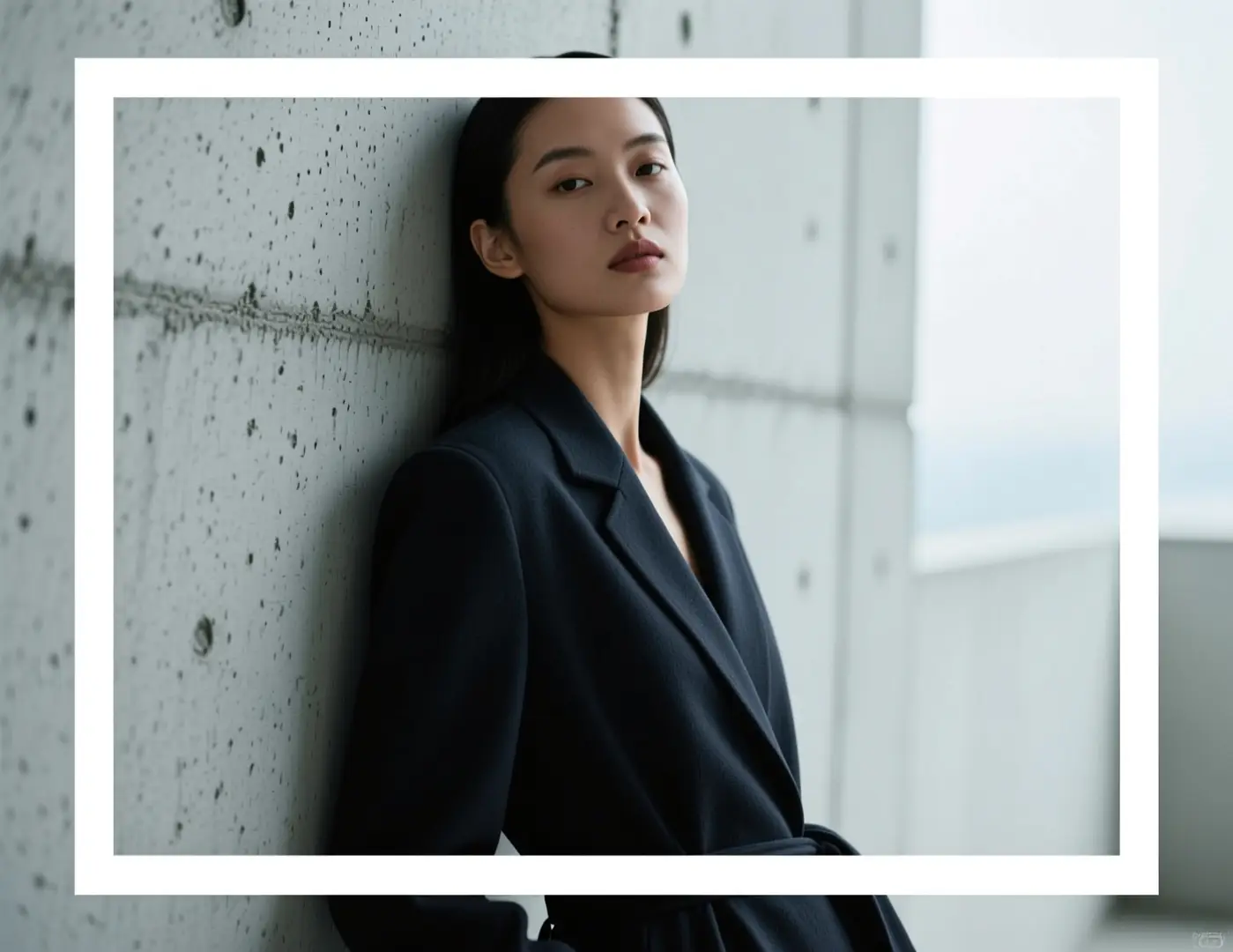
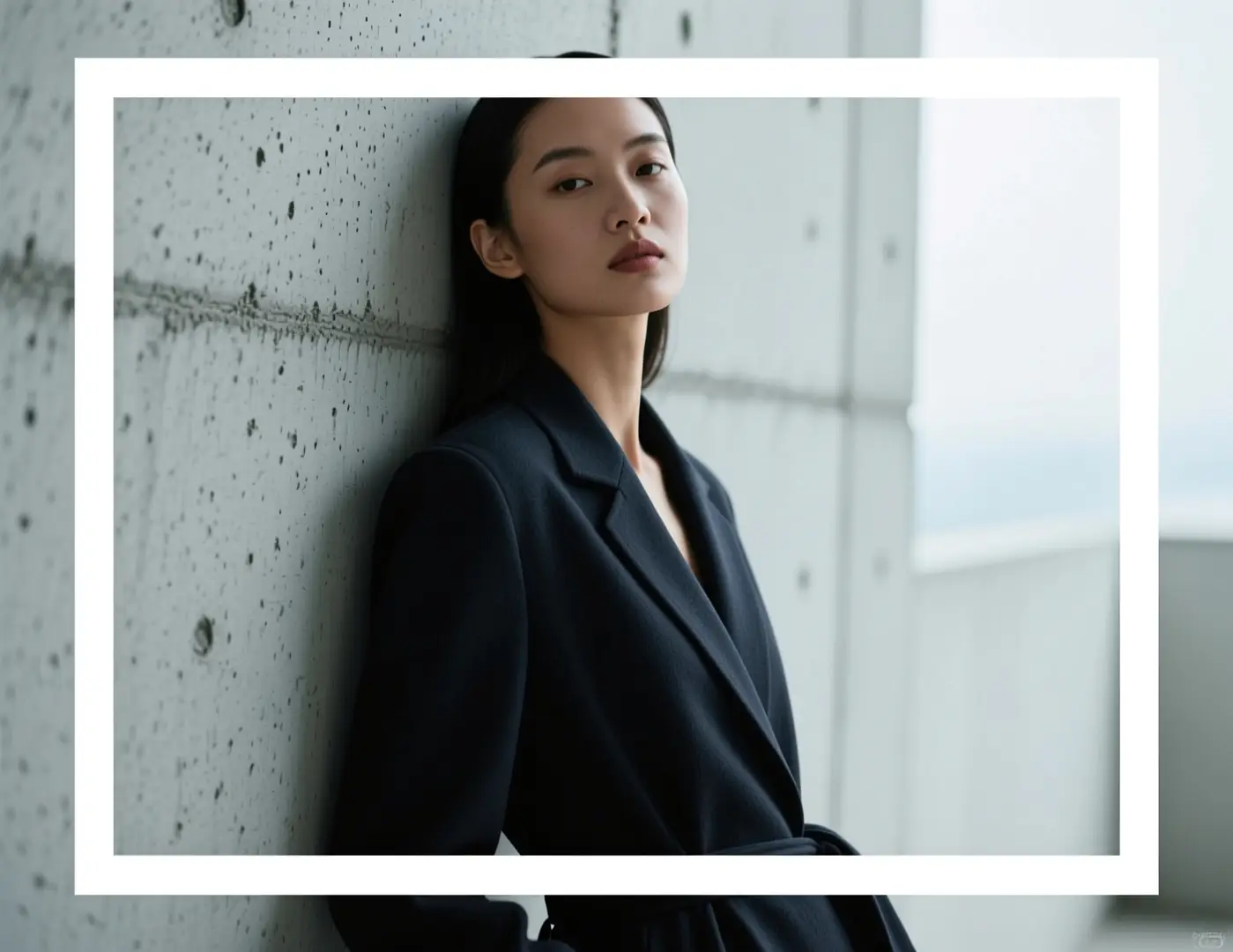
Portrait Ideation

Meets or exceeds leading prompt Alignment Benchmark Standards

Ideal for quick portrait direction tests before switching to a more intensive rendering workflow.

An editorial portrait concept with a direct pose, minimalist setting, and controlled lighting tone.

Editorial Portrait Concept

Proven industry-standard Prompt best-practice workflow for optimized generation

[subject] + [pose] + [location] + [lighting] + [editorial mood]

Explore Full prompt Documentation and Official Technical SpecificationsShow Full Comprehensive Breakdown

In-depth prompt Breakdown and Complete Overview

Generate an editorial portrait concept of a model leaning against brushed concrete, with soft overcast lighting. Use a calm, direct pose, deep charcoal clothing, muted skin tones, and a modern magazine aesthetic. Keep the frame clean and graphic, skipping overly cinematic flourishes.

Core Functional Elements That Allow This Prompt To Produce Standout, High-quality Final Outputs

Flux 2 Klein works best when your prompt includes one subject, one single lighting setup, and a clear editorial vision.

Targeted Final Generated Project Outcome

A quick portrait direction test for editorial tone or campaign planning.

Curated Pro Tips for Creative Industry Professionals

  • Stick to one lighting direction instead of multiple conflicting setups.
  • Keep the environment minimalist when testing pose and wardrobe tones.
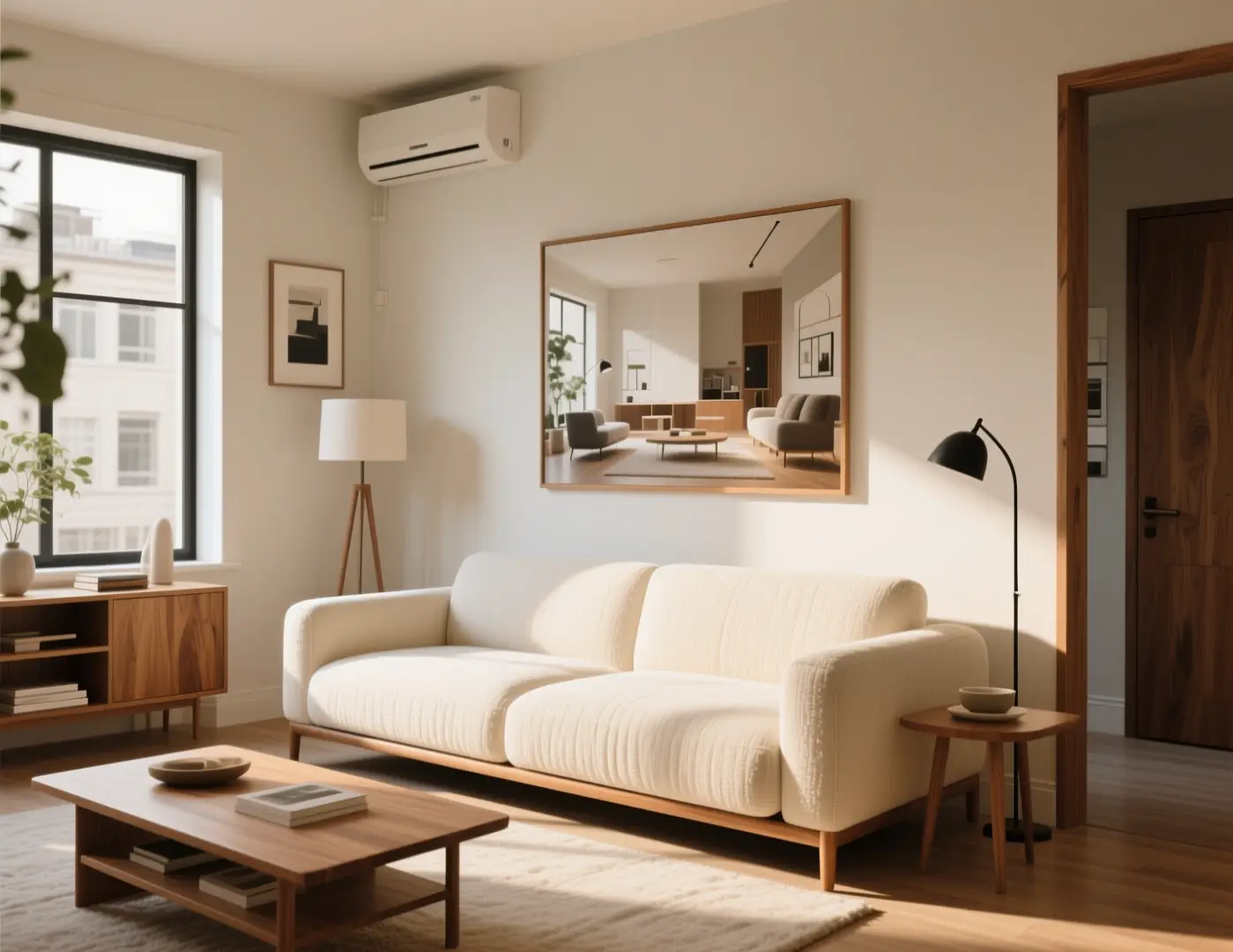
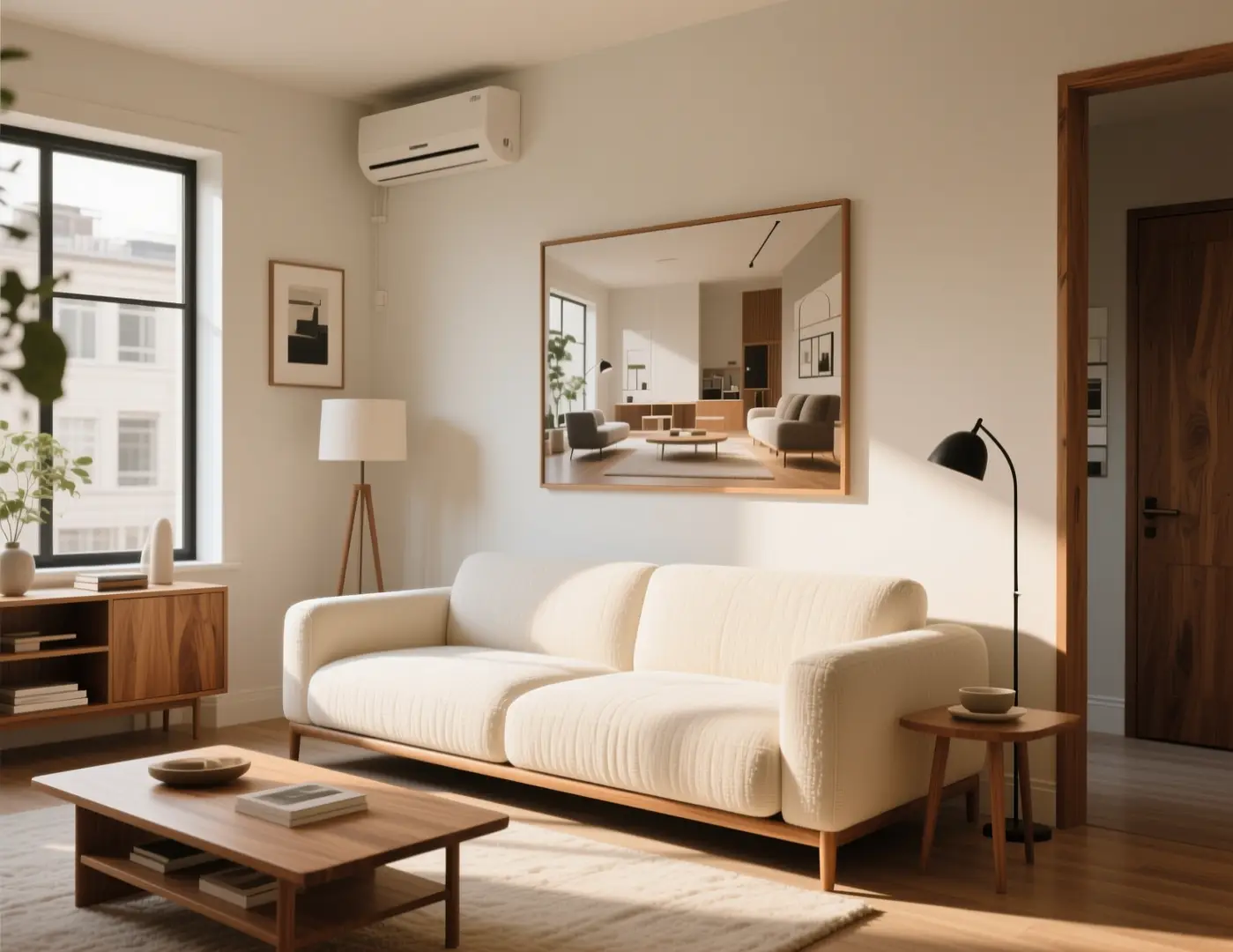
Interior Ideation

Meets or exceeds leading prompt Alignment Benchmark Standards

Perfect for stress-free room direction adjustments when you want to compare new styling options fast.

A quick room refresh concept with updated materials and a polished, premium-home aesthetic.

Quick Room Refresh Concept

Proven industry-standard Prompt best-practice workflow for optimized generation

[room type] + [what changes] + [materials] + [light] + [design mood]

Explore Full prompt Documentation and Official Technical SpecificationsShow Full Comprehensive Breakdown

In-depth prompt Breakdown and Complete Overview

Generate a quick room refresh concept for a compact studio living space. Use warm oak finishes, textured cream upholstery, a low-profile sofa, and soft afternoon natural light. Keep the layout realistic and minimalist for easy comparison, matching a fast interior direction board instead of a finalized render.

Core Functional Elements That Allow This Prompt To Produce Standout, High-quality Final Outputs

This prompt focuses on the room type and tone, helping the model deliver a usable concept fast.

Targeted Final Generated Project Outcome

A quick room-style concept for early design testing.

Curated Pro Tips for Creative Industry Professionals

  • Ask for a direction board aesthetic instead of a full architectural redesign.
  • Mention key materials to stop the room from defaulting to generic luxury styling.
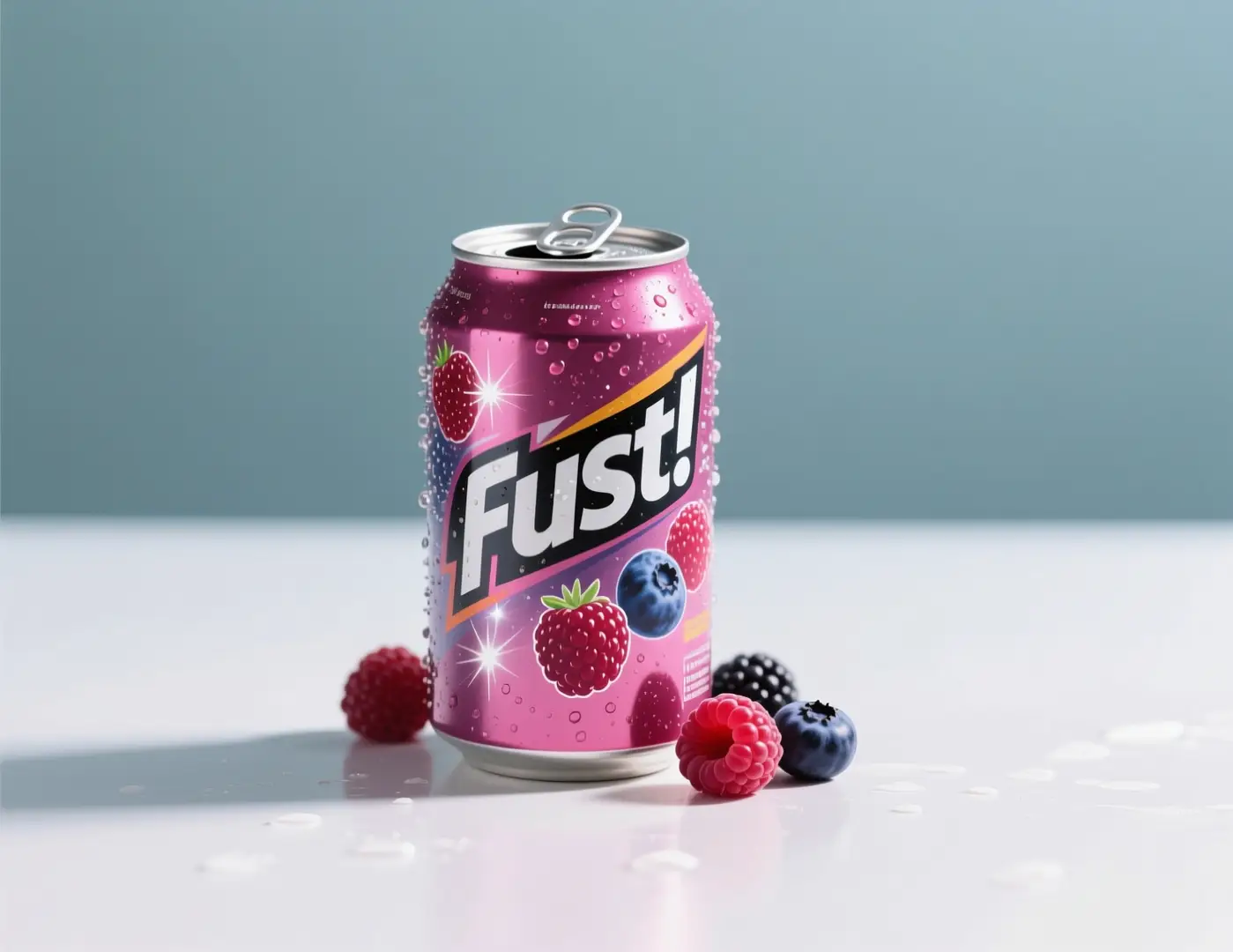
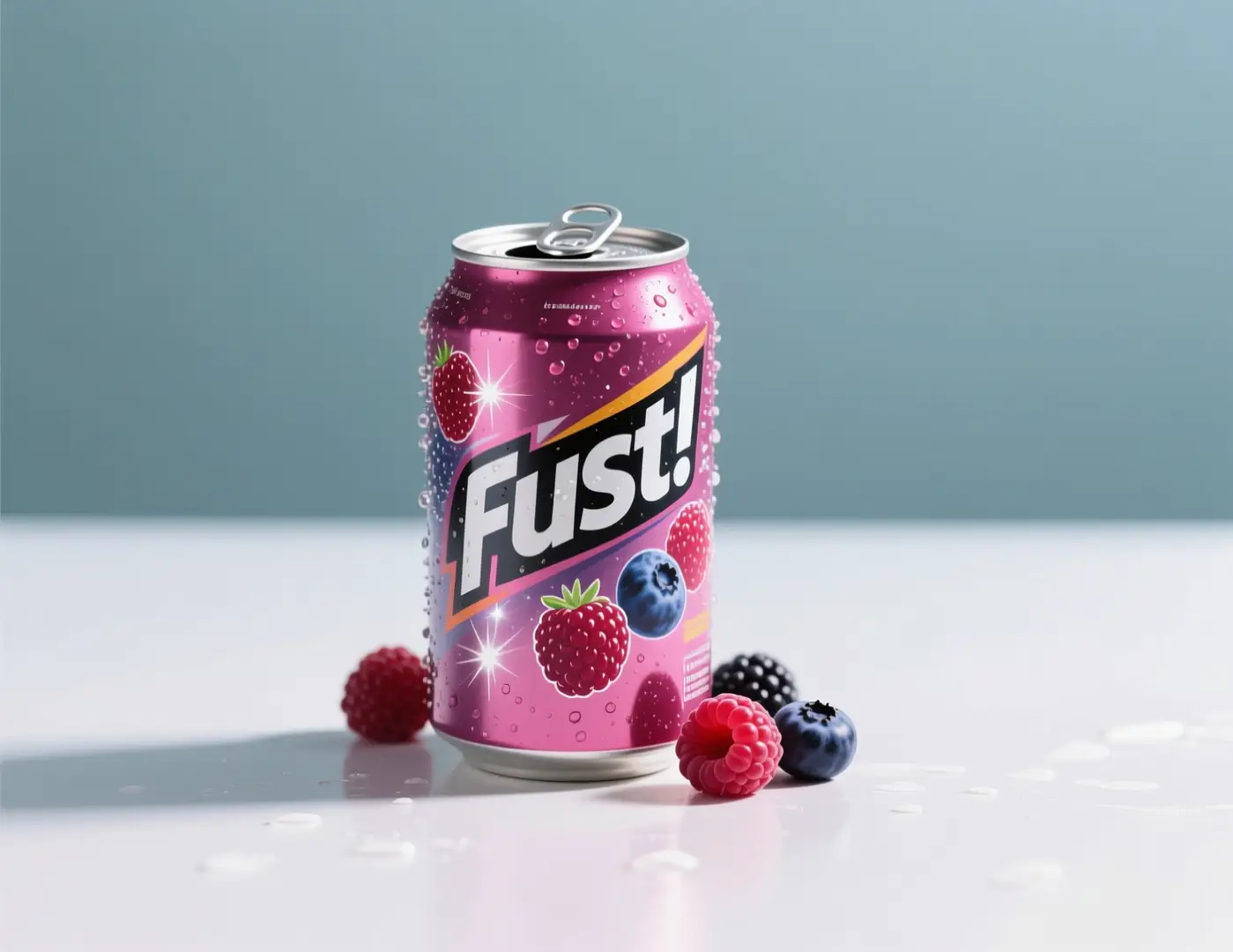
Social Media Campaign Drafts

Meets or exceeds leading prompt Alignment Benchmark Standards

Ideal for social-first launch drafts when you need a polished product image fast.

A quick beverage launch graphic with clear product focus and bright campaign color accents.

Quick Beverage Launch Graphic

Proven industry-standard Prompt best-practice workflow for optimized generation

[drink product] + [hero setup] + [color accents] + [light quality] + [social usage]

Explore Full prompt Documentation and Official Technical SpecificationsShow Full Comprehensive Breakdown

In-depth prompt Breakdown and Complete Overview

Generate a quick social media campaign draft for a sparkling berry beverage. Feature one chilled can on a neutral surface with bright berry accents, crisp highlights, and a simple centered layout. The image should feel ready for social launch concept reviews, with plenty of blank space for future short copy.

Core Functional Elements That Allow This Prompt To Produce Standout, High-quality Final Outputs

This prompt focuses on product, color palette, and intended use, making it more effective for fast iteration than a broad, multi-scene prompt.

Targeted Final Generated Project Outcome

A quick social campaign concept ready for review and fast iteration.

Curated Pro Tips for Creative Industry Professionals

  • Note your intended placement to make sure the crop feels intentional.
  • Leave blank space for text when the image will be used as a social media draft.
When to Choose Flux 2 Klein

Opt for Flux 2 Klein When Fast Iteration Matters More Than Final Polish

Flux 2 Klein is the better choice when your primary task is quick direction comparisons, low-pressure testing, or exploring more visual ground without waiting for a more resource-heavy model.

Opt for Flux 2 Klein When You Prioritize Speed, Output Volume, and Streamlined Testing

Use this tool for concept-focused workflows, early style testing, quick product directions, and additional tasks where the best results come from multiple drafts, not one slow, polished render.

Pick a Different Model When Polish, Clear Text, or Alternative Workflows Are Your Top Priorities

Select a different model when polish, clear text, or alternative workflows are your top priorities. Choose Flux 2 Pro for higher finishing polish, GPT-4o when clear, readable text is critical, Nano Banana Flash for another fast hosted workflow, and Z-Image if open deployment is a key factor for your project.

Creator Feedback & Real-World Validation

Video Walkthroughs & External Reviews of Flux 2 Klein

These videos show how creators integrate Flux 2 Klein into ComfyUI, low-VRAM, and fast local generation workflows. They act as external validation of the speed-focused goal laid out on this page.

Curated Gallery of AI Video Generation Showcase Pieces

Related Open-Source Projects

Connected Open-Source Projects for Flux 2 Klein

Flux 2 Klein is best understood through the public FLUX.2 family release and repository. This family-focused content is the clearest external reference for how Klein fits into local and streamlined creative workflows.

GitHub Publicly Hosted Source Code Repository for the Official Open-Source Project 01

black-forest-labs / flux2

Official family repository

The official FLUX.2 repository from Black Forest Labs. This is the clearest external reference for how Flux 2 Klein fits into streamlined local and workflow-focused real-world use cases.

1,105 Total count of GitHub stars accumulated across the official project repository
Apache-2.0
Explore the Official Hub for This Open-Source Project
FAQs

FAQ

Helpful information about HappyHorse 2

What is Flux 2 Klein?

Flux 2 Klein is the streamlined FLUX 2 workflow available on this platform, designed for faster iteration, low-pressure testing, and tighter creative loops compared to more resource-intensive FLUX 2 model alternatives.

What is Flux 2 Klein best for?

Flux 2 Klein excels at quick concept validations, social media draft graphics, stress-free product brainstorming, mood board curation, and fast-turnaround testing. It’s the perfect choice when you want FLUX-aligned results without waiting for a more resource-heavy model.

Does Flux 2 Klein support image input here?

Absolutely. On this page, Flux 2 Klein supports up to three reference images. This makes it ideal for low-effort image-to-image testing, quick product adjustments, and concept work where a small set of visual anchors improves alignment with your target vision.

Which aspect ratios does Flux 2 Klein support here?

Flux 2 Klein is compatible with 1:1, 4:3, 3:4, 16:9, and 9:16 on this page. No standalone resolution switch is available for this model here.

How do I write better Flux 2 Klein prompts?

Write clear, specific prompt to streamline fast iteration. Start by outlining your subject, scene, lighting, and one distinct mood. Flux 2 Klein works best when your prompt is precise enough to produce quick, consistent variations, rather than an overly complex request.

When should I use Flux 2 Klein instead of Flux 2 or Flux 2 Pro?

Opt for Flux 2 Klein if speed, volume of output, and low-pressure testing are your top priorities. Choose Flux 2 for a more balanced option within the model family, and pick Flux 2 Pro when you want a sharper, more polished final outcome.

Is Flux 2 Klein useful for local or open experimentation?

Absolutely yes. As the streamlined, accelerated model in its product line, Black Forest Labs makes FLUX.2 [klein] easy to integrate into testing-focused workflows—even if you use this page as a hosted generation tool.

Can I use Flux 2 Klein images commercially?

If you intend to use images generated by Flux 2 Klein for commercial projects, review each output just like any AI-generated media before publishing publicly. Commercial usability depends on your workflow, quality standards, and the platform terms that apply to this page.

Still have questions? Our support team is ready to help.

Comparable Models

Compare Flux 2 Klein to Other Image Models Offered on This Page

If Flux 2 Klein isn’t the right match, browse these other model pages to find options with higher finishing polish, an alternative fast hosted workflow, improved text handling, or open deployment tradeoffs.

Flux 2 Core Image Generator

Try Flux 2 if you want a more balanced FLUX family option instead of the streamlined Klein variant.

Discover Our Curated Collection of Associated AI Models

Flux 2 Pro Core Image Generator

Compare against Flux 2 Pro if you want a sharper final outcome before exporting.

Discover Our Curated Collection of Associated AI Models

Nano Banana Flash Quick Image Generator

Try Nano Banana Flash if you want another fast hosted workflow for quick edits and marketing drafts.

Discover Our Curated Collection of Associated AI Models

Z-Image Open-Source AI Image Generator

Compare against Z-Image if open weights, local deployment, and downstream customization are a higher priority for your project.

Discover Our Curated Collection of Associated AI Models

Try Flux 2 Klein Right Now on This Page

Launch the generator, keep your prompt targeted, and use Flux 2 Klein for simpler, faster creative cycles.

Launch Flux 2 Klein Generator
Resources
  • Create
  • Pricing
  • Image to Prompt
  • Batch Image to Prompt
Company & Legal
  • About
  • Contact
  • Privacy Policy
  • Terms of Service
  • Refund Policy
AI Image
  • Nano Banana Pro
  • Nano Banana 2
  • GPT-4o
  • Seedream 4.5
  • Seedream 4.0
  • Flux 2 Pro
  • Flux 2
  • Qwen Image 2
  • Z-Image
  • NanoBanana Flash
  • Qwen Image 3
HappyHorse 2

HappyHorse 2 – AI Video Generator Free with New User Credits

[email protected]

This website is an independent third-party service built around HappyHorse 2 workflows. We are not the official website for HappyHorse 2, and all product names, model names, and trademarks belong to their respective owners.

© 2026 HappyHorse 2. All rights reserved.

Privacy Policy