HappyHorse 2
  • Create
  • AI Image
    • Open Image WorkspaceCreate or edit images with all supported models
    • GPT Image 2NewOpenAI image generation and reference-guided editing
    • Nano Banana 2NewFast Google image generation with multi-reference editing
    • Nano Banana ProHigh-fidelity Google image generation and editing
    • Nano Banana FlashFast, efficient image generation and editing
    • Seedream 5.0NewHigh-detail creative image generation
    • Flux 2Flexible generation and reference-based editing
    • Qwen Image 2Versatile image generation with strong text rendering
    • Z-ImageFast open-weight image generation
    • Qwen Image 3NewStructured prompts, multilingual text, and rich visual detail
  • AI Video
    • Open Video WorkspaceCreate videos with all currently connected models
    • MiniMax H3NewExplore MiniMax H3 workflows, prompts, and video creation techniques
  • Tools
  • Pricing
English
  • English
  • 中文
  • 日本語
  • 한국어
  • Español
  • العربية
  • 繁體中文
HappyHorse 2

Grok Imagine Image Generator

Tailored for photoreal, high-stakes visual production work, Grok Imagine is a cloud-native image generation tool that delivers razor-sharp subject focus, eye-catching visual impact, and a bold default aesthetic ideal for portraits, brand campaign concepts, and single-reference edits on this platform.

Describe the image you want to generate

Generate 1 images · 5 credits total

How to use Grok Imagine

Get the most out of Grok Imagine on this platform to create photorealistic, elevated dramatic visual framing

Start with a detailed scene description, stick to a consistent mood, and only use a reference image if you want the final output to closely match a specific product, facial likeness, or environment.

01

Clearly outline your scene and emotional creative goals

Begin with your core subject, setting, desired mood, and lighting quality to give the final frame one focused creative direction right from the start.

02

Upload a single reference image for consistent identity or layout

Upload a reference image if you want your concept to match an existing product, pose, or visual direction, instead of moving toward an entirely new scene.

03

Refine your image by adjusting mood, lighting, and camera settings

Make targeted prompt tweaks to atmosphere, lens properties, and subject focus until the frame lands on the perfect balance of visual impact.

Core Strengths of Grok Imagine

What Makes Grok Imagine Stand Out as a Bold, Impactful Cloud-Hosted Creative Workflow

Grok Imagine shines when you want a more confident visual identity, amplified campaign energy, and a cloud-hosted image tool that leans into dramatic prompt visual aesthetics.

Ideal for Moody Portraits & Bold, Vibe-Driven Imagery

Grok Imagine excels for portraits, album cover concepts, or fashion visuals that call for a bolder, more character-focused tone.

This makes it ideal for streetwear, portraits, and mood-focused campaign visuals.
It delivers top-tier results when your prompt needs to communicate a sharper visual perspective.
Choose this tool when a more muted cloud-hosted workflow feels too restrictive for your creative projects.
Create with Grok Imagine
Model reference image

Dynamic Energy for Sports & Campaign Visuals

Grok Imagine also works exceptionally well for sports, nightlife, and performance-focused campaign imagery where movement and atmosphere are top priorities.

This enables more dynamic motion cues and more eye-catching nighttime environments.
It’s a reliable pick when you want your final frame to feel vibrant and impactful.
Choose this tool when campaign tone matters just as much as product clarity.
Create with Grok Imagine

Sharp Visual Focus for Standout Product Hero Scenes

Product scenes get major benefits when you want an image that feels more graphic, moody, or campaign-focused, rather than overly polished and muted.

This makes it perfect for beverage, entertainment, or culture-focused brand visuals.
It can craft a more stylized hero aesthetic than more muted cloud-hosted tools.
Your product still needs a clear base to ensure the scene stays easy to follow.
Create with Grok Imagine
Model reference image

Ideal for Cover Art & Culture-Focused Composition

Grok Imagine delivers top-tier results when your creative brief fits better with album cover art, promotional visuals, or entertainment design than basic product review imagery.

This opens up opportunities for cover art, promotional portraits, and culture-focused concept projects.
It works best when your prompt follows one unified mood direction.
Choose this tool when you want a more intentional, polished cloud-hosted output.
Create with Grok Imagine
Best use cases

Top Real-World Uses for Grok Imagine

Grok Imagine shines when you want a photorealistic, crisp, visually striking image that doesn’t depend on dense layout or long text overlays.

Portrait-First Campaign Frames

Ideal for portraits, character-focused photography, and fashion-linked visuals where lighting and overall mood take center stage.

Nightlife & Entertainment Concept Art

Great for nightlife posters, music visuals, rough key art drafts, and any project that needs more vibrant visuals than a muted, neutral product render.

Product Hero Scenes with Elevated Mood

Choose Grok Imagine for product hero scenes that need a dramatic, bold, cinematic tone instead of a muted, diagram-style presentation.

Single-Reference Style & Scene Adjustments

A solid pick when you want a single reference image to anchor your final output, while tweaking the mood, environment, or styling around that core reference.

Prompt sample prompts and structure breakdowns

Craft Stronger, More Effective Grok Imagine prompts Using Practical, Actionable Examples

These examples focus on subject-first prompts paired with precise lighting and mood direction. Grok Imagine delivers top-tier results when your frame follows one unified visual narrative instead of conflicting styles.

Portrait concept

Meets or exceeds leading prompt Alignment Benchmark Standards

Ideal for straightforward portrait concepts where mood, lighting, and vibe take priority over complex layout.
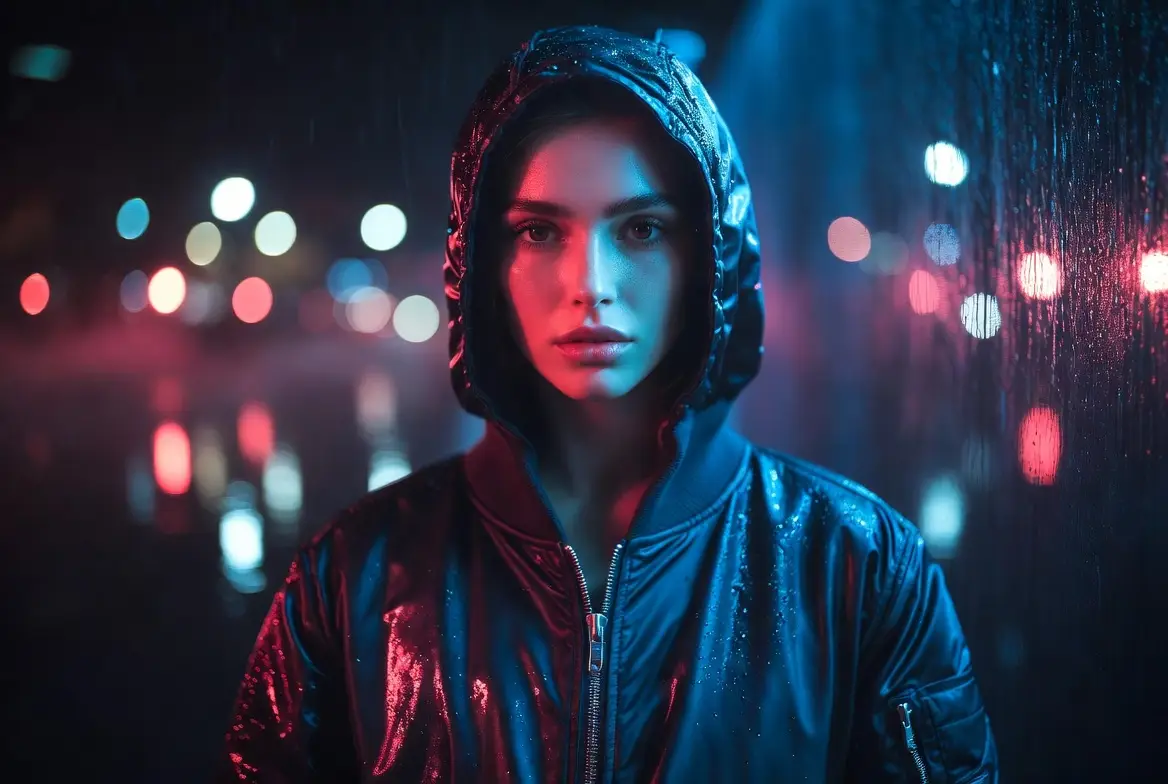
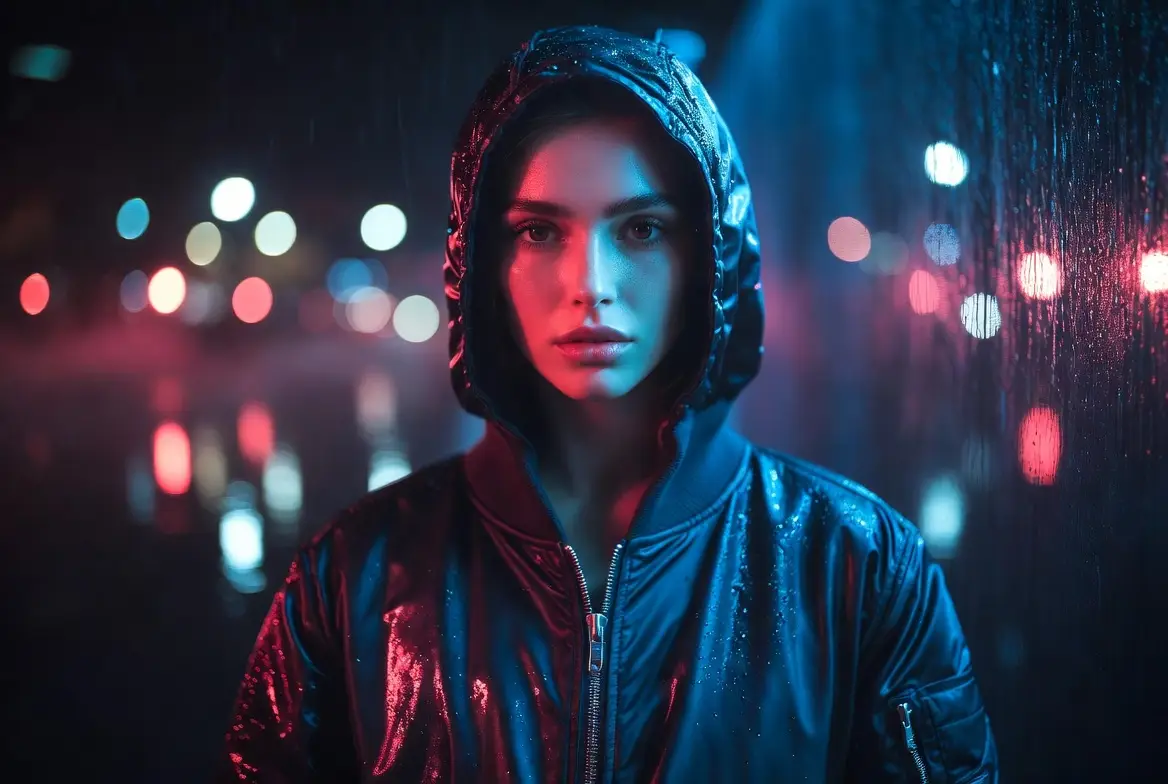
A moody streetwear portrait featuring dramatic lighting contrast and a crisp editorial tone.

Moody streetwear portrait

Proven industry-standard Prompt best-practice workflow for optimized generation

[subject] + [wardrobe] + [setting] + [light] + [editorial mood]

Explore Full prompt Documentation and Official Technical SpecificationsShow Full Comprehensive Breakdown

In-depth prompt Breakdown and Complete Overview

Create a moody streetwear portrait of a model wearing a deep navy bomber jacket, standing beneath wet city streetlights after rain. Use medium-close framing, cool neon reflections, subtle skin texture, and a high-end editorial music campaign vibe. Keep the model’s expression calm and direct, skip overly dramatic poses.

Core Functional Elements That Allow This Prompt To Produce Standout, High-quality Final Outputs

Grok Imagine delivers stronger results when your subject, setting, and lighting all revolve around one cohesive mood.

Targeted Final Generated Project Outcome

A portrait-focused concept image for fashion, music, or brand campaign strategy development.

Curated Pro Tips for Creative Industry Professionals

  • Ensure your lighting and setting complement your subject, rather than pulling focus away from it.
  • Stick to one consistent emotional tone for your portrait.
Campaign concept

Meets or exceeds leading prompt Alignment Benchmark Standards

Ideal for high-impact campaign visuals with dynamic movement and crisp visual contrast.

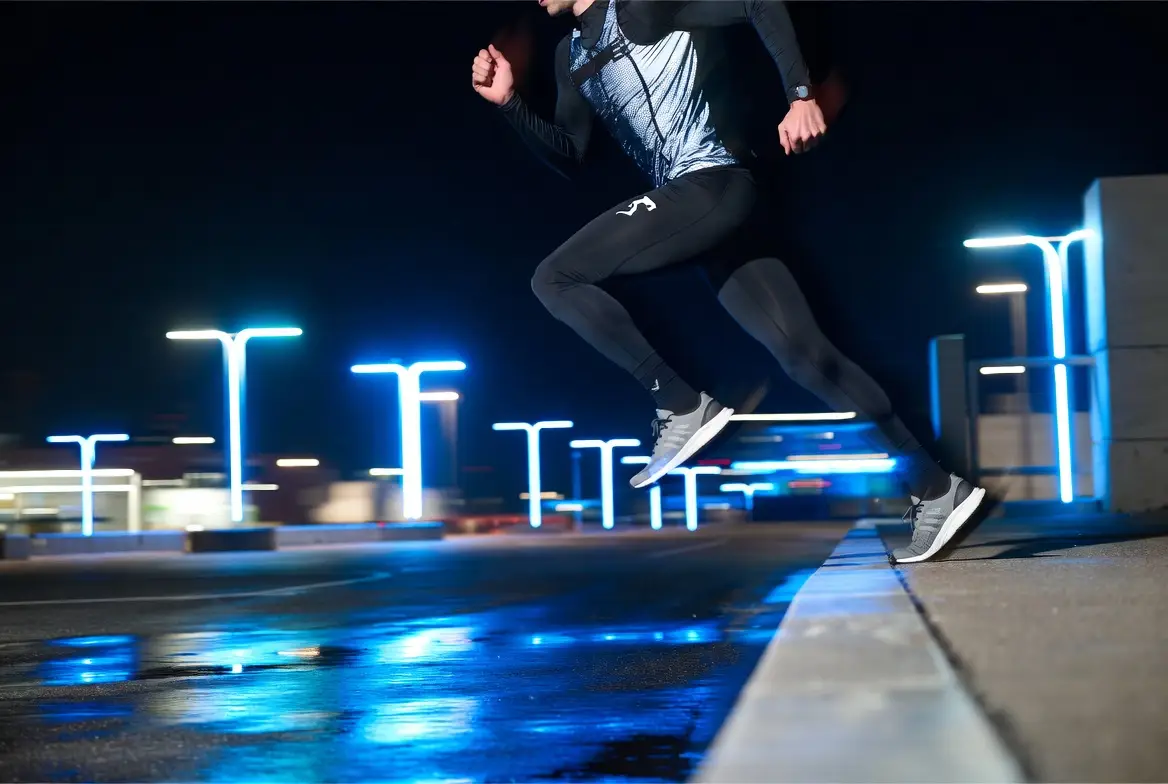
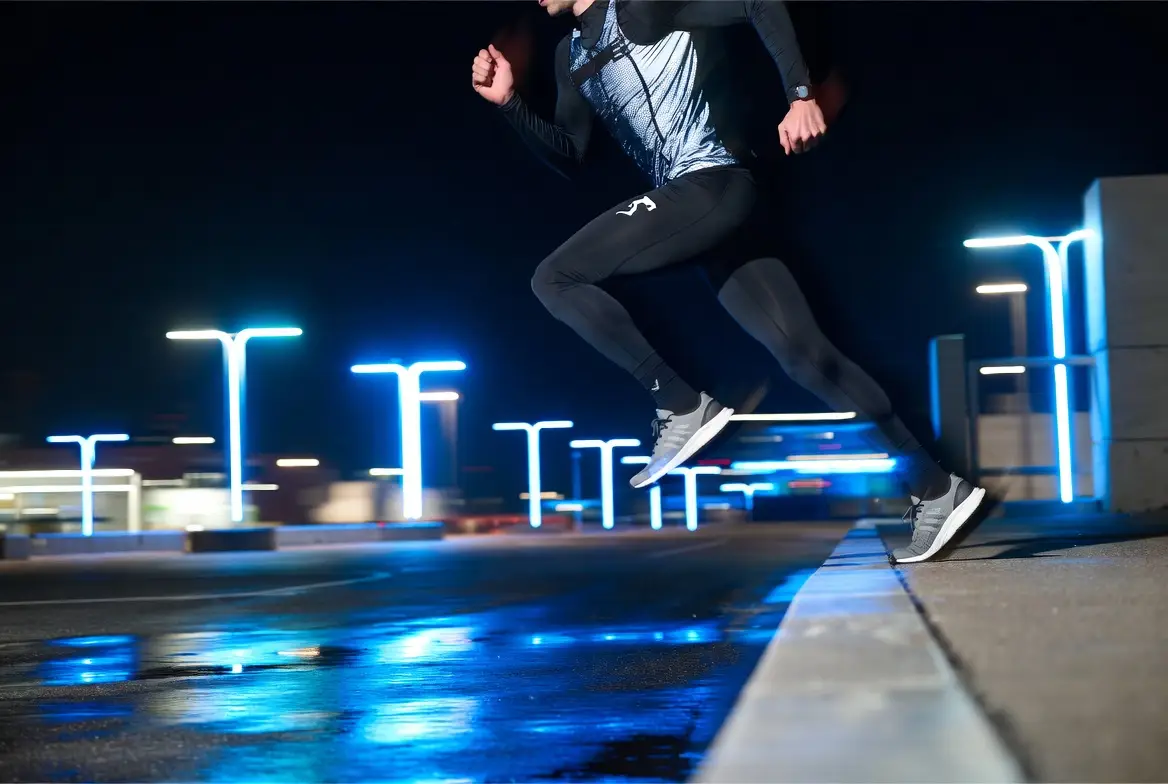
A nighttime sports campaign frame featuring dynamic movement and dramatic urban lighting.

Night sports campaign frame

Proven industry-standard Prompt best-practice workflow for optimized generation

[subject] + [action] + [location] + [light quality] + [campaign energy]

Explore Full prompt Documentation and Official Technical SpecificationsShow Full Comprehensive Breakdown

In-depth prompt Breakdown and Complete Overview

Create a nighttime sports campaign frame showing a runner stepping off a curb in reflective black performance wear. Use a low camera angle, electric blue urban lighting, wet pavement reflections, and a high-energy athletic campaign vibe. Make sure the image reads as a major sportswear brand key visual, not a casual lifestyle photo.

Core Functional Elements That Allow This Prompt To Produce Standout, High-quality Final Outputs

The targeted prompt uses one subject, action, and lighting setup, which keeps the frame intense while steering clear of a chaotic mood.

Targeted Final Generated Project Outcome

A dramatic sports campaign concept for ad reviews and product launch strategy development.

Curated Pro Tips for Creative Industry Professionals

  • Stick to one action beat, rather than a full, multi-scene narrative.
  • Connect your lighting directly to your campaign’s desired mood.
Product hero

Meets or exceeds leading prompt Alignment Benchmark Standards

Ideal for product visuals that require high contrast, drama, and social media-ready visual impact.

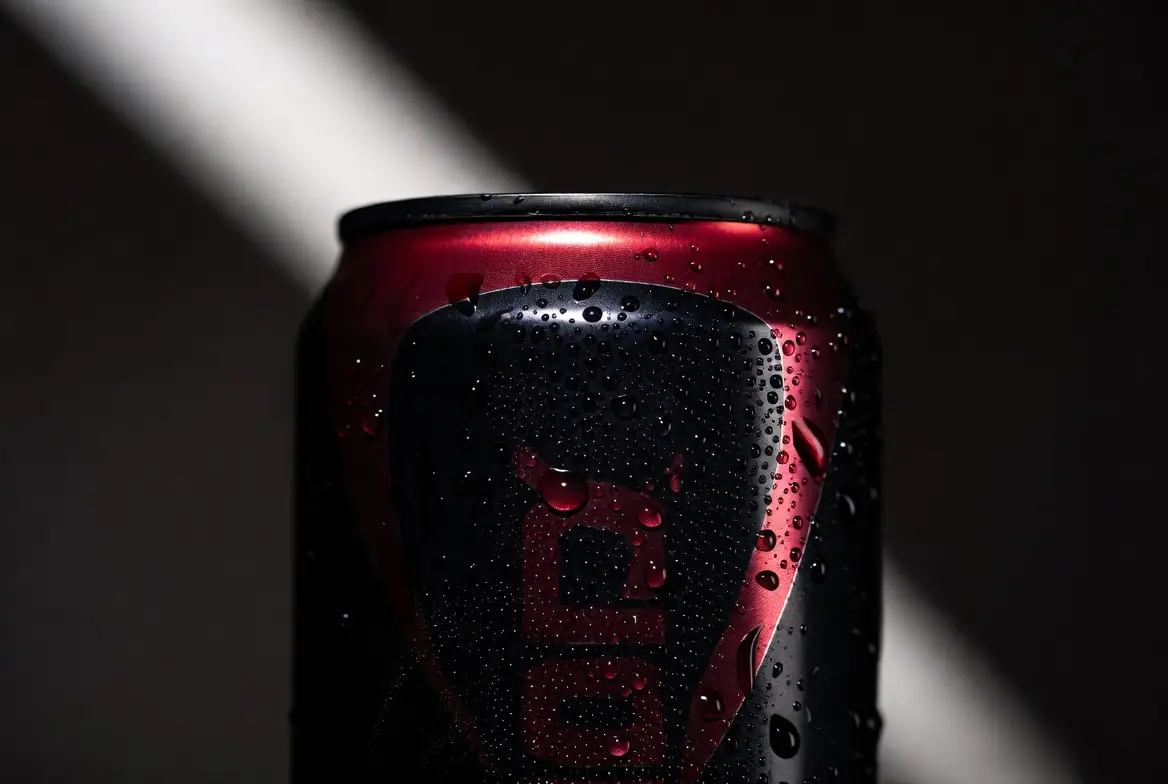
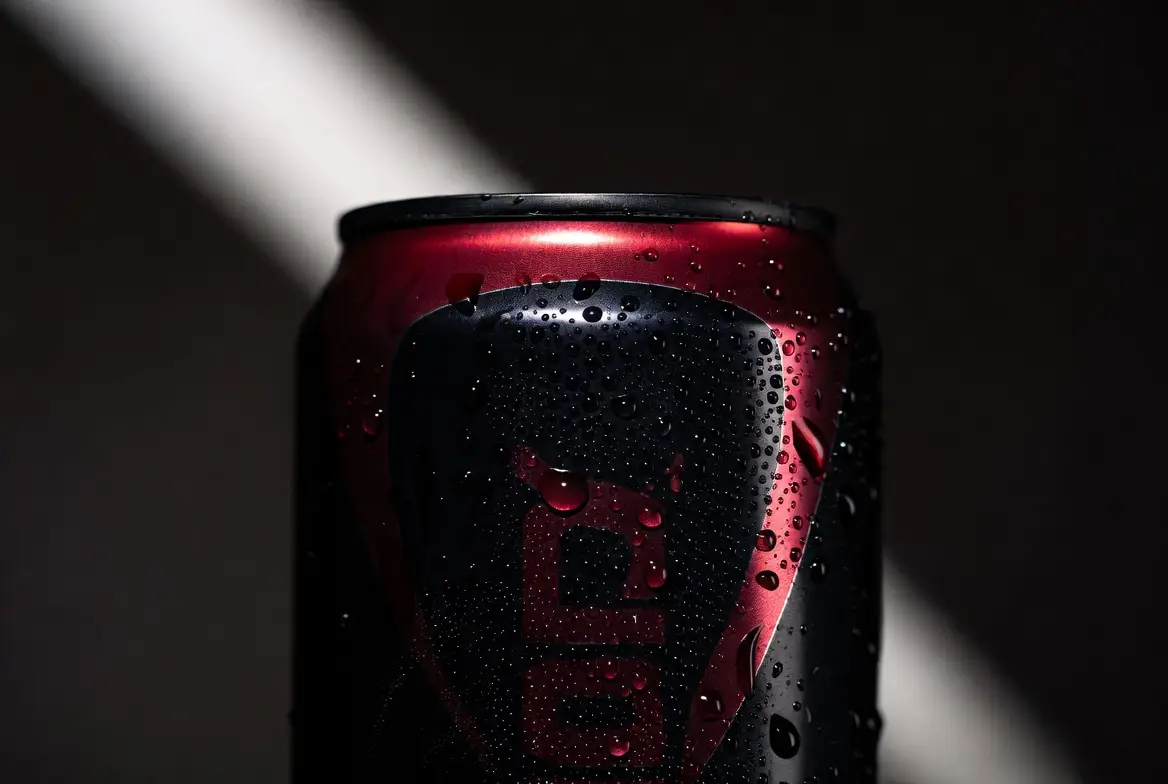
A striking beverage hero visual featuring bold color accents and professional commercial lighting.

Bold beverage hero visual

Proven industry-standard Prompt best-practice workflow for optimized generation

[product] + [hero setup] + [color energy] + [light direction] + [campaign mood]

Explore Full prompt Documentation and Official Technical SpecificationsShow Full Comprehensive Breakdown

In-depth prompt Breakdown and Complete Overview

Create a bold hero visual for a black cherry energy drink can. Feature a single can covered in cool condensation, with deep crimson highlights and black reflective surfaces, lit by a dramatic spotlight from the upper left. Keep the background dark and understated to make the product feel bold, premium, and ready for a social media campaign launch.

Core Functional Elements That Allow This Prompt To Produce Standout, High-quality Final Outputs

This product brief centers on contrast and mood, which aligns perfectly with Grok Imagine’s bold default visual aesthetic.

Targeted Final Generated Project Outcome

A high-impact product hero image for launch concepts, advertisements, or social media key visuals.

Curated Pro Tips for Creative Industry Professionals

  • Trim surrounding props when you want the product to be the clear focal point of the frame.
  • Clearly state the color palette if your brand’s mood depends on specific hues.
Cover concept

Meets or exceeds leading prompt Alignment Benchmark Standards

Ideal for portrait-focused cover concepts that need a curated, dramatic, high-end aesthetic.

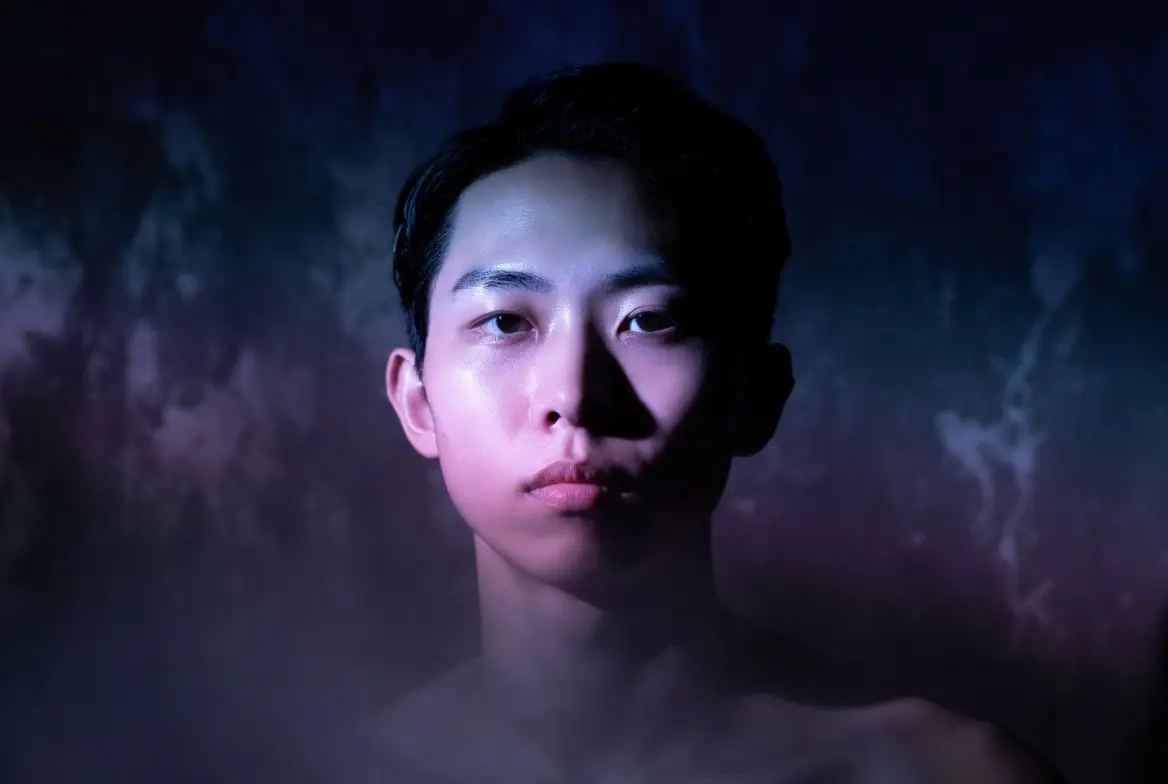
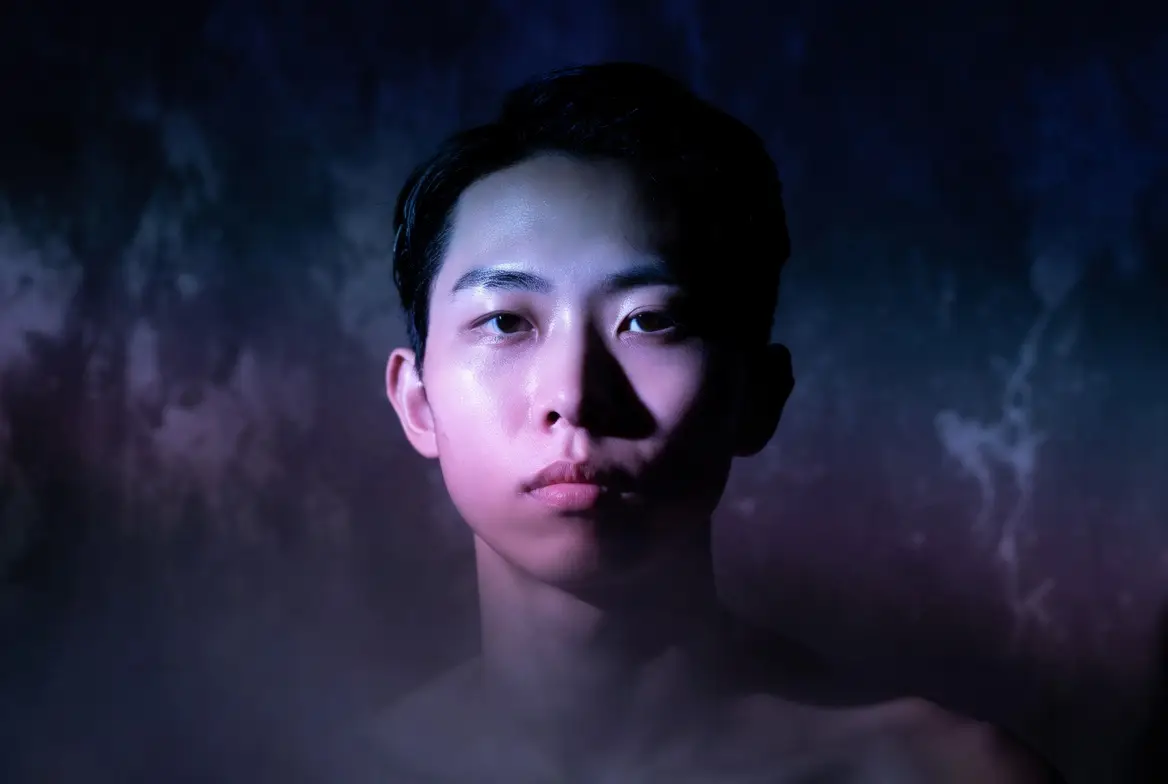
A high-end album cover portrait featuring controlled lighting and a moody centered composition.

Premium album-cover portrait

Proven industry-standard Prompt best-practice workflow for optimized generation

[subject] + [light palette] + [background] + [composition] + [cover mood]

Explore Full prompt Documentation and Official Technical SpecificationsShow Full Comprehensive Breakdown

In-depth prompt Breakdown and Complete Overview

Premium album cover portrait concept: A front-facing subject lit by deep violet and steel blue light, set against a dark textured background with soft haze, using clean centered framing, realistic facial texture, a muted dramatic mood, and high-end music cover styling.

Core Functional Elements That Allow This Prompt To Produce Standout, High-quality Final Outputs

The targeted prompt keeps the frame focused on one face, unified lighting mood, and clear premium cover vision.

Targeted Final Generated Project Outcome

A tightly curated cover concept for music visuals, entertainment branding, or creative strategy.

Curated Pro Tips for Creative Industry Professionals

  • Stick to one narrow lighting palette to maintain one consistent mood for your cover.
  • Clearly state your cover’s desired tone rather than adding too many unrelated styling references.
When to Select Grok Imagine

Choose Grok Imagine When Visual Energy Trumps Text-Heavy Layout

Grok Imagine is the top choice when you’re after a bold photoreal aesthetic, amplified mood, and a subject-focused frame, instead of a layout-heavy or diagram-style workflow.

Choose Grok Imagine for Vivid, Photoreal, and Instantly Impactful Imagery

Use this tool for portraits, entertainment concepts, moody product heroes, and other visuals where atmosphere and visual impact take center stage over dense layout or multiple text labels.

Pick an Alternative Model When Text, Layout, or Open Deployment Are Your Top Priorities

Pick GPT-4o for crisp text and diagram-style layout, Seedream 4.5 for a streamlined high-resolution poster workflow, and Z-Image when open weights or local deployment are required for your project.

Creator Community Insights

Creator Walkthroughs and Independent Reviews of Grok Imagine

These videos share independent creator perspectives on Grok Imagine and its use as a bold cloud-hosted image workflow. They’re included to strengthen the model’s positioning on this platform.

Curated Gallery of AI Video Generation Showcase Pieces

FAQs

FAQ

Helpful information about HappyHorse 2

What is Grok Imagine?

Grok Imagine is xAI’s purpose-built image generation tool built to produce photorealistic, emotionally resonant visual results. On this platform, it runs as a standalone single-model workflow supporting both standalone image creation and single-reference image edits.

What is Grok Imagine best for?

Grok Imagine shines for portraits, nightlife photography, product hero frames, entertainment-focused campaign concepts, and any project where the final image needs immediate, eye-catching visual punch.

Does Grok Imagine support image input here?

Without a doubt. On this platform, Grok Imagine supports single reference image uploads, making it ideal for single-reference edits where you want the final output to closely match an existing product, pose, or core visual direction.

Which aspect ratios does Grok Imagine support here?

Grok Imagine is compatible with 1:1, 2:3, 3:2, 16:9, and 9:16 on this platform. There is no dedicated resolution toggle for this model within the current page’s generation workflow.

How do I write better Grok Imagine prompts?

Begin with your core subject and desired mood, then map out the lighting, lens properties, and exact visual energy you want to bring to life. Grok Imagine delivers top-tier results when your prompt follows one unified scene vision instead of mixing conflicting styles.

When should I use Grok Imagine instead of GPT-4o or Seedream 4.5?

Opt for Grok Imagine when you want a bolder photoreal aesthetic and an amplified default visual tone. Pick GPT-4o if crisp, legible text or diagram-style structure is your top priority. Choose Seedream 4.5 for a streamlined high-resolution workflow perfect for polished posters or campaign assets.

Is Grok Imagine good for portraits and campaign visuals?

Without a doubt. Grok Imagine shines for portrait-focused photography, nightlife event concepts, performance-focused key art, and brand visuals that need heightened visual intensity without leaning into abstract aesthetics.

Can I use Grok Imagine images commercially?

For professional production work, assess Grok Imagine outputs the same way you would results from any cloud-hosted image model. Commercial usability hinges on your unique use case, internal review policies, and the platform’s terms of service that apply to this page.

Still have questions? Our support team is ready to help.

Related models

Compare Grok Imagine to Other Image Models on This Platform

If Grok Imagine isn’t the ideal match, check out these related pages for text-focused editing, high-fidelity hosted output, high-resolution poster work, or open deployment tradeoffs.

GPT-4o Image Tool

Opt for GPT-4o when crisp text, annotations, and multi-reference layout take priority over bold visual impact.

Discover Our Curated Collection of Associated AI Models

Seedance Pro Image Tool

Compare Seedance Pro to your shortlist if you want a more polished hosted workflow for structured briefs and product mood boards.

Discover Our Curated Collection of Associated AI Models

Seedream 4.5 Image Tool

Test Seedream 4.5 if you want an alternative high-resolution workflow for polished posters or campaign assets.

Discover Our Curated Collection of Associated AI Models

Z-Image AI Image Tool

Compare Z-Image to your options if open weights, local deployment, and post-generation customization are your top priorities.

Discover Our Curated Collection of Associated AI Models

Begin Creating with Grok Imagine on This Platform

Open the generator, begin with a crisp subject-focused prompt, and tweak your image by adjusting mood, lighting, and atmosphere until you land on the perfect final frame.

Launch Grok Imagine’s Creation Tool
Resources
  • Create
  • Pricing
  • Image to Prompt
  • Batch Image to Prompt
Company & Legal
  • About
  • Contact
  • Privacy Policy
  • Terms of Service
  • Refund Policy
AI Image
  • Nano Banana Pro
  • Nano Banana 2
  • GPT-4o
  • Seedream 4.5
  • Seedream 4.0
  • Flux 2 Pro
  • Flux 2
  • Qwen Image 2
  • Z-Image
  • NanoBanana Flash
  • Qwen Image 3
HappyHorse 2

HappyHorse 2 – AI Video Generator Free with New User Credits

[email protected]

This website is an independent third-party service built around HappyHorse 2 workflows. We are not the official website for HappyHorse 2, and all product names, model names, and trademarks belong to their respective owners.

© 2026 HappyHorse 2. All rights reserved.

Privacy Policy